Image to PDF - PDF Maker
▶️ Google PlayProductivityFreeIn-App PurchasesContains AdsEveryone
4.9★
2.2M reviews
50.0M
Installs
Dec 8, 202
Released
2025-10-16
Last Updated
Rankings
| Category | Collection | Rank | Date |
|---|---|---|---|
| PRODUCTIVITY | topselling_free | #118 | 2026-03-10 |
Screenshots



About Image to PDF - PDF Maker
Image to PDF - PDF Maker can convert images (jpg, jpeg, png, etc.) to PDF files. Easy to use and 100% free. Try it now!
With Image to PDF - PDF Maker, you can:
►Convert all kinds of images to PDF
Import images or scan paper files with your camera and convert them to PDFs - notes, receipts, invoices, forms, business cards, certificates, whiteboards, ID cards, etc., all supported.
►Read all PDFs
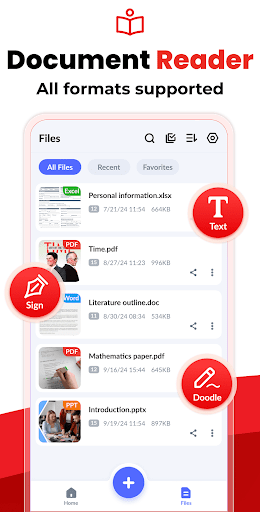
Automatically scan and list all PDFs on your device, giving you quick access to them all. Easily doodle, add text, and sign with different colors, enjoying a lot of convenience with this PDF Reader.
►Resize images
Resize, crop, doodle, and rotate the images as you like. Optimize images for better PDF output.
►Auto sorting
Automatically sort images and PDF files by name, size, created date, modified date, etc. Of course, you can sort manually if you want.
►Compress PDF files
Support to reduce PDF size through compression. Set the image quality - low, medium, high, and original as needed.
►Set password
You can set passwords to protect your PDF files, and encrypt confidential files to be shared to prevent others from peeking at them.
►Work offline
No need to send data to the cloud, easily convert your images to PDF offline.
►Share converted PDF files
Easily send and share converted PDF files via social media, Bluetooth, Email, quick share, etc.
►Quick search
Try the quick search function, and you will find it’s easy to find your target files. Just enter the keywords and the results will be displayed automatically.
PERMISSION REQUIRED:
* For users of Android 11 and above, All Files Access permission is required to access, manage, and edit all PDF files on your device.
We will keep working hard to optimize the app and improve the user experience. Please feel free to contact us at imagetopdffeedback@gmail.com if you have any suggestions.
Convert image to PDF
Want to convert picture to pdf? The powerful features make this app an ultimate pdf creator for your device to convert jpg to pdf. You can convert jpg to pdf from gallery or take photos with the camera, and then convert photo to pdf. It's quite easy, right? Have a try!
PDF editor
It can not only convert picture to pdf. We're working hard to make this app not only a pdf maker to convert photo to pdf, but also a pdf maker with more features of pdf editor. Please stay tuned.
A reliable PDF scanner to convert jpg to pdf
Your files will be 100% safe when scanning with this pdf scanner. The entire process of file generation is done locally, we guarantee that the files will not be transferred to the server, so this free pdf converter app can be used for business purposes as well to convert image to pdf. It's the pdf scanner you can trust to convert jpg to pdf!
PDF creator
Convert image to pdf easily and safely! You can use a password to protect pdf with this pdf creator (also can be regarded as a pdf editor). With a user-friendly interface design, this free pdf converter app makes it easy for
Frequently Asked Questions
Is Image to PDF - PDF Maker free?
Yes, Image to PDF - PDF Maker is free to download. It offers in-app purchases.
What is the rating of Image to PDF - PDF Maker?
Image to PDF - PDF Maker has a 4.9 out of 5 star rating based on 2.2M reviews on the Google Play.
Who made Image to PDF - PDF Maker?
Image to PDF - PDF Maker was developed by Simple Design Ltd.. Visit their website at https://simpledesign.ltd.







