
3.8★
50 reviews
1.0K
Installs
Feb 5, 201
Released
2025-08-09
Last Updated
Rankings
| Category | Collection | Rank | Date |
|---|---|---|---|
| VIDEO_PLAYERS | topselling_paid | #26 | 2026-03-10 |
Screenshots
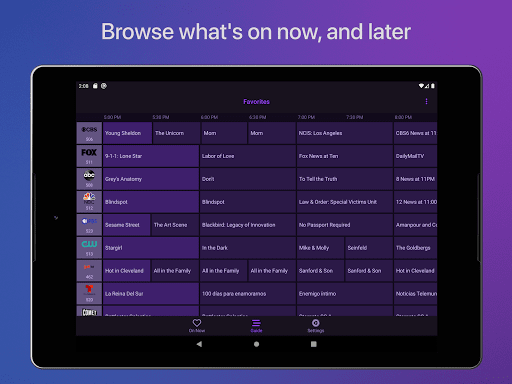
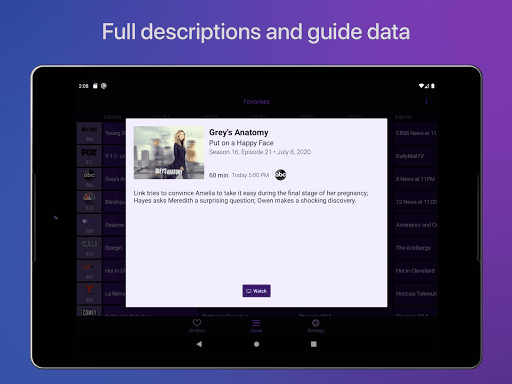
About Channels for HDHomeRun
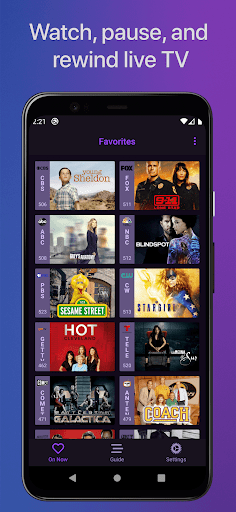
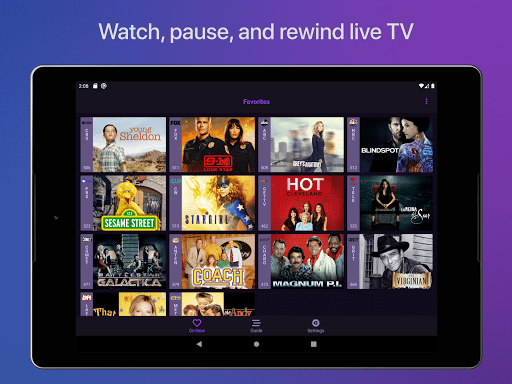
Watch live TV, right next to your apps. Channels lets you play, pause, and rewind local or cable TV directly on your Android device with your HDHomeRun TV tuner.
If you are a Channels Plus subscriber with DVR Service, search for the free app: Channels: Whole Home DVR
Channels requires an HDHomeRun networked TV tuner to watch live TV on your Android device. Learn more about how this works below.
• Pause, rewind, and fast forward live TV
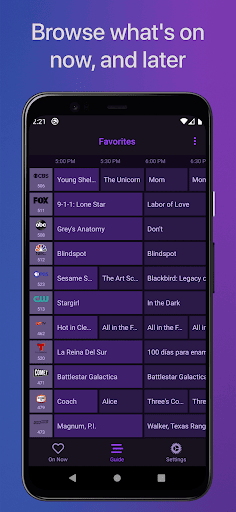
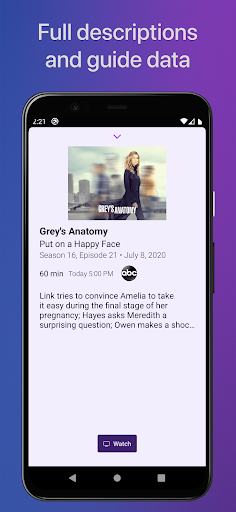
• Guide Data
• Full grid guide
• Full HD streaming (bandwidth permitting)
• 5.1 Surround Sound
• Closed captioning
• Full support for VoiceOver
• Channel favoriting
• Jump back to last channel
• Auto Discovery
• Browse what's on other channels while watching TV
• Manage your HDHomeRun devices from Channels
-- Why Use Channels? --
Channels is the missing piece of your puzzle. If you already watch everything through streaming apps, Channels lets you finally watch sports, award shows, local news, and other live events.
• Watch live primetime tv, local news, and sports on your Android device.
• Netflix, Hulu, Movies, Games, AirPlay, and now live TV without switching inputs – the holy grail!
• Using antenna for live TV? Channels lets you use one antenna for all the TVs in the house.
• Want sports on your porch? News in the kitchen? Channels adds live TV to any TV in your house.
• Save money by ditching cable boxes and watch your cable subscription with Channels on your Android device instead.
-- How Does It Work? --
An HDHomeRun is a simple TV tuner that can broadcast television over your home network to any room in your house. Channels uses it to let you watch live TV on your Android device.
1. Plug an HD antenna or your cable into your HDHomeRun.
2. Plug your HDHomeRun into your router.
3. Watch live TV via the Channels Android app.
-- How Do You Use It? --
Here's some protips on how to get the most out of Channels.
• Pick your favorite channels by clicking on them in the Settings tab.
• Switch to the Favorites tab and browse what’s on.
• Click on a channel to start playing it.
• Live TV buffer works for ~90 mins or less depending on how much storage is available on your device.
• Skip ahead 30s by clicking the right side of the Touch surface. Skip back 7s by doing the inverse.
• Double-click the Play/Pause button to switch back to the previous channel.
• Tap to reveal the timeline, then scrub through the buffer with the Touch surface.
• Swipe down to bring the Quick Guide to see what else is on your favorite channels.
• Change tabs while in the Quick Guide to toggle closed captioning or adjust audio languages.
-- Device Support --
All HDHomeRun devices are supported by Channels.
• HDHomeRun PRIME
• HDHomeRun EXTEND
• HDHomeRun EXPAND
• HDHomeRun CONNECT
• HDHomeRun CONNECT DUO
• HDHomeRun CONNECT QUATRO
• HDHomeRun DUAL
• HDHomeRun ORIGINAL (blue and white tuners)
Learn more about HDHomeRun tuners on silicondust.com. Simply plug a compatible tuner into your home network router and start watching Liv
Frequently Asked Questions
Is Channels for HDHomeRun free?
No, Channels for HDHomeRun costs USD39.99.
What is the rating of Channels for HDHomeRun?
Channels for HDHomeRun has a 3.8 out of 5 star rating based on 50 reviews on the Google Play.
Who made Channels for HDHomeRun?
Channels for HDHomeRun was developed by Fancy Bits, LLC. Visit their website at https://getchannels.com.
Developer
Explore More
Related Video Players & Editors Apps






Share & Embed
Use these badges on your website or blog to link back to this app's data.
Rating Badge
<a href="https://apppricinglab.com/app/google_play/com.getchannels.app"><img src="https://apppricinglab.com/api/badge/rating?store=google_play&app=com.getchannels.app" alt="Channels for HDHomeRun rating on App Pricing Lab" /></a>Rank Badge
<a href="https://apppricinglab.com/app/google_play/com.getchannels.app"><img src="https://apppricinglab.com/api/badge/rank?store=google_play&app=com.getchannels.app" alt="Channels for HDHomeRun ranking on App Pricing Lab" /></a>