4.5★
185.2K reviews
10.0M
Installs
Apr 24, 20
Released
2026-01-08
Last Updated
Rankings
| Category | Collection | Rank | Date |
|---|---|---|---|
| VIDEO_PLAYERS | topselling_free | #73 | 2026-03-10 |
Screenshots
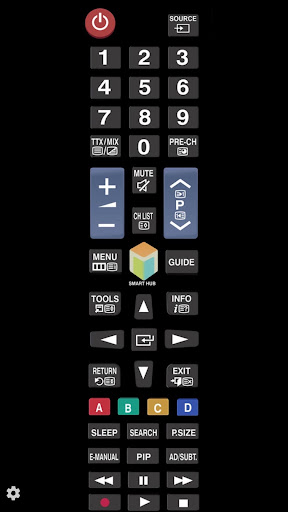

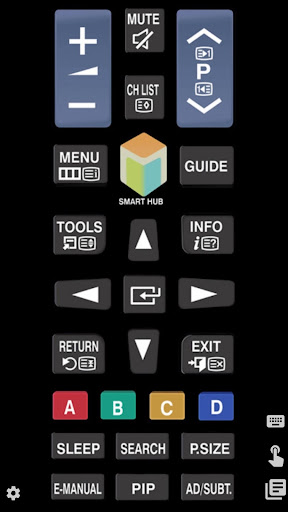
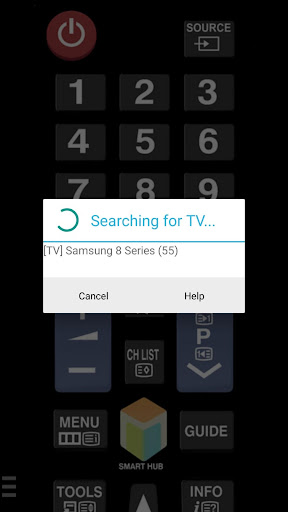
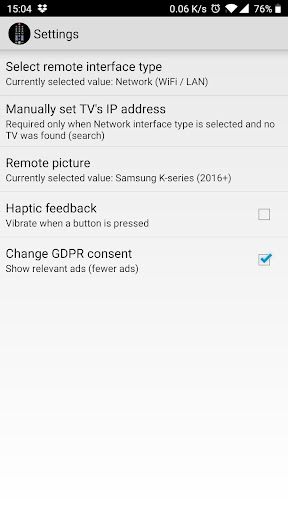
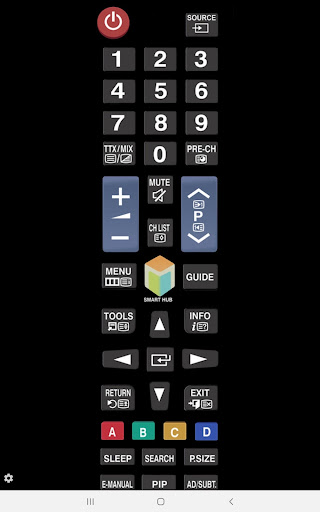
About TV (Samsung) Remote Control
With the app "TV (Samsung) Remote Control" you can use your smartphone to control your Samsung TV over the local network and/or with IR (if your android has infrared port).
You have 2 options:
★ Network IP control (WiFi / WiFi Direct / LAN).
Works with C, D, E, F, K and M (2016+) models, but not with H and F models.
- Make sure the TV that you want to use is turned [On]
- Make sure your mobile device and TV are connected to the same home network. If your router supports a privacy separator function, make sure it is disabled.
- It is also possible to enter the TV's IP address manually. To find you TV's IP address go to TV: [Menu] → [Settings] → [Network] → [Network Status].
If TV was found but after selecting the TV:
- If you have refused the confirmation message on your TV ("accept device") you need to change your selection by going to:
[Menu] → [General Settings] → [External Device Manager] → [Device Connection Manager] → [Device List] or with older TV models [Menu] → [Network] → [Expert Settings] → [Mobile Device Manager] or [Menu] → [Network] → [AllShare Settings].
- You can disable the TV's ("accept device") screen by going to eg. [Menu] → [Settings General] → [External Device Manager] → [Device Connection Manager] and changing [Access Notification] -> "First Time Only".
- If a PIN code is requested on your TV screen - sorry, but with this TV this app won't work :(
★ Infrared (IR) control
- This option works on phones and tablets with built-in IR blaster such as Samsung Galaxy S, HTC ONE, LG G3/G4/G5, Xiaomi Mi / Redmi / Note, Huawei Mate / Honor etc).
- Tested with Samsung TV F and M models, but probably works also with others Samsung Smart TV-s build 2005 and later (if it does, then let us now and give feedback).
- Please note that you must point your phone’s IR blaster directly at the TV. Usual working range is 4-10ft (1-3 meters, max ~5 meters).
- With some phones in power saving mode or with almost empty battery the IR blaster might not work or range is less then 5ft (2 meters).
The purpose is not to replace the original TV remote, but this app is handy in emergency situations (original remote is lost, empty batteries etc). It's ready to use (no need for pairing with the TV).
If this app doesn't work with your phone or TV then feel free to e-mail me (your exact TV and phone model). Then I can try to add support for your phone or/and TV model.
Disclaimer/Trademarks:
This app is NOT affiliated with or endorsed by Samsung Group. Samsung is a trademark of Samsung Group.
Warranties:
This software is provided by author ''as is'' and any express or implied warranties, including, but not limited to, the implied warranties of merchantability and fitness for a particular purpose are disclaimed. In no event shall author be liable for any direct, indirect, incidental, special, exemplary, or consequential damages (including, but not limited to, procurement of substitute goods or services; loss of use, data, or profits; or business
Frequently Asked Questions
Is TV (Samsung) Remote Control free?
Yes, TV (Samsung) Remote Control is free to download.
What is the rating of TV (Samsung) Remote Control?
TV (Samsung) Remote Control has a 4.5 out of 5 star rating based on 185.2K reviews on the Google Play.
Who made TV (Samsung) Remote Control?
TV (Samsung) Remote Control was developed by npe. Visit their website at https://eibicidiii.ueuo.com/ir.remote.smg.tv/.
Developer
Explore More
Related Video Players & Editors Apps





Share & Embed
Use these badges on your website or blog to link back to this app's data.
Rating Badge
<a href="https://apppricinglab.com/app/google_play/ir.remote.smg.tv"><img src="https://apppricinglab.com/api/badge/rating?store=google_play&app=ir.remote.smg.tv" alt="TV (Samsung) Remote Control rating on App Pricing Lab" /></a>Rank Badge
<a href="https://apppricinglab.com/app/google_play/ir.remote.smg.tv"><img src="https://apppricinglab.com/api/badge/rank?store=google_play&app=ir.remote.smg.tv" alt="TV (Samsung) Remote Control ranking on App Pricing Lab" /></a>