4.3★
413 reviews
10.0K
Installs
Jul 5, 201
Released
2024-06-20
Last Updated
Rankings
| Category | Collection | Rank | Date |
|---|---|---|---|
| TOOLS | topselling_paid | #124 | 2026-03-10 |
Screenshots


About Lower Brightness Pro
Have you ever set the screen brightness to the lowest but it still so bright?
If you feel the screen is so bright and you want to reduce it. You need this application called "Lower Brightness".
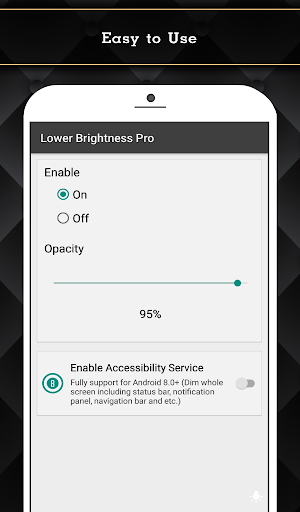
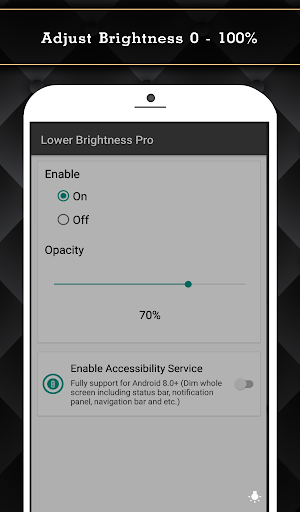
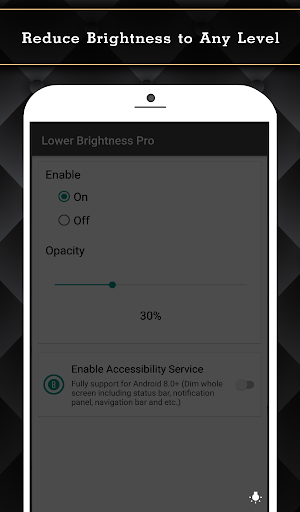
"Lower Brightness" application helps you reduce brightness to any level. You can set brightness level from 0% to 100% by just opening the application and choose brightness level you want.
Features
- Reduce screen brightness below the system minimum brightness
- Easy to use. Just enable and set the percent of brightness level (0-100%)
- Auto start after reboot
- Easy to use. Just choose percent of brightness you want to set.
- Small size of application.
- Also support devices that have the navigation bar on the screen.(home/back button at the bottom of the screen)
- Ask for permission in android 6.0+
This Pro version included:
- Ads free.
- Turn on/off and adjust brightness via notification.(Able to clear notification when service is turned off.)
- Widget on home screen with ability to control brightness.
- Fully support for Android 8.0+ (Dim whole screen including status bar, notification panel, navigation bar and etc.)
- Quick Setting Tiles for Android 7.0+
Accessibility Service Usage
Lower Brightness Pro requires accessibility service permission in order to enable core functionality.
The application will not read the sensitive data and any content on your screen. In addition, the application will not collect and share the data from accessibility service with any third-party.
By enabling the service, the application will be able to dim whole screen including status bar, notification panel, navigation bar and etc.
If you disable the accessibility service, the main features cannot work properly.
Frequently Asked Questions
Is Lower Brightness Pro free?
No, Lower Brightness Pro costs USD2.49.
What is the rating of Lower Brightness Pro?
Lower Brightness Pro has a 4.3 out of 5 star rating based on 413 reviews on the Google Play.
Who made Lower Brightness Pro?
Lower Brightness Pro was developed by Wormhole Space.
Developer
Explore More
Related Tools Apps







Share & Embed
Use these badges on your website or blog to link back to this app's data.
Rating Badge
<a href="https://apppricinglab.com/app/google_play/nu.lower.brightness.pro"><img src="https://apppricinglab.com/api/badge/rating?store=google_play&app=nu.lower.brightness.pro" alt="Lower Brightness Pro rating on App Pricing Lab" /></a>Rank Badge
<a href="https://apppricinglab.com/app/google_play/nu.lower.brightness.pro"><img src="https://apppricinglab.com/api/badge/rank?store=google_play&app=nu.lower.brightness.pro" alt="Lower Brightness Pro ranking on App Pricing Lab" /></a>