
Nest Payroll Price Snapshot
Nest Payroll by Felicity Inc is free to download on the Apple App Store, with no in-app purchases. It holds a 4.7★ rating from 113 reviews.
Listing last updated: 2025-05-27. Source: public Apple App Store data, compiled via the App Pricing Lab methodology.
4.7★
113 reviews
2019-08-03
Released
2025-05-27
Last Updated
Rankings
| Category | Collection | Rank | Date |
|---|---|---|---|
| FINANCE | top-grossing-ipad | #71 | 2026-03-12 |
| FINANCE | top-grossing | #134 | 2026-03-12 |
Screenshots

About Nest Payroll
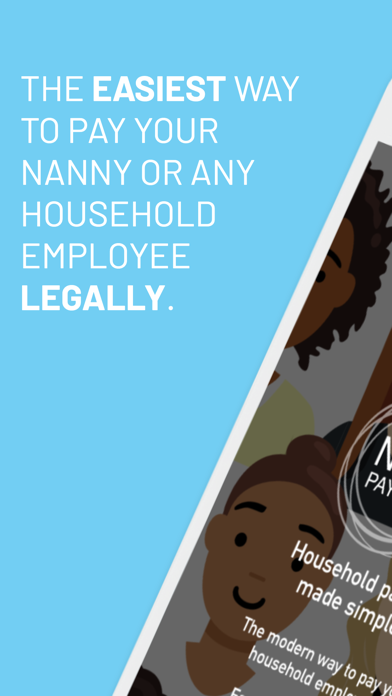
Do you pay your nanny/nanny share, caregiver, aide, housekeeper or babysitter (or any household employee) over $2,700/year? If so, Nest Payroll was made for you.
Nest Payroll simplifies a complex tax and payroll process into the easiest and most affordable full-service solution.
Setup takes 5 minutes.
You get walked through three easy steps to get going.
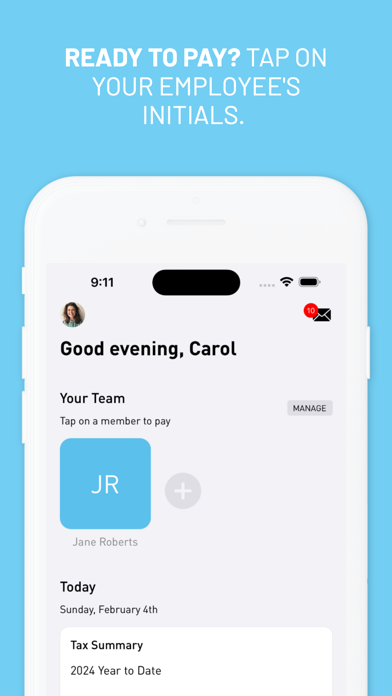
After adding your employee, it takes seconds to pay them each week.
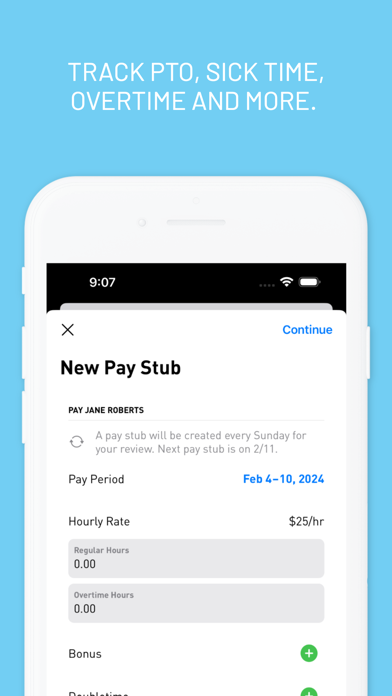
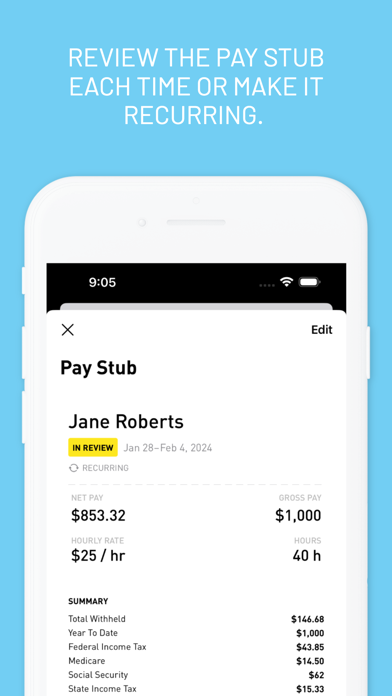
Professional pay stubs are automatically emailed to your employee
All tax work is completed behind the scenes so you don't do anything. This includes setting up your federal EIN, state accounts, state and federal reporting and filing each quarter, W-2s at year-end for your employees and a signature-ready Schedule H that goes with your personal taxes each April.
Nest Payroll:
- Allows you to easily handle catch-up for your employee if needed.
- Establishes your federal and state tax IDs.
- Submits New Hire reports on your behalf.
- Prepares and files your quarterly payroll taxes.
- Payroll taxes are debited directly from your bank account by the IRS and your state.
- Each January, we prepare W-2s for you to give to your employees, file your W-3, and provide a signature-ready Schedule H for your personal tax return.
- Pay employees anytime without deadlines or cutoffs, as often as you need.
- Pay employees the take home wage amount quickly via Cash App or Venmo integrated right from the paystub, or use your favorite mobile payment app or write a check.
- Employees receive professional pay stubs automatically.
- Track sick time and paid time off.
- Reimburse your employee's health insurance premiums, reducing taxes for both of you.
- Weekly paycheck reminders keep things timely.
- In app notifications when documents (W-2s, Schedule H, etc.) are ready or when filing and tax payments are happening.
- Tax summaries, documents and payroll history at your fingertips right in the app.
- Payroll Calculator to estimate taxes and take home pay. It simplifies budgeting your care costs & makes hourly wage discussions easier & more transparent.
- Professional concierge service: Text, call or email right from the app.
Simple and affordable pricing.
- No contract required, cancel anytime.
- No free trial with Apple subscriptions.
- Household employees only. Businesses are not supported.
HOUSEHOLD EMPLOYER TAX REQUIREMENTS
If you’re paying over $2,700 in a year, which is only $52/week, did you know it’s the law to pay above board? Many people think nannies, caregivers and housekeepers are independent contractors. They are actually your employees, even if they only work part-time or for multiple families. The IRS is really clear that you are required to withhold and pay employer taxes.
That sounds complicated and hard to do, and that’s where we come in. We believe you deserve an easy way to pay legally so you’re always above board.
We created Nest Payroll, a native iOS app for your iPhone or iPad, which takes care of all your
Frequently Asked Questions
Is Nest Payroll free?
Yes, Nest Payroll is free to download.
What is the rating of Nest Payroll?
Nest Payroll has a 4.7 out of 5 star rating based on 113 reviews on the Apple App Store.
Who made Nest Payroll?
Nest Payroll was developed by Felicity Inc. Visit their website at https://www.nestpayroll.com.
Developer
Explore More
Related Finance Apps


Share & Embed
Use these badges on your website or blog to link back to this app's data.
Rating Badge
<a href="https://apppricinglab.com/app/apple/1314304473"><img src="https://apppricinglab.com/api/badge/rating?store=apple&app=1314304473" alt="Nest Payroll rating on App Pricing Lab" /></a>Rank Badge
<a href="https://apppricinglab.com/app/apple/1314304473"><img src="https://apppricinglab.com/api/badge/rank?store=apple&app=1314304473" alt="Nest Payroll ranking on App Pricing Lab" /></a>