
Authenticator - Authkey 2FA
▶️ Google PlayToolsFreeIn-App PurchasesContains AdsEveryone
3.5★
1.3K reviews
500.0K
Installs
Jul 31, 20
Released
2025-09-02
Last Updated
Rankings
| Category | Collection | Rank | Date |
|---|---|---|---|
| TOOLS | topgrossing | #162 | 2026-03-10 |
Screenshots



About Authenticator - Authkey 2FA
Authenticator App is a 2FA verification code management application for all your online accounts. It is designed to provide a more convenient management process for your two-factor authentication login method for online accounts, making your digital life more secure.
In order to deal with account security issues, mature two-factor authentication technology has provided a solid guarantee for your account security. When your account has two-factor authentication enabled, in addition to the regular username and password, the system will also ask you to provide another way to prove your identity when logging in to your account, such as scanning a QR code to obtain a one-time verification code to ensure that you are the one who authorized the login. However, while two-factor authentication ensures account security, it also complicates the account login process. Authenticator App can simplify your two-factor authentication login process. You can manage two-factor authentication for all your online accounts in one app at the same time, without switching back and forth between various apps, and without repeatedly scanning QR codes or entering keys to obtain verification codes.
🔐Two-factor authentication, worry-free
Authenticator app manages two-factor authentication for all your online accounts in one stop, simplifying the authentication process. After completing the account setup and binding, the App can generate a one-time 6-digit verification code based on time and counter for your account. Each time you log in, you only need to enter the verification code of the account in the app to log in safely, ensuring that only you can access your account with authorization.
The app will not store your account number and password, and will generate a single one-time verification code based on time, which is stored on the user's mobile phone without Internet access, greatly improving login security.
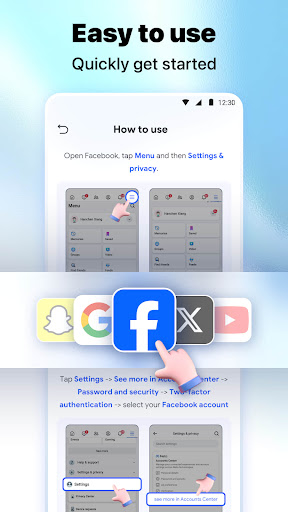
🔐Easy to use, quick to get started
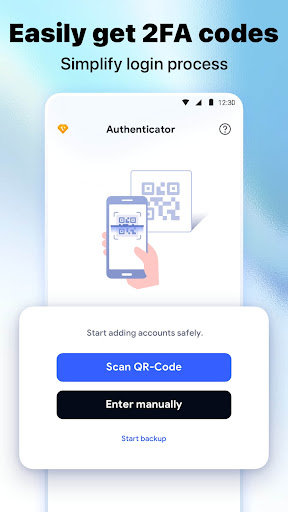
The Authenticator app interface is simple and intuitive. You can scan the 2FA QR code or enter the private key to add an account to get a login verification code. You only need to follow the instructions of the app to easily complete the account setup and binding, and you can start to enjoy the security brought by two-factor verification. We also provide detailed help documentation to ensure that you can get help at any time during use.
🔐Widely compatible and applicable to a variety of scenarios
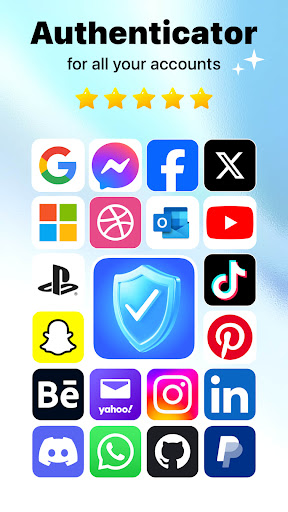
The Authenticator app supports many mainstream online services, such as Google, Facebook, Twitter, LinkedIn, GitHub, etc., so that all your accounts can enjoy the protection of two-factor verification.
🔐Support multiple accounts, safe and efficient
The Authenticator app allows you to centrally manage multiple accounts. You can add multiple accounts to your app without having to frequently switch between multiple apps, which greatly improves the security and convenience of logging in.
●Authenticator premium features:
-Secure yo
Frequently Asked Questions
Is Authenticator - Authkey 2FA free?
Yes, Authenticator - Authkey 2FA is free to download. It offers in-app purchases.
What is the rating of Authenticator - Authkey 2FA?
Authenticator - Authkey 2FA has a 3.5 out of 5 star rating based on 1.3K reviews on the Google Play.
Who made Authenticator - Authkey 2FA?
Authenticator - Authkey 2FA was developed by QR Scanner Team. Visit their website at https://adqr.qrscanner.cc/authenticator-app/.
Developer
Explore More
Related Tools Apps








Share & Embed
Use these badges on your website or blog to link back to this app's data.
Rating Badge
<a href="https://apppricinglab.com/app/google_play/authenticator.mfa.two.step.auth"><img src="https://apppricinglab.com/api/badge/rating?store=google_play&app=authenticator.mfa.two.step.auth" alt="Authenticator - Authkey 2FA rating on App Pricing Lab" /></a>IAP Badge
<a href="https://apppricinglab.com/iap/google_play/authenticator.mfa.two.step.auth"><img src="https://apppricinglab.com/api/badge/iap?store=google_play&app=authenticator.mfa.two.step.auth" alt="Authenticator - Authkey 2FA IAP prices on App Pricing Lab" /></a>Rank Badge
<a href="https://apppricinglab.com/app/google_play/authenticator.mfa.two.step.auth"><img src="https://apppricinglab.com/api/badge/rank?store=google_play&app=authenticator.mfa.two.step.auth" alt="Authenticator - Authkey 2FA ranking on App Pricing Lab" /></a>