
4.4★
3.4K reviews
100.0K
Installs
Jun 15, 20
Released
2026-03-09
Last Updated
Rankings
| Category | Collection | Rank | Date |
|---|---|---|---|
| ART_AND_DESIGN | topgrossing | #73 | 2026-03-10 |
Screenshots


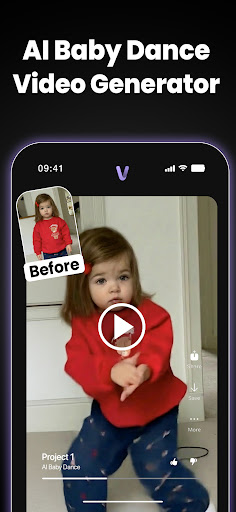


About VideoAI: AI Video Generator
VideoAi – AI Photo to Video Generator & Text-to-Video Maker
VideoAi is an all-in-one AI video generator that turns your photos into smooth, share-ready videos in seconds. Animate old pictures, create viral short clips, and transform everyday images into moving moments, no editing skills needed.
Whether you want to make pictures move, add subtle facial motion to vintage family photos, or generate a brand-new scene from text, VideoAi helps you create content made for TikTok, Instagram Reels, and YouTube Shorts.
✨ Key Features
* 📸 Animate Old Photos: Add natural motion like blinking, smiling, and gentle expressions to classic photos
* 🖼️ Photo to Video: Turn any single image into a dynamic short video for reels, stories, and posts
* ✍️ Text to Video: Type an idea or short script and generate a video scene instantly
* 🌟 AI Styles & Effects: Apply creative looks, cinematic vibes, and viral filters to your animations
* 🎬 Remix Mode: Recreate and enhance clips with fresh AI styles and upgraded visuals
* 📤 Share-Ready Exports: Save videos optimized for social platforms and quick sharing
🎨 What You Can Create
* Nostalgia: Bring family memories and meaningful moments to life
* Viral Social Content: Stop-scrolling photo animations designed for short-form platforms
* Personal Stories: Add motion to portraits, avatars, and everyday photos
* Creative Experiments: Mix styles, effects, and remixes for unique results
💡 Why Choose VideoAi
* Simple & fast: Create animated videos in seconds
* No learning curve: Start generating immediately, no editing experience required
* Flexible creation: Photo-to-video and text-to-video in one app
* Built for sharing: Content that looks great on reels, shorts, and stories
🔒 SafeAI: Your Data, Protected
Your photos and prompts are processed securely to generate your video, then deleted automatically after the job is complete.
* Data deletion: We delete your uploaded content within 1 hour after processing
* Privacy-first: Your data is not sold or shared for advertising
* Policy compliance: We follow and actively monitor content safety and platform policies to keep the experience safe
📲 Start Creating Moving Moments
Download VideoAi and turn your photos into short AI videos you’ll actually want to share. Join thousands of users bringing memories to life every day.
You can manage or cancel your subscription anytime in your Google Play account.
Support: https://support.google.com/googleplay/answer/7018481
Privacy Policy: https://aiapp.video/privacy
Terms of Use: https://aiapp.video/terms
Frequently Asked Questions
Is VideoAI: AI Video Generator free?
Yes, VideoAI: AI Video Generator is free to download. It offers in-app purchases.
What is the rating of VideoAI: AI Video Generator?
VideoAI: AI Video Generator has a 4.4 out of 5 star rating based on 3.4K reviews on the Google Play.
Who made VideoAI: AI Video Generator?
VideoAI: AI Video Generator was developed by Koi Apps. Visit their website at https://aiapp.video/.
Developer
Explore More
Related Art & Design Apps








Share & Embed
Use these badges on your website or blog to link back to this app's data.
Rating Badge
<a href="https://apppricinglab.com/app/google_play/com.text.to.video.ai"><img src="https://apppricinglab.com/api/badge/rating?store=google_play&app=com.text.to.video.ai" alt="VideoAI: AI Video Generator rating on App Pricing Lab" /></a>IAP Badge
<a href="https://apppricinglab.com/iap/google_play/com.text.to.video.ai"><img src="https://apppricinglab.com/api/badge/iap?store=google_play&app=com.text.to.video.ai" alt="VideoAI: AI Video Generator IAP prices on App Pricing Lab" /></a>Rank Badge
<a href="https://apppricinglab.com/app/google_play/com.text.to.video.ai"><img src="https://apppricinglab.com/api/badge/rank?store=google_play&app=com.text.to.video.ai" alt="VideoAI: AI Video Generator ranking on App Pricing Lab" /></a>