
Screen Time - Parental Control
Parental Control App by Screen Time Labs
▶️ Google PlayParentingFreeIn-App PurchasesEveryone
3.1★
49.4K reviews
1.0M
Installs
Jul 30, 20
Released
2024-09-06
Last Updated
Rankings
| Category | Collection | Rank | Date |
|---|---|---|---|
| PARENTING | topgrossing | #41 | 2026-03-10 |
| PARENTING | topselling_free | #170 | 2026-03-10 |
Screenshots
About Screen Time - Parental Control
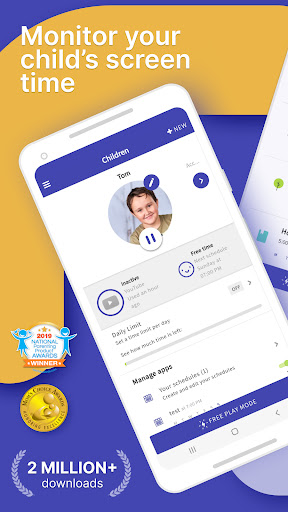
Manage your children’s screen time and app usage on both Android and iOS mobile devices with amazing Parental Control App. Set time limits, use content blocker and location tracker, and more.
Kids who have a smartphone spend an average of 7.5 hours on their devices per day. Screen Time was developed to help parents get their children to put the phones down and engage in outdoor activities, family chats at the dinner table, concentrate on their homework, and get a good night’s sleep.
Screen Time provides parents with information about their children's’ smartphone and tablet usage. With our screen time tracker, you are able to:
▪ Monitor your kids’ screen time
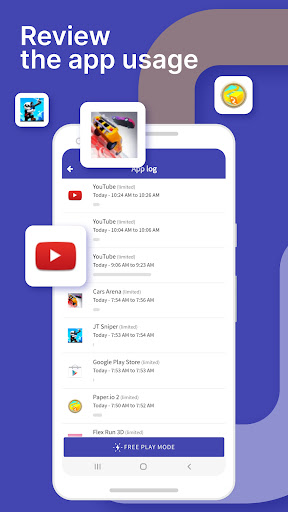
▪ See which apps are being used and for how long
▪ See what websites they have visited
▪ Monitor which social media platforms are used and for how long
▪ See which YouTube videos they have watched
▪ Receive a notification when your kids try to install a new app
▪ Receive a daily summary of your kids app and web usage
If you decide you need to proactively manage your children's’ screen time on their Android or Amazon devices, the Premium version of our app gives parents greater control over their kids’ devices. With Premium, you can:
▪ Set a specific daily time limit for your kids’ screen time
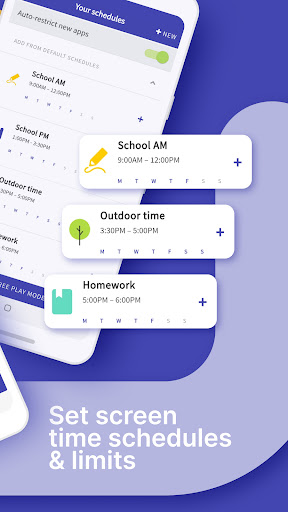
▪ Set schedules of when they can and can’t use their device
▪ Instantly pause your kids’ devices at the push of a button
▪ Block app activity during bedtime
▪ Block certain apps from being accessed at all
▪ View your children’s web history and search history
▪ Block websites from being accessed
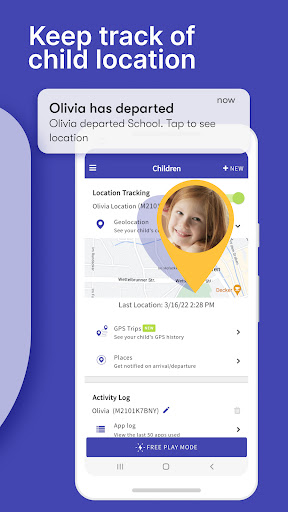
▪ See exactly where your children are with GPS phone location tracking
▪ Get an alert when your child arrives or leaves a specific location
▪ Receive a daily email summary of your kids app and web usage
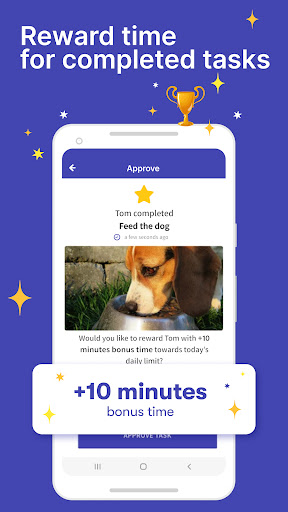
▪ Set tasks and chores for your kids to complete, allowing them to earn additional screen time when they’re done
▪ Use Free Play mode to temporarily override settings, like during long trips
▪ Share app management with other adults in your kids’ lives
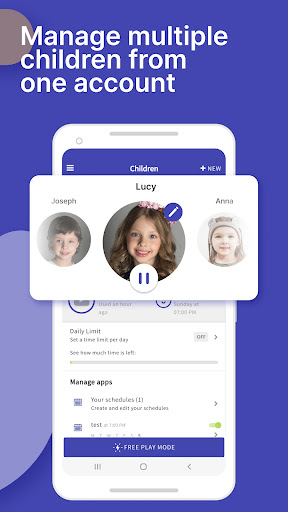
▪ Have up to 5 devices per account, so you can track multiple kids and devices
All new users will get a 7 day free trial of the Premium version of Screen Time. No credit card information is needed for this free trial, and you will not be automatically charged unless you decide to sign up for a membership.
See our Premium pricing here https://screentimelabs.com/pricing
Feedback
If you have any problems please take a look at our help pages, or contact us via the contact page of our website.
Screen Time Parental Control App Help: https://screentimelabs.com/help
Screen Time Parental Control App Contact: https://screentimelabs.com/contact
Ready to take control of your kid’s screen time? Download our child lock and location tracker app now.
Frequently Asked Questions
Is Screen Time - Parental Control free?
Yes, Screen Time - Parental Control is free to download. It offers in-app purchases.
What is the rating of Screen Time - Parental Control?
Screen Time - Parental Control has a 3.1 out of 5 star rating based on 49.4K reviews on the Google Play.
Who made Screen Time - Parental Control?
Screen Time - Parental Control was developed by Parental Control App by Screen Time Labs. Visit their website at https://screentimelabs.com.
Developer
Explore More
Related Parenting Apps






Share & Embed
Use these badges on your website or blog to link back to this app's data.
Rating Badge
<a href="https://apppricinglab.com/app/google_play/com.screentime.rc"><img src="https://apppricinglab.com/api/badge/rating?store=google_play&app=com.screentime.rc" alt="Screen Time - Parental Control rating on App Pricing Lab" /></a>IAP Badge
<a href="https://apppricinglab.com/iap/google_play/com.screentime.rc"><img src="https://apppricinglab.com/api/badge/iap?store=google_play&app=com.screentime.rc" alt="Screen Time - Parental Control IAP prices on App Pricing Lab" /></a>Rank Badge
<a href="https://apppricinglab.com/app/google_play/com.screentime.rc"><img src="https://apppricinglab.com/api/badge/rank?store=google_play&app=com.screentime.rc" alt="Screen Time - Parental Control ranking on App Pricing Lab" /></a>