
Dr.Fone: Phone Unlock & Rescue Price Snapshot
Dr.Fone: Phone Unlock & Rescue by Shenzhen Wondershare Software Co., Ltd is free to download on the Apple App Store, with no in-app purchases. It holds a 4.3★ rating from 124 reviews.
Listing last updated: 2026-03-10. Source: public Apple App Store data, compiled via the App Pricing Lab methodology.
4.3★
124 reviews
2015-09-11
Released
2026-03-10
Last Updated
Rankings
| Category | Collection | Rank | Date |
|---|---|---|---|
| BUSINESS | top-grossing-ipad | #133 | 2026-03-12 |
| BUSINESS | top-grossing | #183 | 2026-03-12 |
Screenshots



About Dr.Fone: Phone Unlock & Rescue
Dr.Fone is a one-stop phone toolkit for iOS emergency fixes and everyday management — from phone system repair and device unlock to data transfer, storage cleaning, app lock, and more.
[Phone System Repair – iOS Emergency Fix]
· Fix common iOS issues such as black screen, white screen, boot loop, stuck on logo, endless restart and more.
· The guided recovery flow helps you troubleshoot iPhone issues at home, with clear warnings when a selected mode may erase data so you can back up first.
· Software-based screen repair for display-related issues (e.g., black/white screen) without complicated steps.
[Device Unlock]
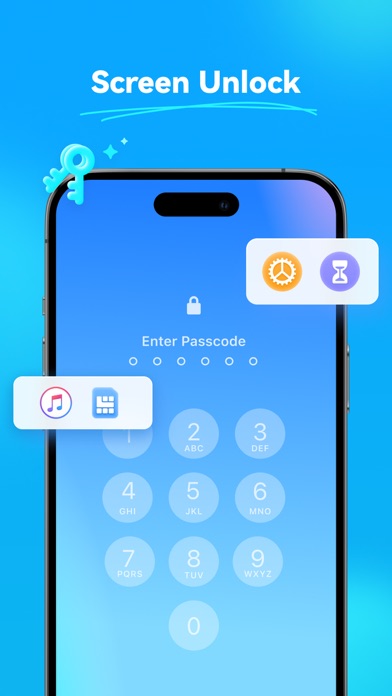
· Dr.Fone – Phone Unlocker provides tools to help you unlock different types of locks on your device.
· Forgot your screen passcode, need to remove Screen Time restrictions, remove iTunes backup encryption, or remove a SIM lock to use another carrier? Dr.Fone offers step-by-step guidance for these situations.
· Compatible with the latest system versions.
· Simple 3-step process, no technical knowledge required.
[Data Transfer – Fast & Simple]
· Move photos, videos, music, contacts, files and more to another phone in a few taps — ideal when you switch to a new device.
· Supports transfer between different brands and systems, so you can keep your data together even if you change platforms.
· No cables or complicated setup required — just connect both devices and follow the on-screen steps.
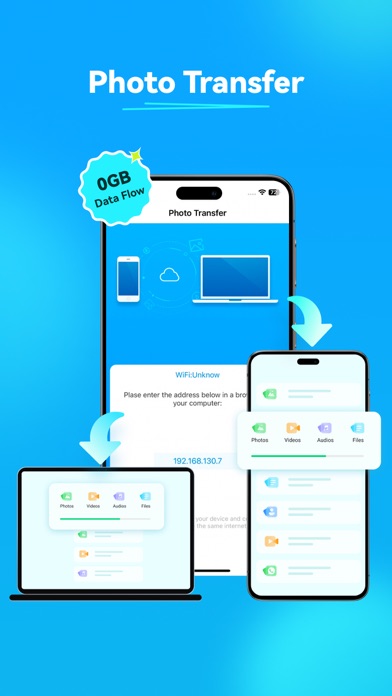
[Wireless Transfer – Large Files, No Cables]
· Transfer large files (up to 20GB) between mobile phones and between mobile phones and computers via WiFi without consuming mobile data.
· Quickly move photos and videos between your device and computers, including Windows and Mac, when they are on the same local network.
· Works in the browser with Safari, Chrome, Edge, IE and Firefox.
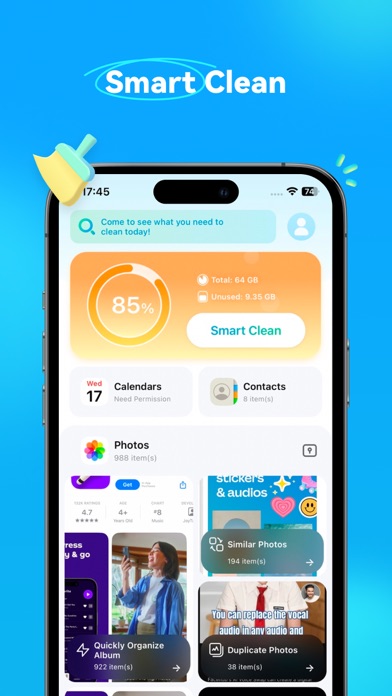
[AI Storage Cleaner]
· Dr.Fone – AI Storage Cleaner smartly cleans duplicate or similar photos, videos, contacts, schedules and more.
· Album Cleaner: Find and clean duplicate and similar images, videos and screen recordings to free up space.
· Contacts Cleaner: Merge duplicate contacts and delete incomplete contact information.
· Calendar Cleaning: Extract schedule record lists and perform single or batch cleanup of overdue schedules.
[App Lock]
· Lock and hide selected apps with a passcode or biometric so only you can open them.
· Prevent others from casually opening private, social or payment apps when they use your device.
· Optionally apply restrictions based on location to better manage app usage and protect your privacy.
[AI Photo Enhancer]
· Enhance Image Quality: Improve the clarity of blurry photos, transforming them into sharp, vibrant images.
· Restore Old Photos: Photo recovery and restoration for low-quality, damaged or scratched photos with better detail.
[Contacts Backup]
· Dr.Fone – Contacts Backup lets you back up contacts to your computer as a vCard (VCF) file and restore them when needed.
· Restore contact backups to your device or upload them to s
Frequently Asked Questions
Is Dr.Fone: Phone Unlock & Rescue free?
Yes, Dr.Fone: Phone Unlock & Rescue is free to download.
What is the rating of Dr.Fone: Phone Unlock & Rescue?
Dr.Fone: Phone Unlock & Rescue has a 4.3 out of 5 star rating based on 124 reviews on the Apple App Store.
Who made Dr.Fone: Phone Unlock & Rescue?
Dr.Fone: Phone Unlock & Rescue was developed by Shenzhen Wondershare Software Co., Ltd.
Developer
Explore More
Related Business Apps





Share & Embed
Use these badges on your website or blog to link back to this app's data.
Rating Badge
<a href="https://apppricinglab.com/app/apple/1030298807"><img src="https://apppricinglab.com/api/badge/rating?store=apple&app=1030298807" alt="Dr.Fone: Phone Unlock & Rescue rating on App Pricing Lab" /></a>Rank Badge
<a href="https://apppricinglab.com/app/apple/1030298807"><img src="https://apppricinglab.com/api/badge/rank?store=apple&app=1030298807" alt="Dr.Fone: Phone Unlock & Rescue ranking on App Pricing Lab" /></a>