
VRPlayer Pro : 2D 3D 360°Video Price Snapshot
VRPlayer Pro : 2D 3D 360°Video by LEE DONG WON is priced at $1.99 on the Apple App Store, with no in-app purchases. It holds a 3.6★ rating from 54 reviews.
Listing last updated: 2025-06-03. Source: public Apple App Store data, compiled via the App Pricing Lab methodology.
3.6★
54 reviews
2015-12-17
Released
2025-06-03
Last Updated
Rankings
| Category | Collection | Rank | Date |
|---|---|---|---|
| ENTERTAINMENT | top-paid | #159 | 2026-03-12 |
Screenshots

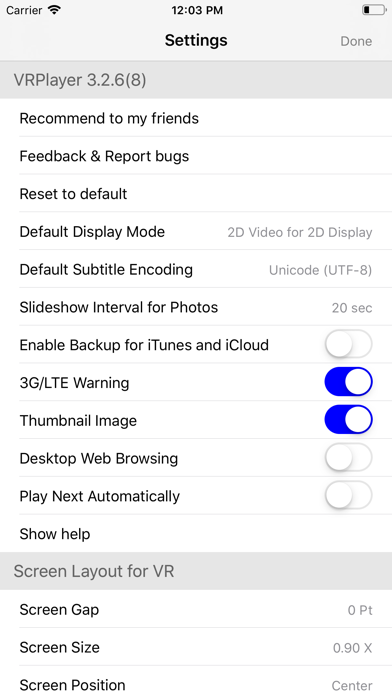
About VRPlayer Pro : 2D 3D 360°Video
● VRPlayer can record screen/audio of your desktop and streaming it to VRPlayer via VRPlayer Helper.
- to use this feature "VRPlayer Helper" should be installed and executed on your desktop.
please select or add "VRPlayer Helper" item on vrplayer app and follow instruction first.
- this feature is experimental for now.
so there might be considerable amount of latency and unstability depends on network environment and system spec where helper is running
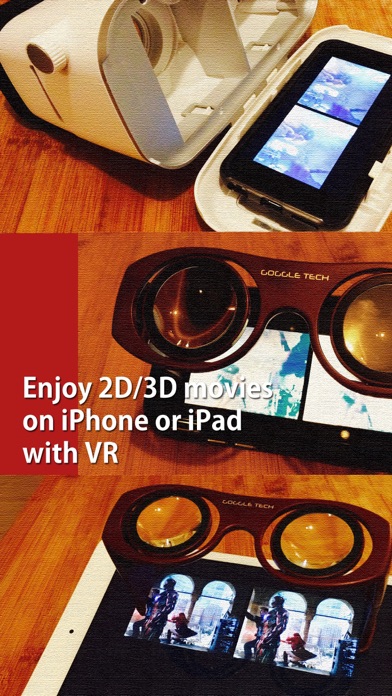
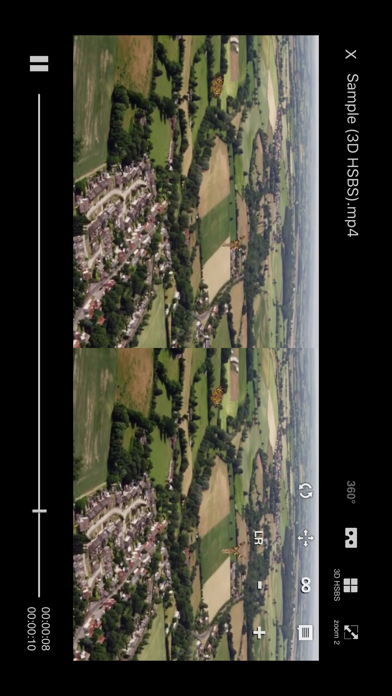
● VRPlayer can play not only general 2D movies but also 3D movies (half side by side or over and under) for VR (google cardboard)
● and support the following file formats.
- video : mp4, mov, DRM free m4v
- subtitle : smi, srt
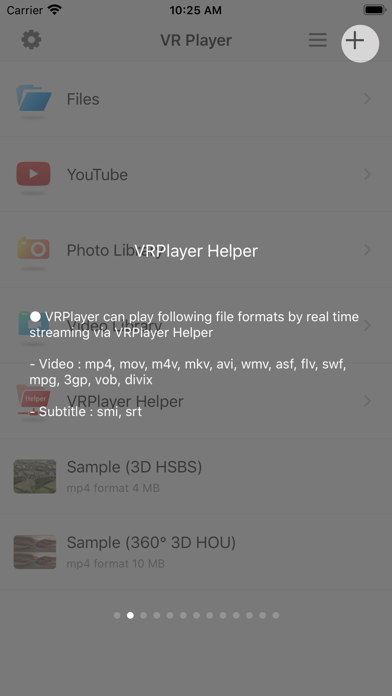
● VRPlayer can play following file formats by real time streaming via VRPlayer Helper
- Video : mp4, mov, m4v, mkv, avi, wmv, asf, flv, swf, mpg, 3gp, vob, divix
- Subtitle : smi, srt
※ this app can not play DRM protected videos purchased from iTunes store.
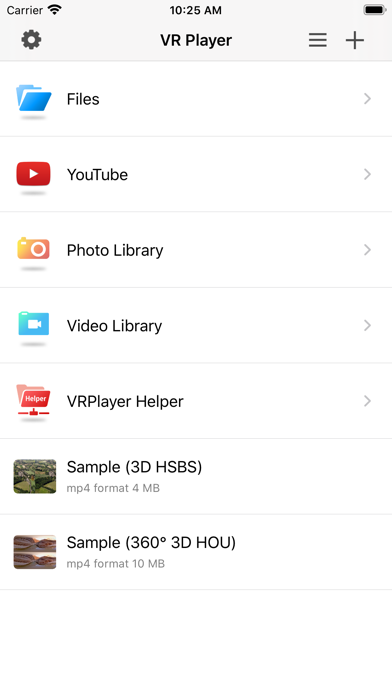
● You can add or access following items
- VRPlayer Helper (streaming server)
- Folder
- FTP Server
- GoogleDrive, Dropbox
- Video Library
※ VRPlayer Helper is embedded in your own VRPlayer app and the download URL provided by VRPlayer is your own iPhone's IP address itself not an external web server.
so iPhone and the server PC should be in the same wifi network to download Helper.
tap the "+"button at top right corner of VRPlayer and select VRPlayer Helper then you will see the URL from which you can download helper.
● You can control VRPlayer with keyboard
- Bluetooth Keyboard
- USB Keyboard (connected by camera kit)
- Keyboard of PC on which VRPlayer Helper is installed
※ while navigating
- up / down : move cursor by item
- up / down + shift : move cursor by page
- right / enter / space : select item
- left / esc : back to previous
※ while playing
- up / down : move cursor by button
- enter : select button & do action
- esc : stop & back to list
- space : play & pause
- right : move forward 5 seconds
- left : move backward 5 seconds
- right + shift : move forward 1 minute
- left + shift : move backward 1 minute
- up + shift : play previous video
- down + shift : play next video
- [ : slow down the playback rate
- ] : speed up the playback rate
- 1 : Toggle 360°/180° Video
- 2 : Toggle VR Mode
- 3 : Change 2D/3D Mode
- 4 : Zoom In/Out
- 5 : Back To Center / Motion Tracking
- 6 : Motion Tracking Constraint
- 7 : Loop
- 8 : Audio/Subtitle
● You can control VRPlayer with Game Controller
※ supported controller
- XBox controller
- Playstation Dualshock controller
- Other MFi certified game controller
※ while navigating
- up / down : move cursor by item
- up / down + RB : move cursor by page
- right / A : select item
- left / B : back to previous
※ while playing
- up / down : move cursor by button
- A : select button & do action
- B : stop & back to li
Frequently Asked Questions
Is VRPlayer Pro : 2D 3D 360°Video free?
No, VRPlayer Pro : 2D 3D 360°Video costs $1.99.
What is the rating of VRPlayer Pro : 2D 3D 360°Video?
VRPlayer Pro : 2D 3D 360°Video has a 3.6 out of 5 star rating based on 54 reviews on the Apple App Store.
Who made VRPlayer Pro : 2D 3D 360°Video?
VRPlayer Pro : 2D 3D 360°Video was developed by LEE DONG WON.
Developer
Explore More
Related Entertainment Apps


Share & Embed
Use these badges on your website or blog to link back to this app's data.
Rating Badge
<a href="https://apppricinglab.com/app/apple/1065311870"><img src="https://apppricinglab.com/api/badge/rating?store=apple&app=1065311870" alt="VRPlayer Pro : 2D 3D 360°Video rating on App Pricing Lab" /></a>Rank Badge
<a href="https://apppricinglab.com/app/apple/1065311870"><img src="https://apppricinglab.com/api/badge/rank?store=apple&app=1065311870" alt="VRPlayer Pro : 2D 3D 360°Video ranking on App Pricing Lab" /></a>