
Firestorm for LIFX Price Snapshot
Firestorm for LIFX by Scott Dodson is priced at $2.99 on the Apple App Store, with no in-app purchases. It holds a 5.0★ rating from 1 reviews.
Listing last updated: 2026-02-28. Source: public Apple App Store data, compiled via the App Pricing Lab methodology.
5.0★
1 reviews
2016-12-02
Released
2026-02-28
Last Updated
Rankings
| Category | Collection | Rank | Date |
|---|---|---|---|
| ENTERTAINMENT | top-paid | #114 | 2026-03-12 |
Screenshots

About Firestorm for LIFX
Set the mood using your LIFX lights. Watch your lights glow and flicker to the sounds of a fire.*
*Internet connection and LIFX Cloud account required
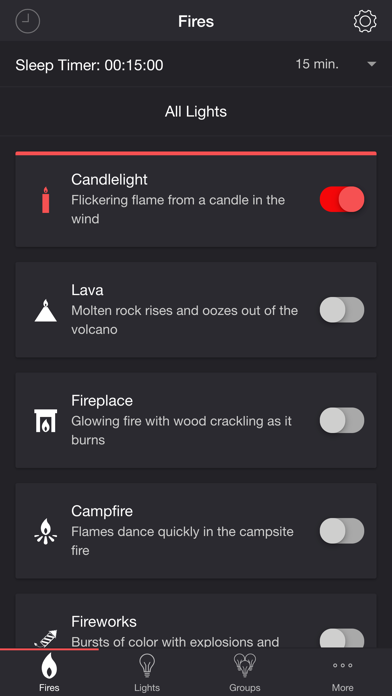
FIRES
• Candlelight — Flickering flame from a candle in the wind
• Lava — Molten rock rises and oozes out of the volcano
• Fireplace — Glowing fire with wood crackling as it burns
• Campfire — Flames dance quickly in the campsite fire
• Fireworks — Bursts of color with explosions and crackles
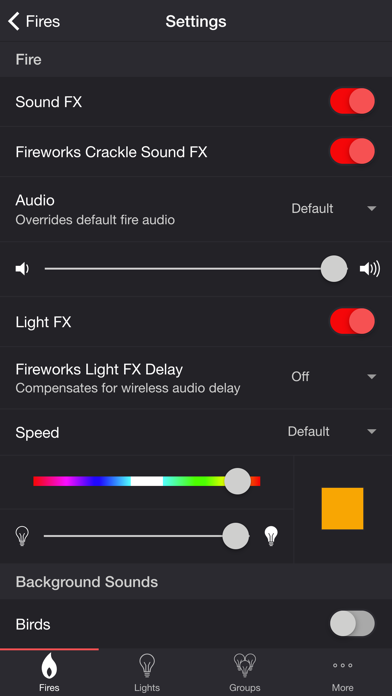
SETTINGS
Fire
• Toggle fire sound effects
• Toggle fireworks crackle sound effects
• Change fire audio: Default, Lava, Fireplace, Campfire
• Change fire volume
• Toggle fire light effects
• Toggle zone control
• Change fireworks light effects delay (Wireless audio delay offset)
• Change speed: Default, Very Slow, Slow, Medium, Fast
• Change color of the fire light effects
• Change brightness of the fire light effects
Background Sounds
• Toggle background sounds: Birds, Cicadas, Crickets, Frogs
• Change background sounds volume
General
• Change default end state: On, Off, Revert
• Change sleep end state: On, Off, Revert
• Select mode to automatically start when app opens
• Choose time to automatically stop selected mode
• Choose time to automatically restart selected mode when sleep timer ends, enabling recurring cycle
LIGHTS / GROUPS
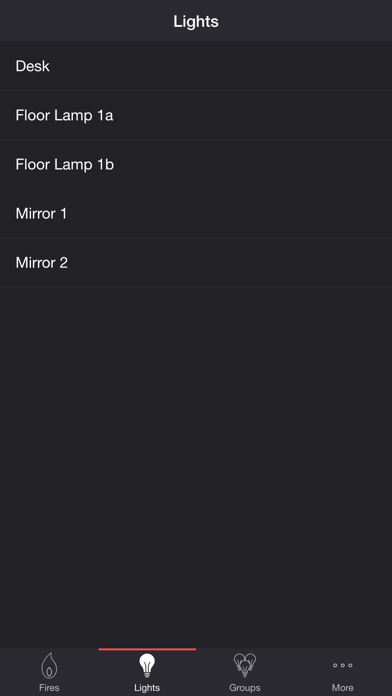
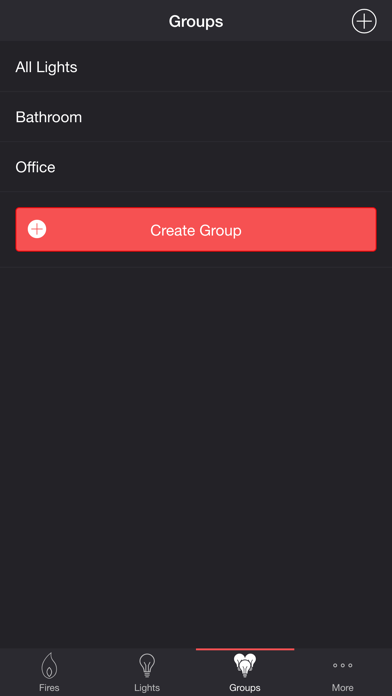
Select one or more lights for your fire light show on the Lights/Groups tab. Choose a group that you set up using your LIFX app, or create a new group in the Firestorm for LIFX app. To edit an in-app group in the list, swipe the item to the left and tap the pencil icon. When you add, remove, or change lights, pull down the list to refresh.
ADDITIONAL FEATURES
• Sleep Timer — Set a timer complemented with an audio fade-out feature. Choose the state of your lights after the timer ends with the Sleep End State setting.
• Bluetooth and AirPlay Support — Connect to Bluetooth speakers directly, or connect to speakers with AirPlay using the Control Center. Adjust the Delay Light FX setting to offset any wireless audio delay.
Please contact me at support@firestorm.scottdodson.dev if you experience any issues. I'd love to hear your thoughts and appreciate you taking the time to rate and review the app. I want to continue to improve Firestorm for LIFX and create a great experience for you and future users. Thank you! —Scott
Frequently Asked Questions
Is Firestorm for LIFX free?
No, Firestorm for LIFX costs $2.99.
What is the rating of Firestorm for LIFX?
Firestorm for LIFX has a 5.0 out of 5 star rating based on 1 reviews on the Apple App Store.
Who made Firestorm for LIFX?
Firestorm for LIFX was developed by Scott Dodson. Visit their website at https://scottdodson.dev/lifx/firestorm/.
Developer
Explore More
Related Entertainment Apps


Share & Embed
Use these badges on your website or blog to link back to this app's data.
Rating Badge
<a href="https://apppricinglab.com/app/apple/1179113220"><img src="https://apppricinglab.com/api/badge/rating?store=apple&app=1179113220" alt="Firestorm for LIFX rating on App Pricing Lab" /></a>Rank Badge
<a href="https://apppricinglab.com/app/apple/1179113220"><img src="https://apppricinglab.com/api/badge/rank?store=apple&app=1179113220" alt="Firestorm for LIFX ranking on App Pricing Lab" /></a>