VivaCut - AI Video Editor

VivaCut - AI Video Editor

Hangzhou Quwei Technology Co., Ltd

🍎 Apple App StorePhoto & VideoFreeIn-App Purchases9+
4.5★
220.6K reviews
2019-11-28
Released
2026-03-10
Last Updated

Rankings

CategoryCollectionRankDate
PHOTO_AND_VIDEOtop-free-ipad#872026-03-12
PHOTO_AND_VIDEOtop-grossing#1832026-03-12
PHOTO_AND_VIDEOtop-free#1902026-03-12

In-App Purchase Overview

9
IAP Items
$6.99
Cheapest
$59.99
Most Expensive
$30.55
Average Price

In-App Purchases (9 items)

Pro Yearly
$45.99
VivaCut Pro Yearly
$45.99
Pro Monthly
$9.99
VivaCut Pro Yearly
$59.99
Pro Yearly
$39.99
Pro Monthly
$6.99
700 Credits
$6.99
Pro Yearly
$44.99
VivaCut Pro monthly
$13.99
View Price HistoryFull IAP History

Screenshots

VivaCut - AI Video Editor screenshot 1VivaCut - AI Video Editor screenshot 2VivaCut - AI Video Editor screenshot 3VivaCut - AI Video Editor screenshot 4VivaCut - AI Video Editor screenshot 5VivaCut - AI Video Editor screenshot 6

About VivaCut - AI Video Editor

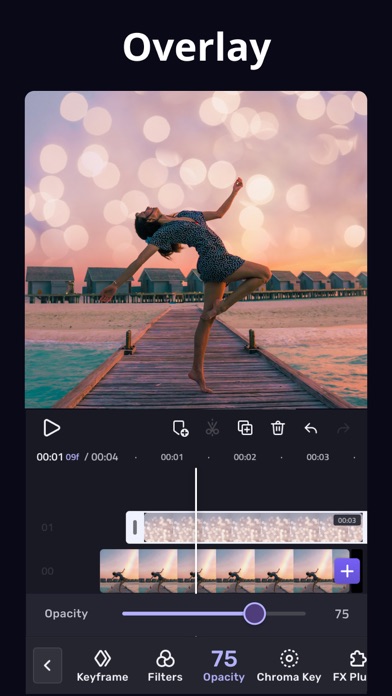
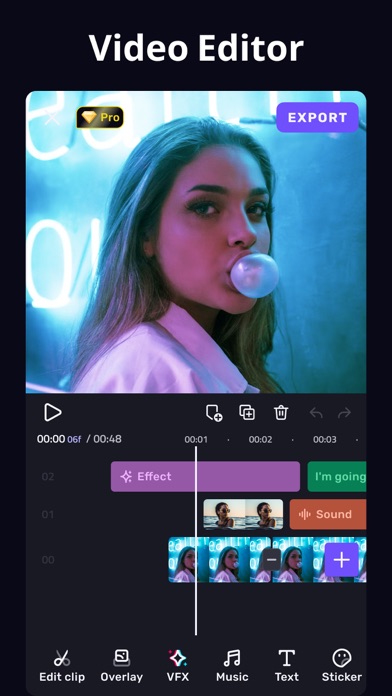
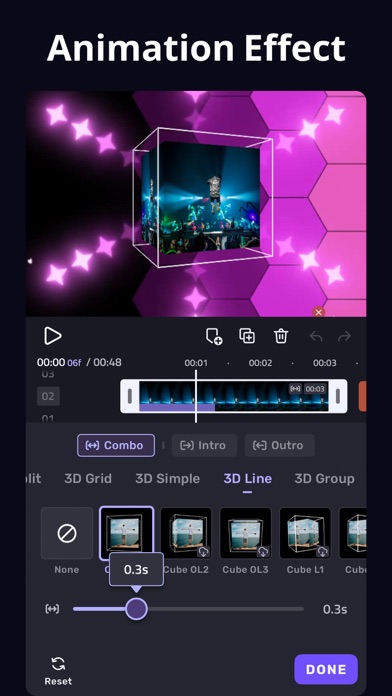
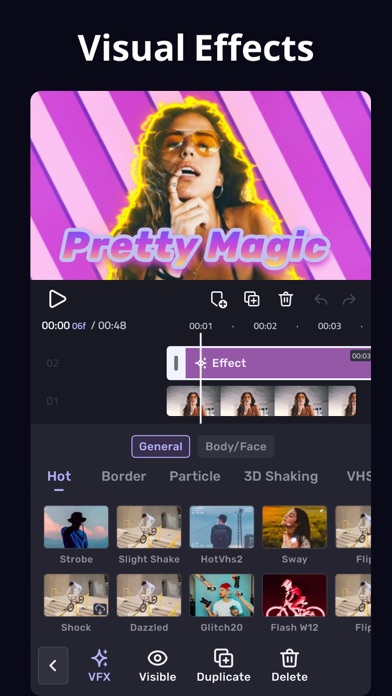
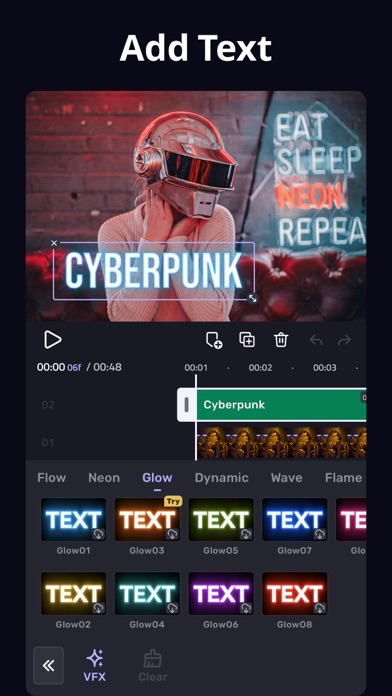
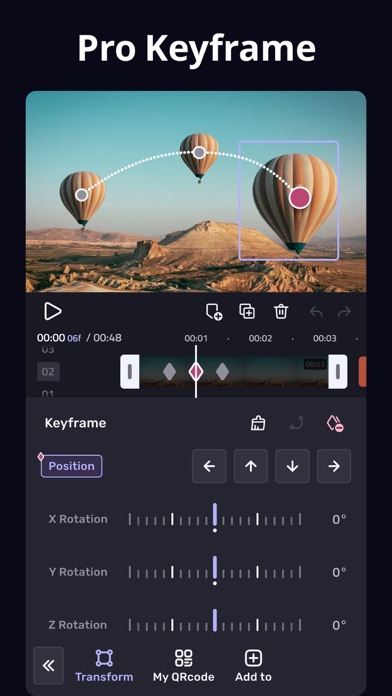
VivaCut, Professional Video Editor APP for full screen video creating. Whether you want to make artistic films or simply share memories and funny moments with friends, VivaCut is a perfect choice for you! * Powerful Video Editing App [Cool Transition] Create amazing with cinematic overlay video editor with transition effects in VivaCut [visual effects] VHS, RGB, Trippy, Glitch, GB, Grainy, Fisheye [Music Marker] Mark the track and add effects according to the music rhythm. [Audio Extraction] Aesthetic video editor with transition effects, extract music from any video * Video Editor with All Features [Multi-layer timeline] An intuitive and sleek editing interface with zoom for frame by frame precision with overlay video editor app [Video Transition] Create amazing with cinematic overlay video editor with transition effects in VivaCut [Video Adjustment] Control Brightness, contrast, saturation, hue, color temperature, vignetting and enhance video quality [Music] Add music to video free and use overlay video editor with transitions for it [Glitch Effects] Coolest video editing app with glitch effects and transitions! * Video Clip Editing [Trim and cut videos] Professional tools developed for precise Video Editing App [Splice videos] Split videos and optimize for sharing on your stories [Combine video clips] Merge clips into a stunning video with transitions effects, combine video clips into one video [Speed Control] Fast & slow motion alight your video like the best video editor with all features, only with VivaCut Video! * Advanced Tools [Picture in Picture] Combine clips together to create double exposures and eye-catching YouTube videos with transitions for free. [Collage] Add pictures to your clips and edit videos that will go viral with VivaCut! [Overlay options] Customize layers with tools such as opacity and blending [Blend videos] Mix videos to try out powerful blending modes such as Color Burn, Multiply, Screen, Soft Light, Hard Light and many more. [Animated text] A simple and fast tool for as a better multi layer video editor for youtube. [Keyframe Animation] Apply to Mask, Video Collage, Text, Stickers, Emoji, etc. Pro aesthetic video editor app. [Mask] Linear, mirror, radial, rectangle and oval, all for the scene. Full screen video editor for youtube. [Undo & Redo] Back to any step that you took! * Save and Share [Custom video resolution] Export your videos in 1080p and 4K quality. [Rename] Rename your work and mark your memory with PRO aesthetic video editor lifetime. Viva Cut is a video editor with all features you need! It is a pro video editor with music just for cool transitions, VFX, Glitch effects, cutting, trimming and splitting videos. You may also use its multi-layer timeline to create beautiful video collages for social media. VivaCut Subscription: - You can subscribe for unlimited access to all features and content offered for purchase within VivaCut. - Subscriptions are billed monthly or annually at the r

Frequently Asked Questions

Is VivaCut - AI Video Editor free?

Yes, VivaCut - AI Video Editor is free to download. It offers 9 in-app purchases.

What is the rating of VivaCut - AI Video Editor?

VivaCut - AI Video Editor has a 4.5 out of 5 star rating based on 220.6K reviews on the Apple App Store.

What are the in-app purchase prices for VivaCut - AI Video Editor?

VivaCut - AI Video Editor offers 9 in-app purchases ranging from $13.99 to $45.99. View full price history.

Who made VivaCut - AI Video Editor?

VivaCut - AI Video Editor was developed by Hangzhou Quwei Technology Co., Ltd. Visit their website at https://vivacut.com.

Developer

Explore More

Photo & Video Category ReportPhoto & Video RankingsMarket ReportsFree vs Paid AnalysisIAP LeadersWeekly IAP DigestTrending Apps

Related Photo & Video Apps

Share & Embed

Use these badges on your website or blog to link back to this app's data.

Rating Badge
VivaCut - AI Video Editor rating
<a href="https://apppricinglab.com/app/apple/1489090374"><img src="https://apppricinglab.com/api/badge/rating?store=apple&app=1489090374" alt="VivaCut - AI Video Editor rating on App Pricing Lab" /></a>
IAP Badge
VivaCut - AI Video Editor IAP
<a href="https://apppricinglab.com/iap/apple/1489090374"><img src="https://apppricinglab.com/api/badge/iap?store=apple&app=1489090374" alt="VivaCut - AI Video Editor IAP prices on App Pricing Lab" /></a>
Rank Badge
VivaCut - AI Video Editor ranking
<a href="https://apppricinglab.com/app/apple/1489090374"><img src="https://apppricinglab.com/api/badge/rank?store=apple&app=1489090374" alt="VivaCut - AI Video Editor ranking on App Pricing Lab" /></a>