
Fonts for Stories and Chats Price Snapshot
Fonts for Stories and Chats by Aleksei Varochko is priced at $1.99 on the Apple App Store, with no in-app purchases. It holds a 4.6★ rating from 14 reviews.
Listing last updated: 2026-01-09. Source: public Apple App Store data, compiled via the App Pricing Lab methodology.
4.6★
14 reviews
2021-09-30
Released
2026-01-09
Last Updated
Rankings
| Category | Collection | Rank | Date |
|---|---|---|---|
| GRAPHICS_AND_DESIGN | top-paid | #48 | 2026-03-12 |
Screenshots



About Fonts for Stories and Chats
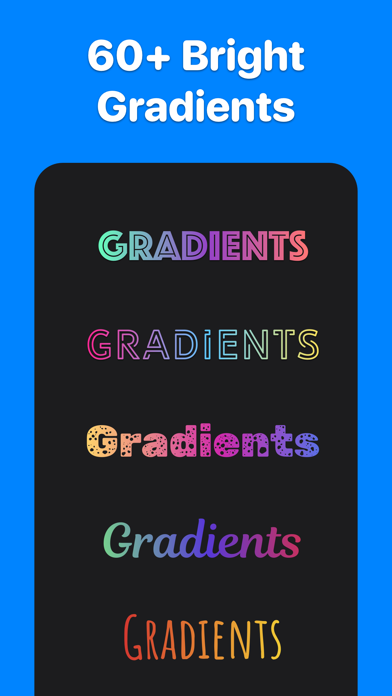
200+ best fonts for your Stories and Reels!
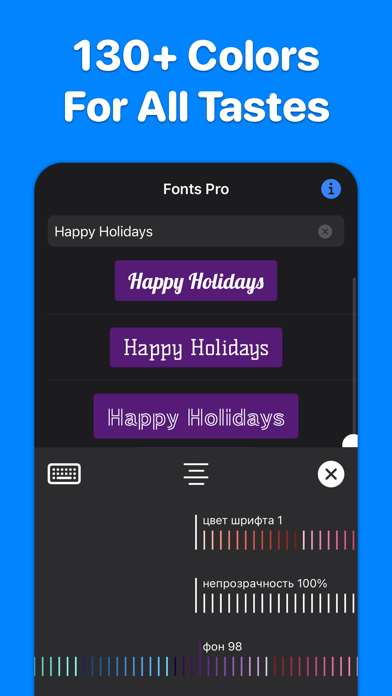
Each font can be flexibly customized: change color, transparency, alignment, add color substrates. More than 130 colors available.
INSTAGRAM :
1. Select “Create Story” or “Create Reels” on Instagram.
2. Open our application, enter the text you want, select the font you like by simply clicking on it. The font will be copied to the clipboard.
3. Go back to Instagram. A banner with the copied font will appear in the lower left corner. Click on the banner. The font is added to the center of the screen.
4. If the banner in the lower left corner does not appear, click on the Add text icon in Instagram, make a quick double-click on the center of the screen and select Insert from the menu that appears.
5. Adjust the position, slant and size of the font, if necessary.
TikTok :
1. Open our application, enter the text you want. Hold your finger on the font you like until the Share screen appears.
2. Tap Save Image on the Share screen. The font will be saved in Photos.
3. Open TikTok, create a Story, click on the Stickers icon, select the Photos icon.
5. Select the font previously saved in the Photo.
6. The font is added to the center of the screen. Adjust the size, slant, and position of the inserted font if necessary.
WHATSAPP, TELEGRAM, MESSAGES, FACEBOOK MESSENGER ... :
Do you want to highlight your message in a chat or send a beautiful congratulation on a colored background? You can send any font from our application to any messenger - just copy the font you like and paste it into the message input field of your messenger.
_______
If you like our app, please leave a good review or rating. The success of the application development directly depends on your feedback and assessment!
_______
Support and feedback: aleksei.varochko@icloud.com
Privacy policy: https://bio.cash/pro/privacy
Terms of use: https://bio.cash/pro/termsofuse
Frequently Asked Questions
Is Fonts for Stories and Chats free?
No, Fonts for Stories and Chats costs $1.99.
What is the rating of Fonts for Stories and Chats?
Fonts for Stories and Chats has a 4.6 out of 5 star rating based on 14 reviews on the Apple App Store.
Who made Fonts for Stories and Chats?
Fonts for Stories and Chats was developed by Aleksei Varochko. Visit their website at https://bio.cash.
Developer
Explore More
Related Graphics & Design Apps


Share & Embed
Use these badges on your website or blog to link back to this app's data.
Rating Badge
<a href="https://apppricinglab.com/app/apple/1587486837"><img src="https://apppricinglab.com/api/badge/rating?store=apple&app=1587486837" alt="Fonts for Stories and Chats rating on App Pricing Lab" /></a>Rank Badge
<a href="https://apppricinglab.com/app/apple/1587486837"><img src="https://apppricinglab.com/api/badge/rank?store=apple&app=1587486837" alt="Fonts for Stories and Chats ranking on App Pricing Lab" /></a>