
Timecard Pro - Hours & Work Schedule Tracking Price Snapshot
Timecard Pro - Hours & Work Schedule Tracking by Eveleigh Studios is priced at $6.99 on the Apple App Store, with no in-app purchases. It holds a 3.6★ rating from 82 reviews.
Listing last updated: 2016-09-10. Source: public Apple App Store data, compiled via the App Pricing Lab methodology.
3.6★
82 reviews
2011-09-22
Released
2016-09-10
Last Updated
Rankings
| Category | Collection | Rank | Date |
|---|---|---|---|
| BUSINESS | top-paid-ipad | #71 | 2026-03-12 |
| BUSINESS | top-paid | #102 | 2026-03-12 |
Screenshots
About Timecard Pro - Hours & Work Schedule Tracking
Version 2.0 Available Now!!
Now more handsomer, faster, and even more feature packed than ever (New Invoice Section*!).
Timecard Pro is a multi-use app to keep track of your hours worked and your work schedule. It's great for freelance workers, employers to track their employees, or for anyone who wants to see a live view of how much money they're earning. The possibilities of utilizing the app are endless.
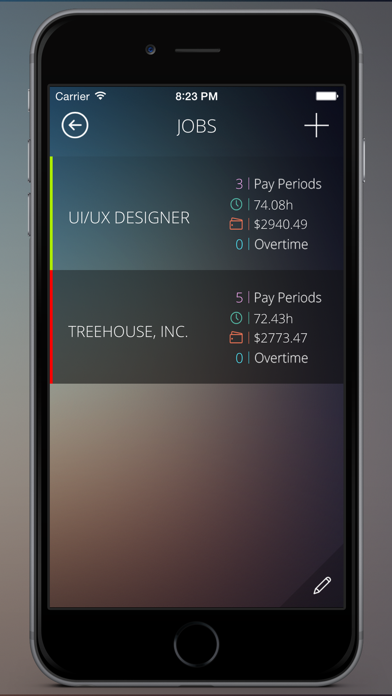
Simply add your Job(s) or employees, and then clock in and out whenever needed. At the end of your pay period, you can export your timecards and email a report to your boss or client. Need to clock into multiple jobs, and have a different hourly rate for each? Not a problem, Timecard Pro can handle all of this, without breaking a sweat.
-----------------------------------------
What our users are saying:
"I love it...Life is easy now"
"Top Notch, Solid, & Reliable...Click & Forget"
"Design and Navigation Success!"
-----------------------------------------
Universal application: Purchase once, use on both your iPhone and iPad.
Features:
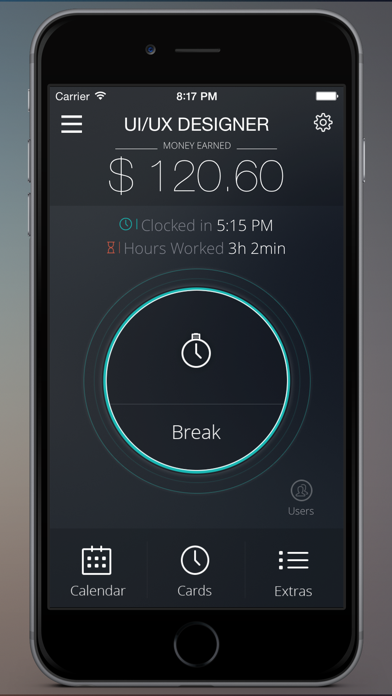
- Easy to use, intuitive interface. Simple, single touch "Clock in/Clock Out" dial for on-the-go time tracking.
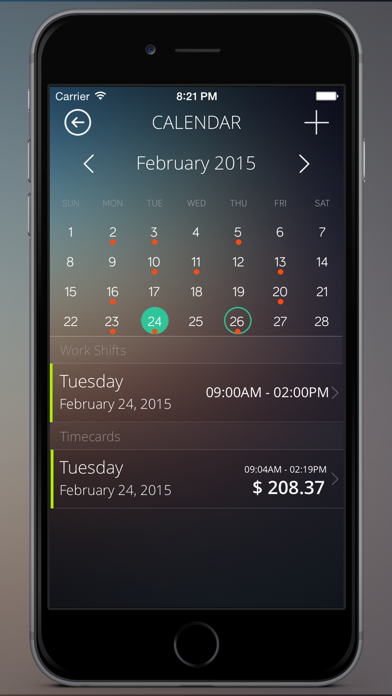
- Calendar section allows you to add your work shifts, with pop-up push reminders for when you work, as well as the ability to manually add timecards, and view all of the days you worked or have work scheduled.
- Users: Add unlimited users within the app, all with their own separate data. Protect each user data with a password lock.
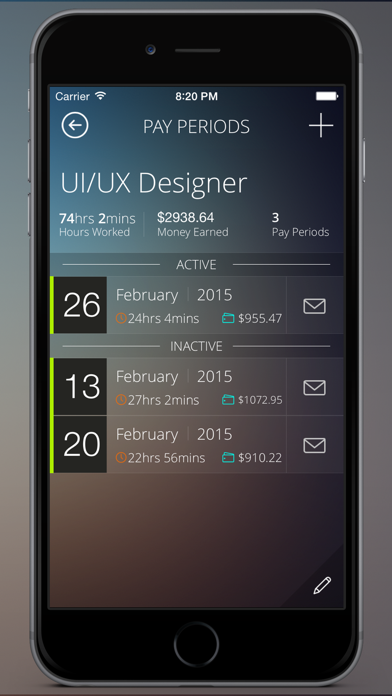
- Reports page lets you export multiple Pay Periods, regardless of job, all in the same email with Text, CSV, and PDF export options.
- 2 Data Backup options, including Email Export, and a built-in 'Restore Data' section.
- Main display shows money earned, clocked-in time, and how many hours you've worked.
- Use the menu button on the homepage, to quickly select the job/employee you need to clock into.
- Clock into multiple jobs/employees at the same time.
- Icon badge indicator shows how many jobs you're currently clocked into without having to open the app.
- Set up a different hourly rate for each job.
- Calculate both daily and weekly overtime hours at the same time.
- Remain clocked in, even if you turn your phone off! No need to keep the app open.
- Manually add individual days that you’ve missed.
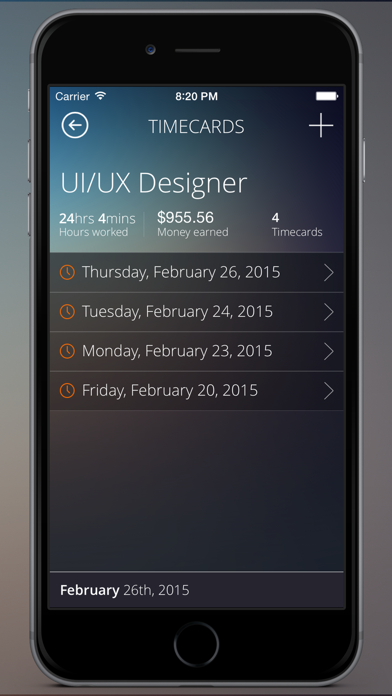
- Manually edit timecards to change clocked in/out times, add notes, etc...
- Add notes for each job or day, and include them in your exported timecard (setting turned on by default).
- Change Currency Symbol for your specific region.
- Passcode lock: require a passcode to access app.
- Automatic 24hr mode detected.
- Manually sync data between multiple devices, using the backup options.
- 2 themes (Dark or Light).
- Updated and optimized for iOS 9.
And many MANY more features to come!
iPad version:
- Completely designed for the iPad, in landscape mode. With a split screen multi-task feature, you can constantly see the home page on the left to cl
Frequently Asked Questions
Is Timecard Pro - Hours & Work Schedule Tracking free?
No, Timecard Pro - Hours & Work Schedule Tracking costs $6.99.
What is the rating of Timecard Pro - Hours & Work Schedule Tracking?
Timecard Pro - Hours & Work Schedule Tracking has a 3.6 out of 5 star rating based on 82 reviews on the Apple App Store.
Who made Timecard Pro - Hours & Work Schedule Tracking?
Timecard Pro - Hours & Work Schedule Tracking was developed by Eveleigh Studios. Visit their website at http://www.eveleighstudios.com.
Developer
Explore More
Related Business Apps





Share & Embed
Use these badges on your website or blog to link back to this app's data.
Rating Badge
<a href="https://apppricinglab.com/app/apple/455487988"><img src="https://apppricinglab.com/api/badge/rating?store=apple&app=455487988" alt="Timecard Pro - Hours & Work Schedule Tracking rating on App Pricing Lab" /></a>Rank Badge
<a href="https://apppricinglab.com/app/apple/455487988"><img src="https://apppricinglab.com/api/badge/rank?store=apple&app=455487988" alt="Timecard Pro - Hours & Work Schedule Tracking ranking on App Pricing Lab" /></a>