Sign by JotNot - fill and sign PDF form or sign PDF document
🍎 Apple App StoreBusiness$4.994+
Sign by JotNot - fill and sign PDF form or sign PDF document Price Snapshot
Sign by JotNot - fill and sign PDF form or sign PDF document by MobiTech 3000 LLC is priced at $4.99 on the Apple App Store, with no in-app purchases. It holds a 4.1★ rating from 39 reviews.
Listing last updated: 2016-05-27. Source: public Apple App Store data, compiled via the App Pricing Lab methodology.
4.1★
39 reviews
2011-10-13
Released
2016-05-27
Last Updated
Rankings
| Category | Collection | Rank | Date |
|---|---|---|---|
| BUSINESS | top-paid-ipad | #78 | 2026-03-12 |
| BUSINESS | top-paid | #155 | 2026-03-12 |
Screenshots
About Sign by JotNot - fill and sign PDF form or sign PDF document
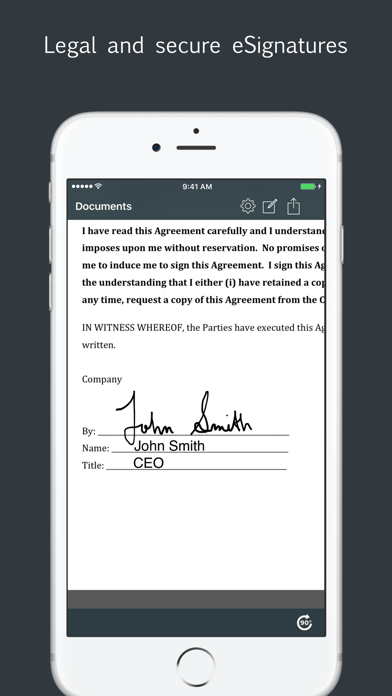
Sign PDF documents directly from your iPad or iPhone with JotNot Signature. Pay once, and get unlimited signing forever.
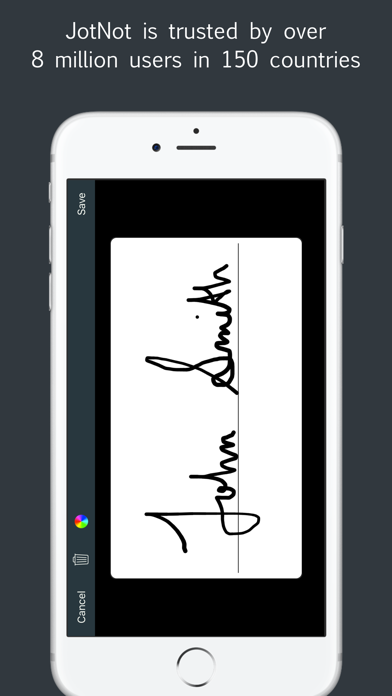
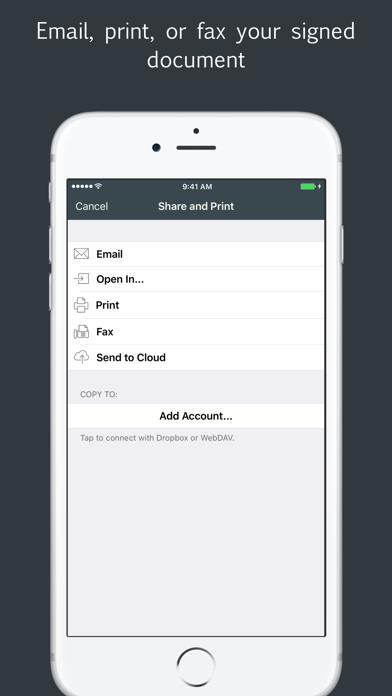
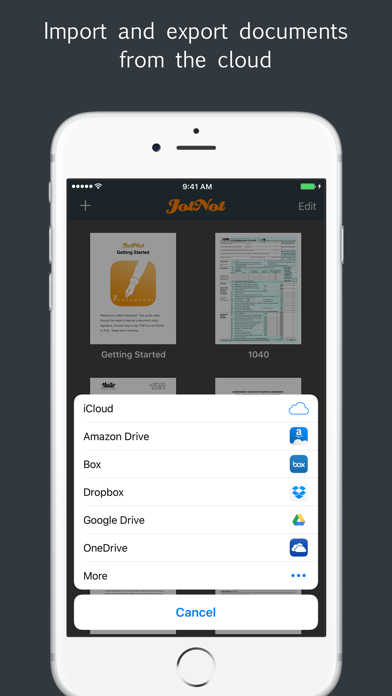
JotNot Signature makes it simple to sign documents in electronic format without having to print them out. Use JotNot Signature's built-in signature pad to sign your name and drop it into your document directly. Once signed, share your document via email, or copy it to a cloud storage service, such as iCloud Drive, Dropbox, Google Drive, Box, or OneDrive.
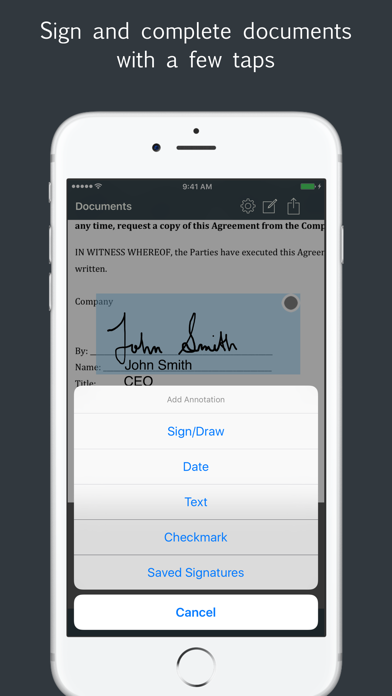
Use text, date, and checkmark annotations to fill out forms electronically. For added security, password-protect your signed document before emailing or sharing. Additionally, you can add a password lock to the entire app to prevent access to your JotNot Signature files by unauthorized persons.
JotNot Signature is the perfect companion to JotNot Fax. Use JotNot Signature for signing, and then open it in JotNot Fax for faxing.
Features of JotNot Signature:
* Sign unlimited PDF documents from your iPhone or iPad
* Add text, date, or checkmarks to documents
* Connect with Box, Dropbox, Google Drive, iCloud Drive, OneDrive, or WebDAV to import or export documents
* Import documents from other apps like Mail or Gmail
* Store signatures securely for easy one-tap adding to a document
* Lock the entire app with a password
* Password-protect individual PDF files
* Sort documents manually or by date or name
* Includes a Getting Started quick start guide
Frequently Asked Questions
Is Sign by JotNot - fill and sign PDF form or sign PDF document free?
No, Sign by JotNot - fill and sign PDF form or sign PDF document costs $4.99.
What is the rating of Sign by JotNot - fill and sign PDF form or sign PDF document?
Sign by JotNot - fill and sign PDF form or sign PDF document has a 4.1 out of 5 star rating based on 39 reviews on the Apple App Store.
Who made Sign by JotNot - fill and sign PDF form or sign PDF document?
Sign by JotNot - fill and sign PDF form or sign PDF document was developed by MobiTech 3000 LLC. Visit their website at http://www.jotnot.com/signature.html.
Developer
Explore More
Related Business Apps





Share & Embed
Use these badges on your website or blog to link back to this app's data.
Rating Badge
<a href="https://apppricinglab.com/app/apple/468085832"><img src="https://apppricinglab.com/api/badge/rating?store=apple&app=468085832" alt="Sign by JotNot - fill and sign PDF form or sign PDF document rating on App Pricing Lab" /></a>Rank Badge
<a href="https://apppricinglab.com/app/apple/468085832"><img src="https://apppricinglab.com/api/badge/rank?store=apple&app=468085832" alt="Sign by JotNot - fill and sign PDF form or sign PDF document ranking on App Pricing Lab" /></a>