
VectorMotion Price Snapshot
VectorMotion by Amine Moussaoui is free to download on the Apple App Store, with no in-app purchases. It holds a 2.7★ rating from 44 reviews.
Listing last updated: 2024-02-29. Source: public Apple App Store data, compiled via the App Pricing Lab methodology.
2.7★
44 reviews
2024-02-28
Released
2024-02-29
Last Updated
Rankings
| Category | Collection | Rank | Date |
|---|---|---|---|
| GRAPHICS_AND_DESIGN | top-free-ipad | #71 | 2026-03-12 |
| GRAPHICS_AND_DESIGN | top-free | #191 | 2026-03-12 |
Screenshots




About VectorMotion
VectorMotion is a completely free (and Ad-Free) tool for all your design and animation needs.
Features :
-Vector design : Create and edit vector shape layers with the provided pen and direct select tools.
-Multi scene support : Create as much scenes as you need in a project without any restrictions on size or animation length.
-Saveable projects : Continue where you left off.
-Layers : Create shapes, texts, images, and edit their properties (Style, Geomtry, Effects).
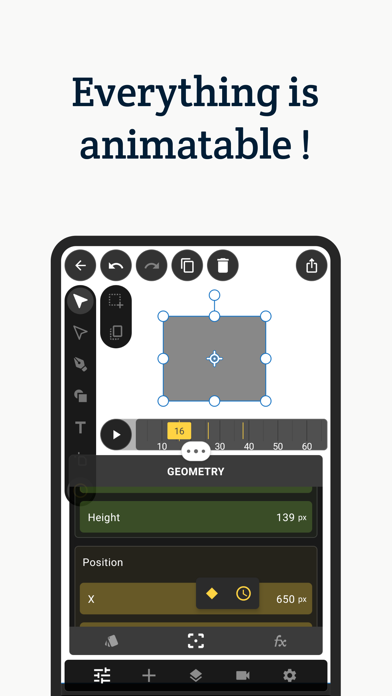
-Animation : If you can edit it, you can animate it. Just long click any property and select the option to make it animatable.
-Advanced Timeline : Add, copy, reverse, delete keyframes and edit their easing for all layers at once.
-Layer Effects : Add style to your layers with effects such as blur, shadow, glow, glare, perspective deformation, bezier deformation…
-Puppet deformation : Create cool character animations with ease using the puppet deformation effect.
-Geometry Effects : Transform your shape’s geometry by applying effects such corner rounding and path trimming.
-Text Effects : Make your text animation standout by adding effects such as character rotation and blur.
-Shape Morphing : Copy-paste an animated path into another, to get that cool shape morphing effect.
-Path Masks : Mask any layer using the pen tool with the masking mode.
-Typography : Per character styles, external font support, texts on paths, range based animatable effects… It’s all here.
-Simple 3d : Transform your layers in 3d with perspective.
-Advanced 3d : Extrude your shapes and texts to enable 3d rendering with PBR support.
-Image library : Manage, crop, transform, tag your images and insert them into your projects.
-Font Library : Import supported fonts to your library, and use them in your designs.
-Remove image backgrounds : Create alpha masks for you images with ease.
-Sequencer : Create sequences out of your scenes and add audio tracks to create your final movie.
-Export your scenes or sequences in high quality. Supported output formats are : animations (MP4, GIF), images(JPEG, PNG, GIF), documents (SVG, PDF).
Support:
If you have any questions or feedback, please send an email to vectormotion.team@gmail.com
Frequently Asked Questions
Is VectorMotion free?
Yes, VectorMotion is free to download.
What is the rating of VectorMotion?
VectorMotion has a 2.7 out of 5 star rating based on 44 reviews on the Apple App Store.
Who made VectorMotion?
VectorMotion was developed by Amine Moussaoui. Visit their website at https://get.vectormotion.app.
Developer
Explore More
Related Graphics & Design Apps


Share & Embed
Use these badges on your website or blog to link back to this app's data.
Rating Badge
<a href="https://apppricinglab.com/app/apple/6477337725"><img src="https://apppricinglab.com/api/badge/rating?store=apple&app=6477337725" alt="VectorMotion rating on App Pricing Lab" /></a>Rank Badge
<a href="https://apppricinglab.com/app/apple/6477337725"><img src="https://apppricinglab.com/api/badge/rank?store=apple&app=6477337725" alt="VectorMotion ranking on App Pricing Lab" /></a>