
Business Card Maker· Price Snapshot
Business Card Maker· by Le Giang Nam is priced at $2.99 on the Apple App Store, with no in-app purchases. It holds a 4.8★ rating from 120 reviews.
Listing last updated: 2026-02-10. Source: public Apple App Store data, compiled via the App Pricing Lab methodology.
4.8★
120 reviews
2024-05-23
Released
2026-02-10
Last Updated
Rankings
| Category | Collection | Rank | Date |
|---|---|---|---|
| GRAPHICS_AND_DESIGN | top-paid | #141 | 2026-03-12 |
Screenshots


About Business Card Maker·
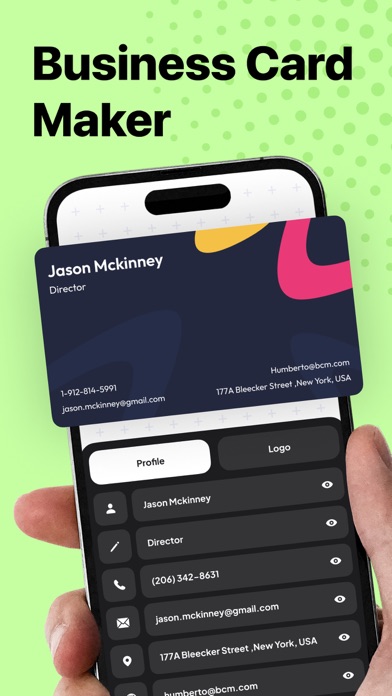
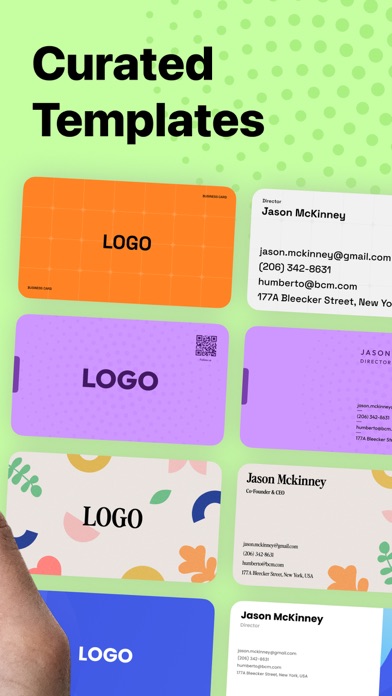
Business Card Maker is the ultimate tool for modern professional. You can choose from a wide range of stunning templates by browsing through the options, select your favorite, and customize it to reflect your brand identity, or you can manually make your own card and logo using our available designing tools.
Key Features
- Access to a diverse range of professionally designed card templates
- 6 color variants for every template
- Fully customize text, logos, and layouts with intuitive editing tools
- Scan physical business cards to automatically extract and save contact information
- Create cards using existing contacts or scanned contact data
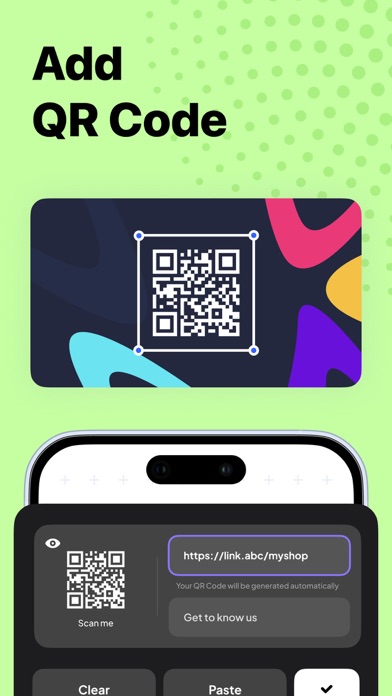
- Seamlessly create and add QR codes to your cards for enhanced interactivity
- Share your digital cards via QR code, URL, AirDrop, Email, SMS, and more
- Organize and manage cards easily with tags
- Export your business card designs as high-quality JPG or PDF files for digital sharing or printing
Business Card Maker also makes networking effortless. Scan a physical business card and instantly convert it into a digital contact, or create a new card using your existing contact information. Sharing your card is just as easy, send it digitally or display a QR code for quick access.
Whether you're a freelance graphic designer, a real estate agent, or a tech entrepreneur, we have a template that suits your style and profession. Our collection ensures that your business card reflects your unique personality and brand identity.
In case you want to personalize your own card, we also give you the tools to make your card truly your own. Customize text and logos with ease using our intuitive editing tools. Whether you're updating contact information, adding a new job title, or refreshing your company logo, our user-friendly interface makes the process seamless.
This Business Card Maker also allow you to create and add QR codes to your cards effortlessly. Whether you want to direct potential clients to your portfolio, LinkedIn profile, or company website, QR codes add an interactive element to your card, making it easier for others to connect with you. Simply generate the QR code within the app and watch as your business card comes to life with a touch of innovation.
With just a few taps, you can export your business card as a high-quality JPG or PDF file, ready for digital sharing or printing. You can send your card via email, sharing it on social media, or printing it out for in-person networking events. With the Business Card Maker, there are no limits to how you can share your brand with the world
Frequently Asked Questions
Is Business Card Maker· free?
No, Business Card Maker· costs $2.99.
What is the rating of Business Card Maker·?
Business Card Maker· has a 4.8 out of 5 star rating based on 120 reviews on the Apple App Store.
Who made Business Card Maker·?
Business Card Maker· was developed by Le Giang Nam.
Developer
Explore More
Related Graphics & Design Apps


Share & Embed
Use these badges on your website or blog to link back to this app's data.
Rating Badge
<a href="https://apppricinglab.com/app/apple/6502953049"><img src="https://apppricinglab.com/api/badge/rating?store=apple&app=6502953049" alt="Business Card Maker· rating on App Pricing Lab" /></a>Rank Badge
<a href="https://apppricinglab.com/app/apple/6502953049"><img src="https://apppricinglab.com/api/badge/rank?store=apple&app=6502953049" alt="Business Card Maker· ranking on App Pricing Lab" /></a>