
Pixel Art Maker - Qixel Price Snapshot
Pixel Art Maker - Qixel by Frosby Designs Ltd. is priced at $1.99 on the Apple App Store, with no in-app purchases. It holds a 3.5★ rating from 6 reviews.
Listing last updated: 2025-06-04. Source: public Apple App Store data, compiled via the App Pricing Lab methodology.
3.5★
6 reviews
2013-11-28
Released
2025-06-04
Last Updated
Rankings
| Category | Collection | Rank | Date |
|---|---|---|---|
| GRAPHICS_AND_DESIGN | top-paid-ipad | #78 | 2026-03-12 |
| GRAPHICS_AND_DESIGN | top-paid | #93 | 2026-03-12 |
Screenshots

About Pixel Art Maker - Qixel
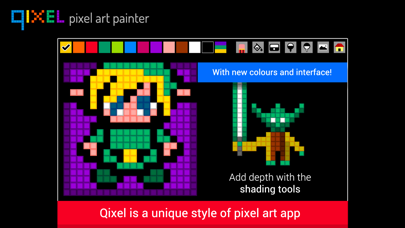
QIXEL - Pixel Art Painter is an original and creative drawing app that makes it super-easy for pixel-lovers, designers and retro gamers to make unique 'qixel art' then export your designs to your iPad and iPhone.
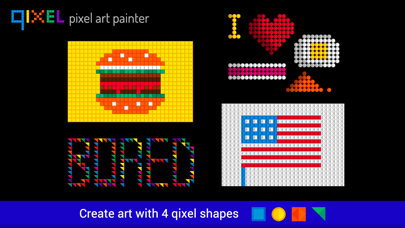
Qixels come in 4 shapes with our unique 3d effect.
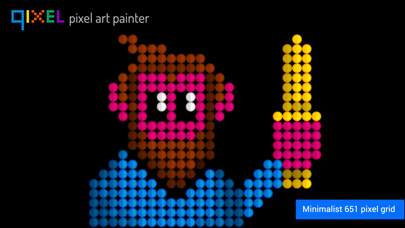
Create minimalist images, retro characters and typography with a limited number of qixels and colour palette. Make art or just use it to chill out - it's the digital equivalent of popping bubblewrap!
We look forward to seeing your artwork on the Facebook Qixel gallery! Facebook.com/qixelgallery
Here's what you can do with Qixel HD:
- Draw pictures with 4 different pixel types: Squares, Circles, Diamonds and Triangles.
- The canvas background button flips between black or white. This has a very different effect on your qixels.
- Use the darken and lighten buttons to add shade and depth to your art.
- The triangle setting has an extra button: Rotation. Try rotating your triangles 90 degrees to make strange patterns and origami-style art.
- Use Qixel to make quirky typography.
- Write simple messages and greeting cards to send to friends.
- Make cool patterns and abstract backgrounds for websites.
- Create retro game graphics, and then export frames in stages to make animation.
- experiment with colour: great for artists and colour therapy teachers.
ALLOW The PHOTO PERMISSION
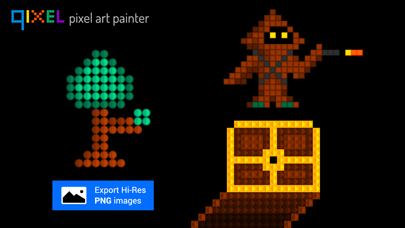
- Qixel HD will ask you to permission to access your photos. Clicking 'OK' will allow you to save high res PNG files to your device's Camera Roll.
- The Photo button saves a high-res PNG screenshot to your iPad's camera roll.
Make sure you allow the Photo permission in your iOS device's restrictions.
Go to Settings > General > Restrictions > Privacy > Photos > Switch Qixel HD on.
iOS 12: Settings > Screen Time > Content and Privacy Restrictions > Photos > Switch Qixel HD on.
hese aren't just Pixels... these are Qixels!
Frequently Asked Questions
Is Pixel Art Maker - Qixel free?
No, Pixel Art Maker - Qixel costs $1.99.
What is the rating of Pixel Art Maker - Qixel?
Pixel Art Maker - Qixel has a 3.5 out of 5 star rating based on 6 reviews on the Apple App Store.
Who made Pixel Art Maker - Qixel?
Pixel Art Maker - Qixel was developed by Frosby Designs Ltd.. Visit their website at https://www.frosby.net.
Developer
Explore More
Related Graphics & Design Apps


Share & Embed
Use these badges on your website or blog to link back to this app's data.
Rating Badge
<a href="https://apppricinglab.com/app/apple/764527771"><img src="https://apppricinglab.com/api/badge/rating?store=apple&app=764527771" alt="Pixel Art Maker - Qixel rating on App Pricing Lab" /></a>Rank Badge
<a href="https://apppricinglab.com/app/apple/764527771"><img src="https://apppricinglab.com/api/badge/rank?store=apple&app=764527771" alt="Pixel Art Maker - Qixel ranking on App Pricing Lab" /></a>