
SlideShow Maker Photo to Video Price Snapshot
SlideShow Maker Photo to Video by Mosaic S.r.l. is free to download on the Apple App Store, and offers 9 in-app purchases from $3.99–$9.99 (avg $7.43). It holds a 4.2★ rating from 103.1K reviews.
Latest IAP data: 2026-04-06. Listing last updated: 2026-02-23. Source: public Apple App Store data, compiled via the App Pricing Lab methodology.
Rankings
| Category | Collection | Rank | Date |
|---|---|---|---|
| PHOTO_AND_VIDEO | top-grossing-ipad | #54 | 2026-03-12 |
| PHOTO_AND_VIDEO | top-grossing | #62 | 2026-03-12 |
In-App Purchase Overview
In-App Purchases (9 items)
Screenshots

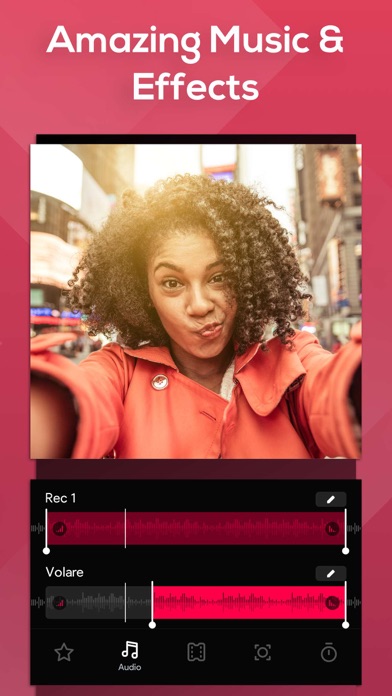
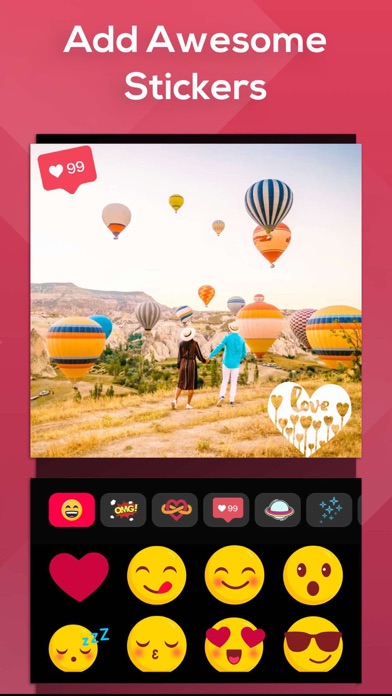

About SlideShow Maker Photo to Video
Frequently Asked Questions
Is SlideShow Maker Photo to Video free?
Yes, SlideShow Maker Photo to Video is free to download. It offers 9 in-app purchases.
What is the rating of SlideShow Maker Photo to Video?
SlideShow Maker Photo to Video has a 4.2 out of 5 star rating based on 103.1K reviews on the Apple App Store.
What are the in-app purchase prices for SlideShow Maker Photo to Video?
SlideShow Maker Photo to Video offers 9 in-app purchases ranging from $3.99 to $9.99. View full price history.
Who made SlideShow Maker Photo to Video?
SlideShow Maker Photo to Video was developed by Mosaic S.r.l.. Visit their website at http://bendingspoonsapps.com/products.html?app=924826256.
Developer
Explore More
Related Photo & Video Apps


Share & Embed
Use these badges on your website or blog to link back to this app's data.
<a href="https://apppricinglab.com/app/apple/924826256"><img src="https://apppricinglab.com/api/badge/rating?store=apple&app=924826256" alt="SlideShow Maker Photo to Video rating on App Pricing Lab" /></a><a href="https://apppricinglab.com/iap/apple/924826256"><img src="https://apppricinglab.com/api/badge/iap?store=apple&app=924826256" alt="SlideShow Maker Photo to Video IAP prices on App Pricing Lab" /></a><a href="https://apppricinglab.com/app/apple/924826256"><img src="https://apppricinglab.com/api/badge/rank?store=apple&app=924826256" alt="SlideShow Maker Photo to Video ranking on App Pricing Lab" /></a>