FPV Freerider Price Snapshot
FPV Freerider by FPV Freerider is priced at $2.99 on the Google Play, with no in-app purchases. It holds a 4.1★ rating from 1.8K reviews.
Listing last updated: 2025-10-09. Source: public Google Play data, compiled via the App Pricing Lab methodology.
4.1★
1.8K reviews
50.0K
Installs
May 7, 201
Released
2025-10-09
Last Updated
Rankings
| Category | Collection | Rank | Date |
|---|---|---|---|
| GAME_SIMULATION | topselling_paid | #159 | 2026-03-10 |
Screenshots

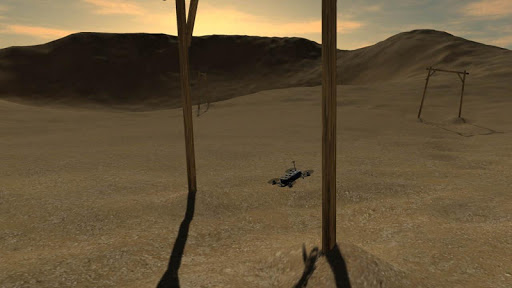
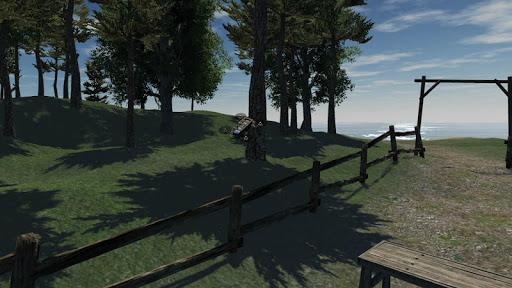
About FPV Freerider
Fly (and crash!) all you want regardless of rain, wind, sleet or snow.
Supports first person view (FPV) and line of sight (LOS) flying.
Supports self-leveling and acro mode, as well as 3D mode (for inverted flying).
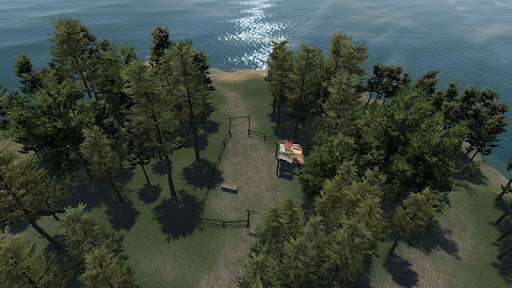
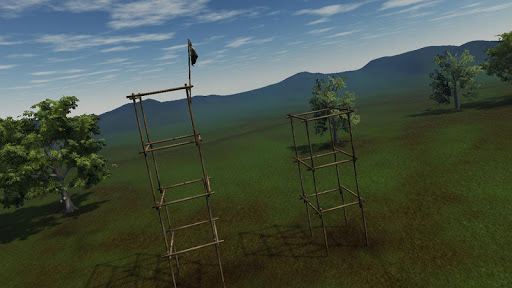
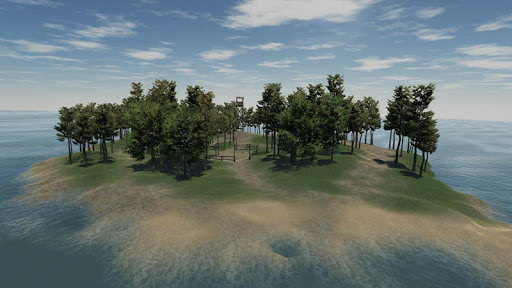
Includes six sceneries and a track generator that can generate millions of tracks automatically by procedural generation.
Custom settings for input rates, camera and physics.
Option for low resolution mode (to be able to get higher framerate)
Google Cardboard style side-by-side VR view option.
Touchscreen controls support mode 1, 2, 3 and 4.
Mode 2 is default input:
Left stick - Throttle/Yaw
Right stick - Pitch/Roll
This simulator requires a powerful device. You will get best performance if you select low resolution and low graphics quality on the main menu. Also, if possible activate "Performance Mode" or similar in your phone settings to get the best performance.
Note that this is a RC flight simulator, not a game. You might find that the controls are hard, but that's because it's made to mimic real life. It is highly recommended to use a good physical controller.
If your device supports USB OTG and you have the right cable you can try to use a USB gamepad/controller.
There is a free demo available that you can try to see if it works with your controller.
Physical controllers are configurable between mode 1,2,3 and 4.
There is no guarantee that the simulator will work with your device/controller. If you have any problems please send an email and I might be able to help.
Controllers that have been successfully used include FrSKY Taranis, Spektrum, Devo, DJI FPV, Turnigy, Flysky, Jumper, Radiomaster, Eachine, Detrum, Graupner and Futaba RC radios, Realflight and Esky USB Controllers, Logitech, Moga, Xbox and Playstation gamepads.
User manual (PDF)
https://drive.google.com/file/d/0BwSDHIR7yDwSelpqMlhaSzZOa1k/view?usp=sharing
portable drone / multirotor / quadrocopter / miniquad simulator
Frequently Asked Questions
Is FPV Freerider free?
No, FPV Freerider costs $2.99.
What is the rating of FPV Freerider?
FPV Freerider has a 4.1 out of 5 star rating based on 1.8K reviews on the Google Play.
Who made FPV Freerider?
FPV Freerider was developed by FPV Freerider.
Developer
Explore More
Related Simulation Apps




Share & Embed
Use these badges on your website or blog to link back to this app's data.
Rating Badge
<a href="https://apppricinglab.com/app/google_play/com.Freeride.Freerider"><img src="https://apppricinglab.com/api/badge/rating?store=google_play&app=com.Freeride.Freerider" alt="FPV Freerider rating on App Pricing Lab" /></a>Rank Badge
<a href="https://apppricinglab.com/app/google_play/com.Freeride.Freerider"><img src="https://apppricinglab.com/api/badge/rank?store=google_play&app=com.Freeride.Freerider" alt="FPV Freerider ranking on App Pricing Lab" /></a>