
sDraw Pro (Drawing App) Price Snapshot
sDraw Pro (Drawing App) by Fsoft Production is priced at $4.00 on the Google Play, with no in-app purchases. It holds a 4.7★ rating from 249 reviews.
Listing last updated: 2026-03-01. Source: public Google Play data, compiled via the App Pricing Lab methodology.
4.7★
249 reviews
1.0K
Installs
Aug 19, 20
Released
2026-03-01
Last Updated
Rankings
| Category | Collection | Rank | Date |
|---|---|---|---|
| ART_AND_DESIGN | topselling_paid | #24 | 2026-03-10 |
Screenshots
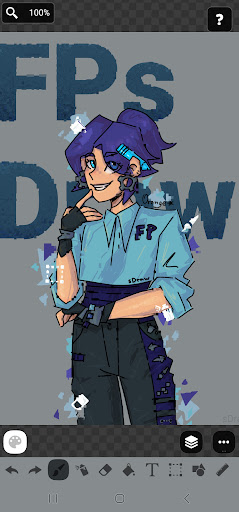


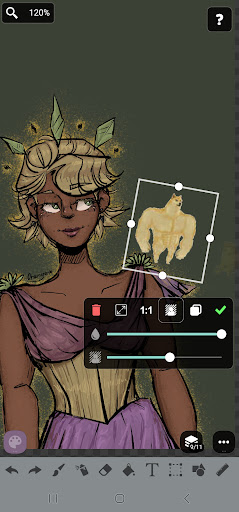
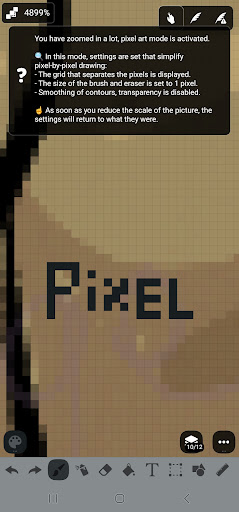

About sDraw Pro (Drawing App)
sDraw is a simple and lightweight drawing app - no ads, no clutter, just open and draw.
✅ Designed for those who need a simple tool for simple tasks.
Perfect for quick moments when you need to:
🎭 Create a meme or add text to a photo.
🧠 Sketch a diagram, note, or quick idea.
🖼️ Highlight or mark something directly on an image.
🎨 Experiment with different styles - lines, shapes, airbrush, text, and more.
Why sDraw is worth having:
📦 Doesn’t take up space or run in the background.
🛑 No ads - nothing distracts you from drawing.
📉 Less than 1 MB - installs in seconds.
⚙️ No setup needed - starts instantly.
📱 Works even on very old phones.
🧩 Flexible UI - even the button shapes can be customized.
✍️ Stylus support: sPen, Active Pen, etc.
💡 Helpful tips appear only when needed.
🛟 Automatic backup keeps your sketches safe.
🔊 Volume buttons can trigger quick actions.
Drawing tools:
🪄 Layers - organize complex sketches.
🖼️ Insert from gallery.
🖍 Brush and eraser.
🌬 Airbrush.
🏺 Fill.
🅰️ Text.
✂️ Selection.
🔳 Shapes.
📏 Ruler.
🎨 Eyedropper.
🧩 Mosaic.
🖱 Precision brush.
The free version is fully functional - no essential features locked.
Pro version adds a few nice extras:
💛 Support the developer.
🖼️ Option to remove “sDraw” label from saved images.
🚫 Removes the message in the main menu.
🙅♂ No more “Buy Pro” reminders when saving.
⚡️ Projects from the free version are fully compatible with Pro.
🍞 Doesn’t eat resources or space - but always ready when needed 😊
Frequently Asked Questions
Is sDraw Pro (Drawing App) free?
No, sDraw Pro (Drawing App) costs $4.00.
What is the rating of sDraw Pro (Drawing App)?
sDraw Pro (Drawing App) has a 4.7 out of 5 star rating based on 249 reviews on the Google Play.
Who made sDraw Pro (Drawing App)?
sDraw Pro (Drawing App) was developed by Fsoft Production.
Developer
Explore More
Related Art & Design Apps








Share & Embed
Use these badges on your website or blog to link back to this app's data.
Rating Badge
<a href="https://apppricinglab.com/app/google_play/com.fsoft.FP_sDraw_paid"><img src="https://apppricinglab.com/api/badge/rating?store=google_play&app=com.fsoft.FP_sDraw_paid" alt="sDraw Pro (Drawing App) rating on App Pricing Lab" /></a>Rank Badge
<a href="https://apppricinglab.com/app/google_play/com.fsoft.FP_sDraw_paid"><img src="https://apppricinglab.com/api/badge/rank?store=google_play&app=com.fsoft.FP_sDraw_paid" alt="sDraw Pro (Drawing App) ranking on App Pricing Lab" /></a>