
Web Video Cast | Browser to TV
▶️ Google PlayVideo Players & EditorsFreeIn-App PurchasesContains AdsEveryone
Web Video Cast | Browser to TV Price Snapshot
Web Video Cast | Browser to TV by InstantBits Inc is free to download on the Google Play, and offers in-app purchases. It holds a 4.6★ rating from 2.3M reviews.
Listing last updated: 2026-01-23. Source: public Google Play data, compiled via the App Pricing Lab methodology.
4.6★
2.3M reviews
50.0M
Installs
Mar 7, 201
Released
2026-01-23
Last Updated
Rankings
| Category | Collection | Rank | Date |
|---|---|---|---|
| VIDEO_PLAYERS | topselling_free | #21 | 2026-03-10 |
| VIDEO_PLAYERS | topgrossing | #74 | 2026-03-10 |
Screenshots
About Web Video Cast | Browser to TV
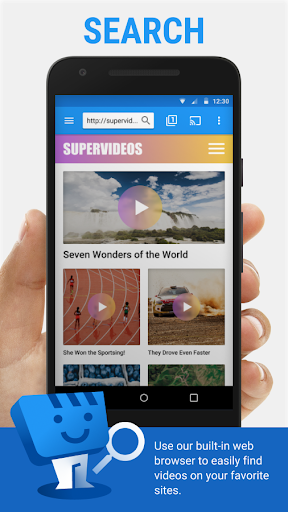
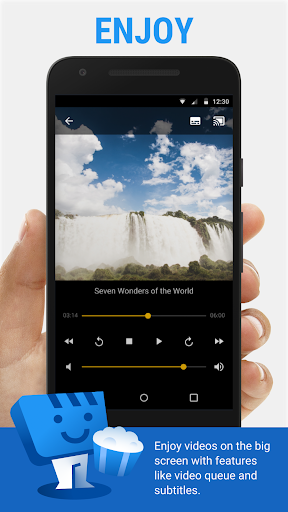
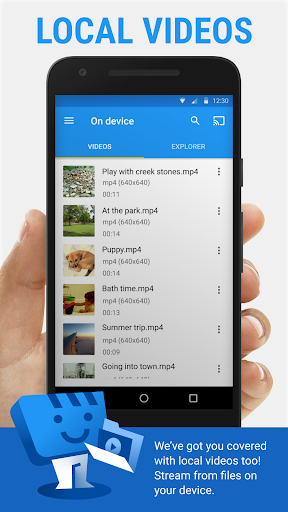
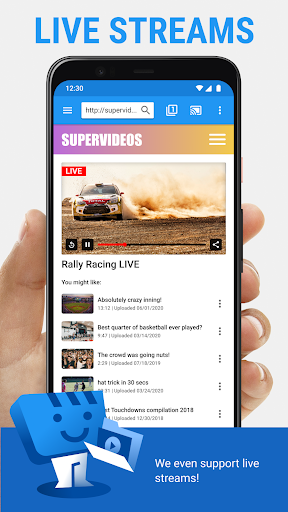
Web Video Caster® allows you to watch on your TV videos from your favorite websites including movies, TV shows, live streams of news, sports. It also lets you cast local videos stored on your phone. Photos and audio files are also supported. Subtitles are detected on the web page, you can also use your own subtitles, or you can use the integrated search of OpenSubtitles.org.
SUPPORTED STREAMING DEVICES
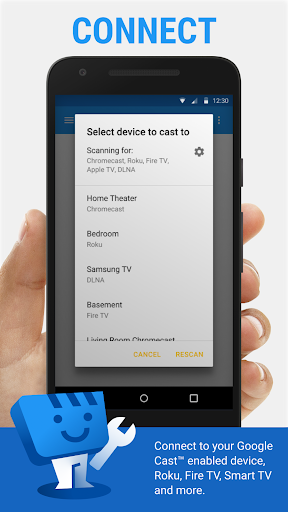
Web Video Caster® supports the most popular streaming devices, allowing your TV to stream videos directly from the web.
• Chromecast.
• Roku.
• DLNA receivers.
• Amazon Fire TV and Fire TV Stick.
• Smart TVs: LG Netcast and WebOS, Samsung, Sony, and others*.
• PlayStation 4 - by using its web browser.
• Most web browsers by visiting http://cast2tv.app (PS4, Smart TVs, other consoles and set top boxes).
• And more.
*If you experience compatibility issues, contact us and include the brand and model number.
SUPPORTED MEDIA
• HLS live streams in M3U8 format, where supported by your streaming device.
• Movies and TV shows.
• MP4 videos.
• Live news and sports.
• Any HTML5 videos*.
• Photos.
• Audio files including music.
*Your streaming device must be capable of decoding the video you are playing. Web Video Cast™ does not perform any video/audio decoding or transcoding.
GET STARTED
Follow these simple step-by-step instructions to start streaming:
1.- Browse the web or the local file explorer to find the video, audio or photo you want to cast to your tv.
2.- If the video or audio is on a website, try to play the video inside the web page. If it is a photo, you can long press on it to cast it.
3.- Connect to your streaming device to cast the video, music, or picture.
PREMIUM FEATURES**
• No in-app advertising.
• Bookmarks.
• Home page setting.
• Video history.
• Queue.
• Homescreen shortcut.
• Most visited site.
**This functionality does not apply universally to all streaming devices.
LIMITATIONS & DISCLOSURES
As with all apps, there are some limitations we are aware of and want you to know about up front.
• We are in no way associated with any web media providers and we do not have control over the content they provide.
• The app does not support tab casting, like the Chromecast extension for the PC web browser.
• We cannot do anything to fix issues that arise on the server side (media content provider) such as failure to play or buffering, which is especially common during heavy load times and weekends.
• Refunds are only issued within 24 hours of purchase and you must submit the order number in text, not a screenshot.
PERMISSIONS
• Phone state - To allow the pausing of videos on incoming phone calls.
• Wi-Fi connection information - Required for streaming devices and for the browser.
• Photos/Media/Files (storage in general) - Required for the download functionality.
• In-app purchases - For premium version.
• Wake-lock - To keep phone awake while routing videos through phone. Should only affect live
Frequently Asked Questions
Is Web Video Cast | Browser to TV free?
Yes, Web Video Cast | Browser to TV is free to download. It offers in-app purchases.
What is the rating of Web Video Cast | Browser to TV?
Web Video Cast | Browser to TV has a 4.6 out of 5 star rating based on 2.3M reviews on the Google Play.
Who made Web Video Cast | Browser to TV?
Web Video Cast | Browser to TV was developed by InstantBits Inc. Visit their website at https://www.webvideocaster.app.
Developer
Explore More
Related Video Players & Editors Apps






Share & Embed
Use these badges on your website or blog to link back to this app's data.
Rating Badge
<a href="https://apppricinglab.com/app/google_play/com.instantbits.cast.webvideo"><img src="https://apppricinglab.com/api/badge/rating?store=google_play&app=com.instantbits.cast.webvideo" alt="Web Video Cast | Browser to TV rating on App Pricing Lab" /></a>IAP Badge
<a href="https://apppricinglab.com/iap/google_play/com.instantbits.cast.webvideo"><img src="https://apppricinglab.com/api/badge/iap?store=google_play&app=com.instantbits.cast.webvideo" alt="Web Video Cast | Browser to TV IAP prices on App Pricing Lab" /></a>Rank Badge
<a href="https://apppricinglab.com/app/google_play/com.instantbits.cast.webvideo"><img src="https://apppricinglab.com/api/badge/rank?store=google_play&app=com.instantbits.cast.webvideo" alt="Web Video Cast | Browser to TV ranking on App Pricing Lab" /></a>