
PS Remote Play Price Snapshot
PS Remote Play by PlayStation Mobile Inc. is free to download on the Google Play, with no in-app purchases. It holds a 2.8★ rating from 122.2K reviews.
Listing last updated: 2025-10-27. Source: public Google Play data, compiled via the App Pricing Lab methodology.
2.8★
122.2K reviews
10.0M
Installs
Oct 27, 20
Released
2025-10-27
Last Updated
Rankings
| Category | Collection | Rank | Date |
|---|---|---|---|
| ENTERTAINMENT | topselling_free | #95 | 2026-03-10 |
Screenshots
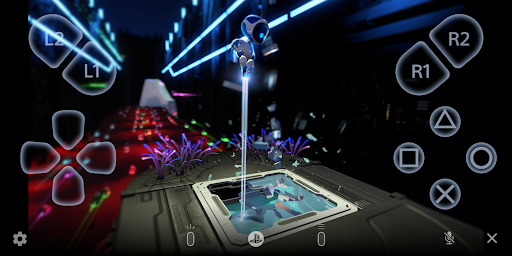
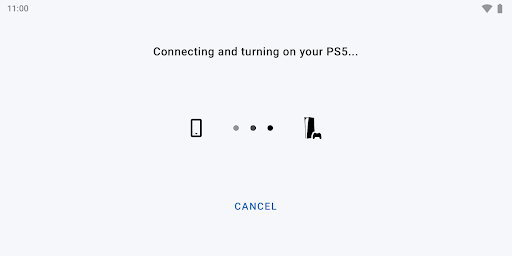
About PS Remote Play
Use PS Remote Play to access your PS5™ or PS4™ wherever you go.
With PS Remote Play, you can:
• Display the PlayStation®5 or PlayStation®4 screen on your mobile device.
• Use the on-screen controller on your mobile device to control your PS5 or PS4.
• Use the DUALSHOCK®4 wireless controller.
• Use the DualSense™ wireless controller on mobile devices with Android 12 or later installed.
• Use the DualSense Edge™ wireless controller on mobile devices with Android 14 or later installed.
• Use the Backbone One PlayStation® Edition on USB Type-C Android smartphones.
• Join voice chats using the mic on your mobile device.
• Enter text on your PS5 or PS4 using the keyboard on your mobile device.
To use this app, you need the following:
• A mobile device with Android 10 or later installed
• A PS5 or PS4 console with the latest system software version
• An account for PlayStation Network
• A fast and stable internet connection
When using mobile data:
• Depending on your carrier and network conditions, you may not be able to use Remote Play.
• Remote Play uses a lot more data than most video streaming services. Data charges may apply.
Verified devices:
• Google Pixel 9 series
• Google Pixel 8 series
• Google Pixel 7 series
Using your Controller:
• You can use the DUALSHOCK 4 wireless controller. (On devices with Android 10 and 11 installed, use the on-screen controller to use the touch pad function.)
• You can use the DualSense wireless controller on mobile devices with Android 12 or later installed.
• You can use the DualSense Edge wireless controller on mobile devices with Android 14 or later installed.
• You can use the Backbone One PlayStation® Edition on USB Type-C Android smartphones.
Note:
• This app may not work properly on unverified devices.
• This app may not be compatible with some games.
• Your controller may vibrate differently than when playing on your PS5 or PS4 console.
• Depending on your mobile device's performance, you might experience input lag when using your wireless controller.
App subject to end-user license agreement:
www.playstation.com/legal/sie-inc-mobile-application-license-agreement/
Frequently Asked Questions
Is PS Remote Play free?
Yes, PS Remote Play is free to download.
What is the rating of PS Remote Play?
PS Remote Play has a 2.8 out of 5 star rating based on 122.2K reviews on the Google Play.
Who made PS Remote Play?
PS Remote Play was developed by PlayStation Mobile Inc.. Visit their website at http://www.playstation.com/support/.
Developer
Explore More
Related Entertainment Apps







Share & Embed
Use these badges on your website or blog to link back to this app's data.
Rating Badge
<a href="https://apppricinglab.com/app/google_play/com.playstation.remoteplay"><img src="https://apppricinglab.com/api/badge/rating?store=google_play&app=com.playstation.remoteplay" alt="PS Remote Play rating on App Pricing Lab" /></a>Rank Badge
<a href="https://apppricinglab.com/app/google_play/com.playstation.remoteplay"><img src="https://apppricinglab.com/api/badge/rank?store=google_play&app=com.playstation.remoteplay" alt="PS Remote Play ranking on App Pricing Lab" /></a>