Remote Control for Rоku & TCL
▶️ Google PlayToolsFreeIn-App PurchasesContains AdsEveryone
Remote Control for Rоku & TCL Price Snapshot
Remote Control for Rоku & TCL by SensusTech LLC is free to download on the Google Play, and offers in-app purchases. It holds a 4.3★ rating from 50.3K reviews.
Listing last updated: 2025-10-29. Source: public Google Play data, compiled via the App Pricing Lab methodology.
4.3★
50.3K reviews
1.0M
Installs
Jul 4, 202
Released
2025-10-29
Last Updated
Rankings
| Category | Collection | Rank | Date |
|---|---|---|---|
| TOOLS | topselling_free | #83 | 2026-03-10 |
Screenshots
About Remote Control for Rоku & TCL
It is the 21st century, and everything is becoming digital: books, games, meetings. Why? It is more convenient and comfortable. That is why we want to introduce our new app - the Smart Remote app for TCL and Roku TV.
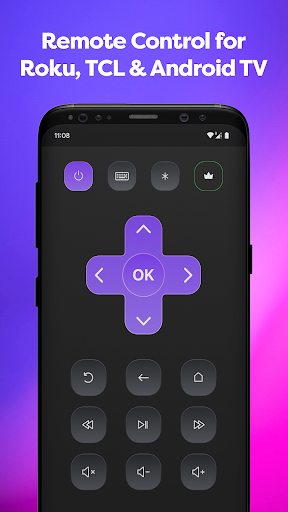
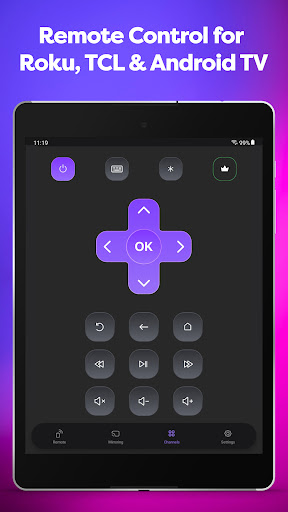
Smart Remote app transforms your phone into a remote control center for the Roku, TCL, Hisense or Insignia TV. It is easy to understand with our intuitive display, and right after install you can begin to control your Smart TV, Roku TV, Streaming Stick, Express, Player or Box.
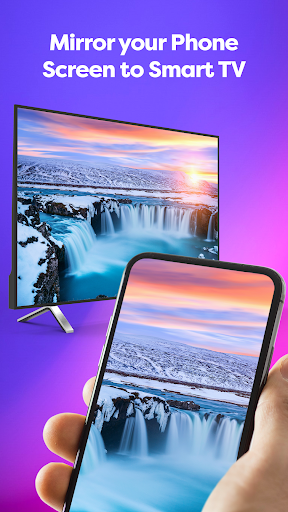
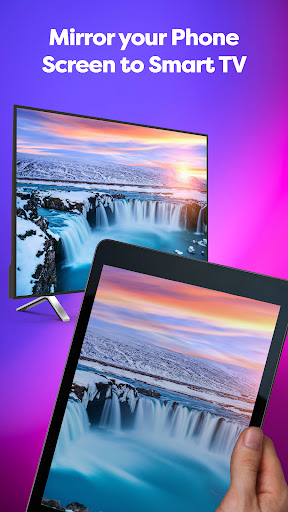
Did we tell you that our app offers your remote Mirroring Screen for TCL, Roku or Smart TV?
If you have eyesight problems and always need to put your glasses on or go near a TV, forget it!
Now you can just look at your smartphone and see everything you need. Not only Screen Mirroring, but also you can make a TV cast of your favorite videos.
We all know the eternal problem of remotes is getting lost. One of the best things is that you won’t lose a phone at the apartment, or at least you can call your phone to find it. Now you won’t need an old Hisense or Insignia remote because you have one on your phone. It acts as a TCL TV remote, and it doesn’t need batteries. It perfectly and automatically connects with Roku as well.
For you, nothing will change, except now you always know where your TV remote control is. Just connect it through your Wi-Fi, and it is ready to go. New TLC, Roku, Hisense or Insignia remote will have the same functionality and even more:
· Power On/Off
· Volume Up / Down Control
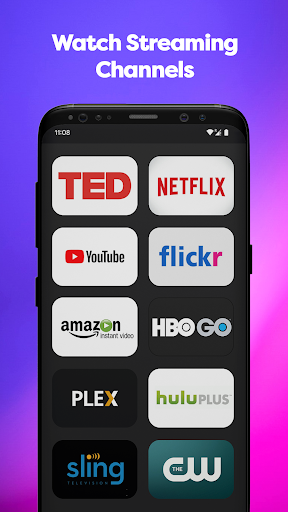
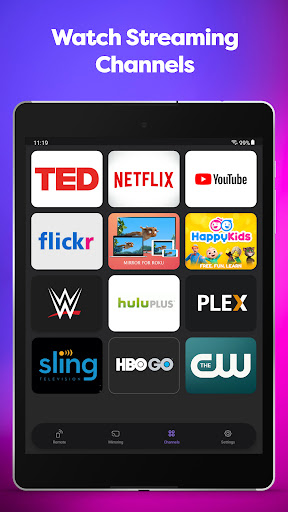
· Roku Channels Control
· Navigation Buttons Up/Down/Left/Right
· You still can use play, pause, fast forward, and rewind while the player is active
· You always know where your TV remote is
· It works with Roku and Hisense as well as a familiar remote control
· You can use the Screen Mirroring function if something is not visible clearly or enjoy streaming videos or photos from your phone on a bigger screen with a TV cast function.
So don’t waste your time finding your remote or buying new batteries. Just downloading the Smart Remote app transforms your phone into the remote control for the TCL, Roku, Insignia, Hisense, or other TV. Easy to use, everything an old Insignia TV remote had, now in your smartphone, is your new Insignia. It will automatically connect to your Smart TV, so you don’t need to do it every time. You can use TV to cast it.
Frequently Asked Questions
Is Remote Control for Rоku & TCL free?
Yes, Remote Control for Rоku & TCL is free to download. It offers in-app purchases.
What is the rating of Remote Control for Rоku & TCL?
Remote Control for Rоku & TCL has a 4.3 out of 5 star rating based on 50.3K reviews on the Google Play.
Who made Remote Control for Rоku & TCL?
Remote Control for Rоku & TCL was developed by SensusTech LLC. Visit their website at https://sensustech.com/.
Developer
Explore More
Related Tools Apps







Share & Embed
Use these badges on your website or blog to link back to this app's data.
Rating Badge
<a href="https://apppricinglab.com/app/google_play/com.sensustech.tclremote"><img src="https://apppricinglab.com/api/badge/rating?store=google_play&app=com.sensustech.tclremote" alt="Remote Control for Rоku & TCL rating on App Pricing Lab" /></a>IAP Badge
<a href="https://apppricinglab.com/iap/google_play/com.sensustech.tclremote"><img src="https://apppricinglab.com/api/badge/iap?store=google_play&app=com.sensustech.tclremote" alt="Remote Control for Rоku & TCL IAP prices on App Pricing Lab" /></a>Rank Badge
<a href="https://apppricinglab.com/app/google_play/com.sensustech.tclremote"><img src="https://apppricinglab.com/api/badge/rank?store=google_play&app=com.sensustech.tclremote" alt="Remote Control for Rоku & TCL ranking on App Pricing Lab" /></a>