UsA Bubblegum Tiles - USA139 Price Snapshot
UsA Bubblegum Tiles - USA139 by USA Design Watch Face is priced at $1.49 on the Google Play, with no in-app purchases. It holds a 3.7★ rating from 175 reviews.
Listing last updated: 2025-10-30. Source: public Google Play data, compiled via the App Pricing Lab methodology.
3.7★
175 reviews
10.0K
Installs
Dec 26, 20
Released
2025-10-30
Last Updated
Rankings
| Category | Collection | Rank | Date |
|---|---|---|---|
| LIFESTYLE | topselling_paid | #50 | 2026-03-10 |
Screenshots


About UsA Bubblegum Tiles - USA139
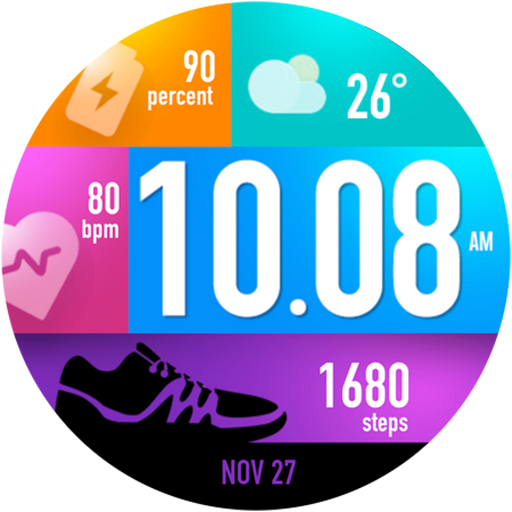
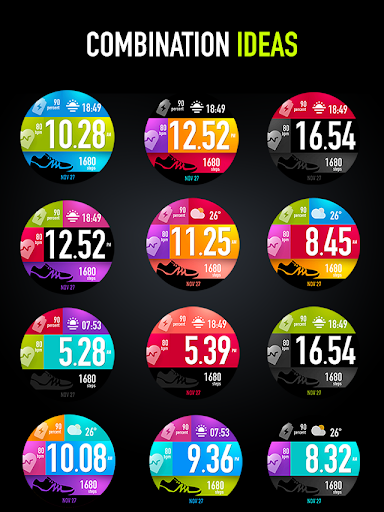
Colorful tiles with individual custom styles watch face. Combine and mix them together and make it your unique combination. 1 tile is reserved for a custom complication, best fit for weather information with an icon, please set it up when launching the watch face for the first time. Also 1 line info at the bottom can be customized as a short info.
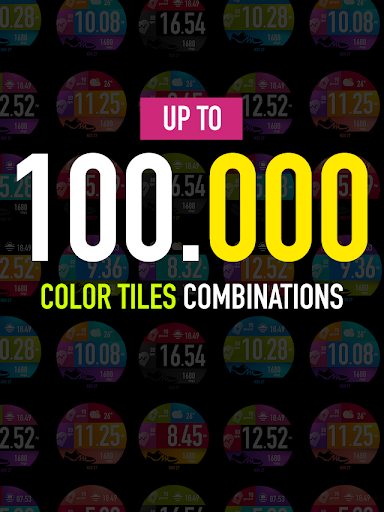
Each tiles combined together will make 100.000 distinct combination ( each tiles consist 10 option, with 5 tiles then will make 10x10x10x10x10 distinct combination)
This watch face requires Wear OS API 33+ (Wear OS 4 or newer). Compatible with Galaxy Watch 4/5/6/7/8 Series and newer, Pixel Watch series and other watch face with Wear OS 4 or newer.
Installation Notes
Installing may take a few minutes, and you can find the watch face on the "add watch face" menu on the watch (check the companion guide).
Tap and hold the current watch face, scroll to the far right, and tap the (+) add watch face button. Find the watch face there.
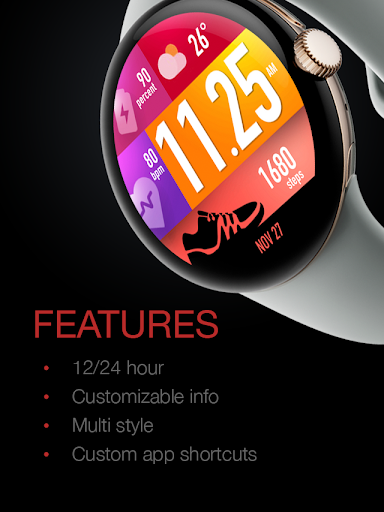
Features
- 12/24 hour mode
- Up to 100.000 tiles color combinations (10 styles for each tile)
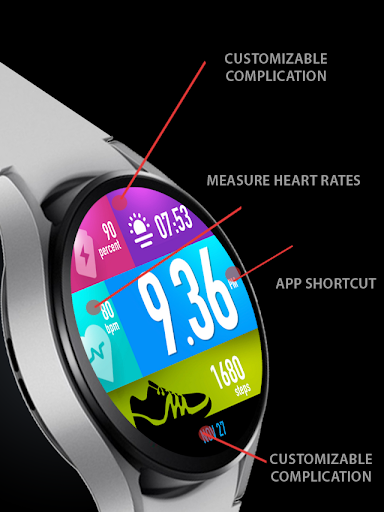
- Heart rate, battery, step info
- 1 tile for custom complication with icon, recommended for the weather. Please set the complication when first running the watch face
- 1 customized short info at the bottom
- 1 custom app tap shortcut without icon
- Special Designed AOD
Customizing
Tap and hold the watch face and go to the "customize" menu (or settings icon under the watch face) to change the styles and also manage the custom shortcut complication.
Heart Rate
The heart rate synced with S-Health data and you can change the reading interval setting on the S-Health HR setting. Make sure to allow "sensor" permission to be able showing the heart rate.
12/24 Hour Mode
To change between 12 or 24-hour mode, go to your phone date and time settings and there is an option to use 24-hour mode or 12-hour mode. The watch will sync with your new settings after a few moments.
Always On Display
Special designed Always On Display ambient mode. Turn on the Always On Display mode on your watch settings to show a low-power display on idle. Please be aware, this feature will use more batteries.
Support
Installation and troubleshooting guide here:
https://developer.samsung.com/sdp/blog/en-us/2022/11/15/install-watch-faces-for-galaxy-watch5-and-one-ui-watch-45
Join our Telegram group for live support and discussion
https://t.me/usadesignwatchface
Frequently Asked Questions
Is UsA Bubblegum Tiles - USA139 free?
No, UsA Bubblegum Tiles - USA139 costs $1.49.
What is the rating of UsA Bubblegum Tiles - USA139?
UsA Bubblegum Tiles - USA139 has a 3.7 out of 5 star rating based on 175 reviews on the Google Play.
Who made UsA Bubblegum Tiles - USA139?
UsA Bubblegum Tiles - USA139 was developed by USA Design Watch Face.
Developer
Explore More
Related Lifestyle Apps






Share & Embed
Use these badges on your website or blog to link back to this app's data.
Rating Badge
<a href="https://apppricinglab.com/app/google_play/com.usadesign.usabubblegumtiles"><img src="https://apppricinglab.com/api/badge/rating?store=google_play&app=com.usadesign.usabubblegumtiles" alt="UsA Bubblegum Tiles - USA139 rating on App Pricing Lab" /></a>Rank Badge
<a href="https://apppricinglab.com/app/google_play/com.usadesign.usabubblegumtiles"><img src="https://apppricinglab.com/api/badge/rank?store=google_play&app=com.usadesign.usabubblegumtiles" alt="UsA Bubblegum Tiles - USA139 ranking on App Pricing Lab" /></a>