
Compress Video Size Compressor
▶️ Google PlayVideo Players & EditorsFreeIn-App PurchasesContains AdsEveryone
Compress Video Size Compressor Price Snapshot
Compress Video Size Compressor by Inverse AI is free to download on the Google Play, and offers in-app purchases. It holds a 4.5★ rating from 176.9K reviews.
Listing last updated: 2026-03-04. Source: public Google Play data, compiled via the App Pricing Lab methodology.
4.5★
176.9K reviews
5.0M
Installs
Jan 30, 20
Released
2026-03-04
Last Updated
Rankings
| Category | Collection | Rank | Date |
|---|---|---|---|
| VIDEO_PLAYERS | topgrossing | #115 | 2026-03-10 |
Screenshots
About Compress Video Size Compressor
Supported Video Formats
MP4, MKV, AVI, 3GP, FLV, MTS, MPEG, MPG, WMV, M4V, MOV, VOB
KEY FEATURES
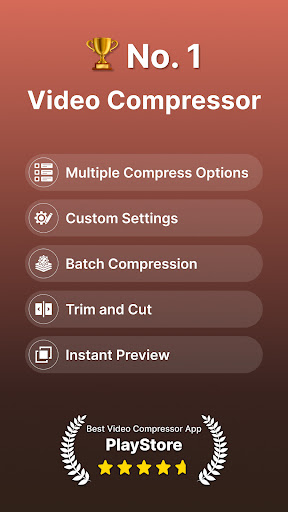
🎬 Compress an uncompressed video by keeping original quality.
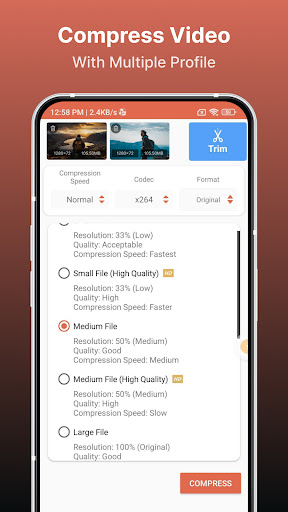
🎬 Choose from predefined multiple compression profiles with different quality and size settings.
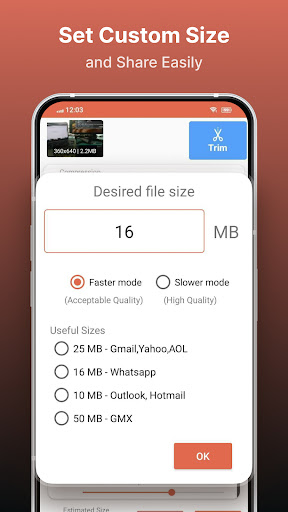
🎬 Compress video to a manually inputted size.
🎬 Shows a preview of small duration for the chosen compression settings before the compression process starts. Helps users to understand the quality of the compression beforehand.
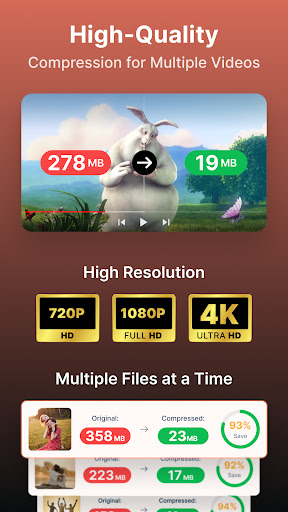
🎬 Queue multiple videos to compress them in batch mode.
🎬 Choose between X264 and X265(HEVC) codec for compression. HEVC codec provides much more compression than X264 codec. But X264 is much faster than X265 in terms of compression speed.
🎬 Choose Compression process speed. Higher the speed larger the compressed video size.
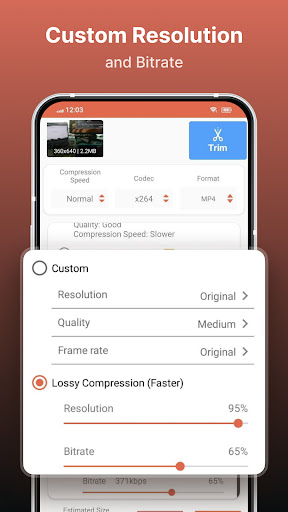
🎬 Choose custom resolution.
🎬 Compresses a video by decreasing resolution, video bitrate. In this option the user can see the estimated compressed video size before compressing. This doesn’t preserve original quality.
🎬 Compare compressed and original video by playing them simultaneously in the same screen.
🎬 Delete compressed or original file after compression from the app.
🎬 Reduces video size, shrink video, save and clear device's storage space.
🎬 High quality video compression and Low quality video compression.
🎬 Convert video to MP4, MKV, AVI, 3GP, FLV, MTS, M4V, MOV formats.(PRO Feature)
🎬 Convert video from MP4, MKV, AVI, 3GP, FLV, MTS, MPEG, MPG, WMV, M4V, MOV, VOB formats.
🎬 Play Compressed and Converted Video.
🎬 Share compressed, converted and size reduced videos.
Video Compressor - Compact Video application can compress and convert almost any format of videos. It provides users with default compress/preset profiles. Users can choose desired compression quality, compression speed, video resolution, bitrate etc. Also this compressor and converter lets the user input the desired compressed video size and it compresses the video to that size. Also you can compress videos in batch mode by queuing multiple videos.
This Video Compressor can compress an uncompressed video without losing quality using X264 and X265(HEVC) codec. It can also compress a compressed video by decreasing the quality which is Resolution, Bitrate. This video compressor gives the user a transparent and flexible way to choose the compression level by customizing resolution and bitrate of the video. It shows the estimated size of the compressed video before the compression begins. This helps you decide how much space you want to save with what quality of the compression. It supports many video formats.
This is the best Video compressor and converter app in the market which provides every possible settings for compressing your video.
Frequently Asked Questions
Is Compress Video Size Compressor free?
Yes, Compress Video Size Compressor is free to download. It offers in-app purchases.
What is the rating of Compress Video Size Compressor?
Compress Video Size Compressor has a 4.5 out of 5 star rating based on 176.9K reviews on the Google Play.
Who made Compress Video Size Compressor?
Compress Video Size Compressor was developed by Inverse AI. Visit their website at https://alyaanah.blogspot.com/.
Developer
Explore More
Related Video Players & Editors Apps






Share & Embed
Use these badges on your website or blog to link back to this app's data.
Rating Badge
<a href="https://apppricinglab.com/app/google_play/com.video_converter.video_compressor"><img src="https://apppricinglab.com/api/badge/rating?store=google_play&app=com.video_converter.video_compressor" alt="Compress Video Size Compressor rating on App Pricing Lab" /></a>IAP Badge
<a href="https://apppricinglab.com/iap/google_play/com.video_converter.video_compressor"><img src="https://apppricinglab.com/api/badge/iap?store=google_play&app=com.video_converter.video_compressor" alt="Compress Video Size Compressor IAP prices on App Pricing Lab" /></a>Rank Badge
<a href="https://apppricinglab.com/app/google_play/com.video_converter.video_compressor"><img src="https://apppricinglab.com/api/badge/rank?store=google_play&app=com.video_converter.video_compressor" alt="Compress Video Size Compressor ranking on App Pricing Lab" /></a>