Everything Adaptive Icons Price Snapshot
Everything Adaptive Icons by NARIK DESIGN is priced at $0.99 on the Google Play, and offers in-app purchases. It holds a 4.5★ rating from 486 reviews.
Listing last updated: 2026-02-15. Source: public Google Play data, compiled via the App Pricing Lab methodology.
4.5★
486 reviews
10.0K
Installs
Nov 27, 20
Released
2026-02-15
Last Updated
Rankings
| Category | Collection | Rank | Date |
|---|---|---|---|
| PERSONALIZATION | topselling_paid | #158 | 2026-03-10 |
Screenshots
About Everything Adaptive Icons
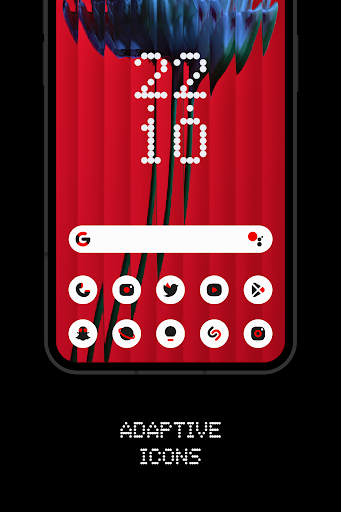
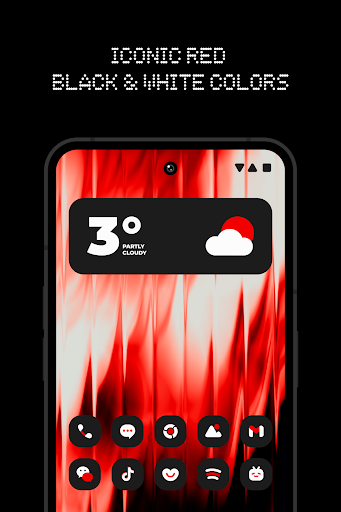
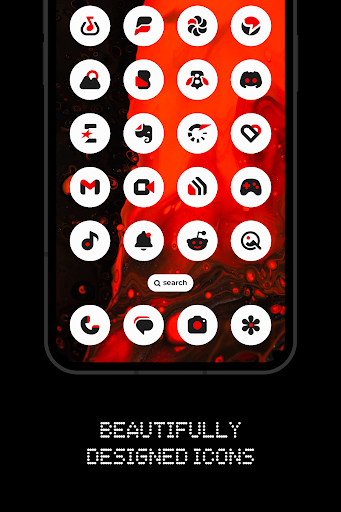
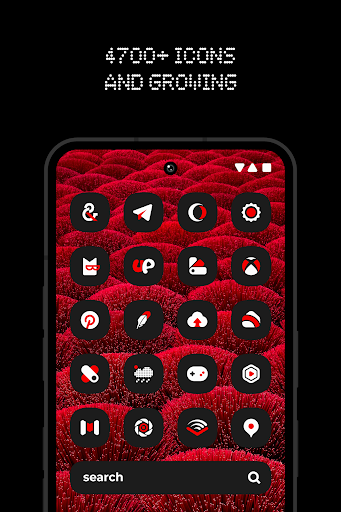
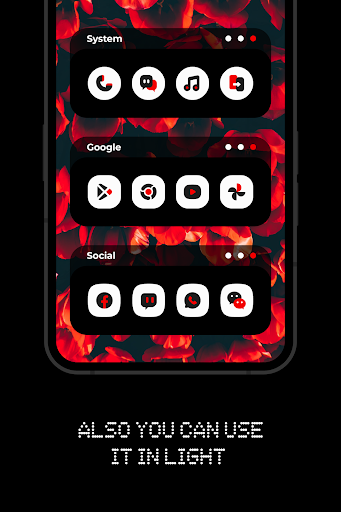
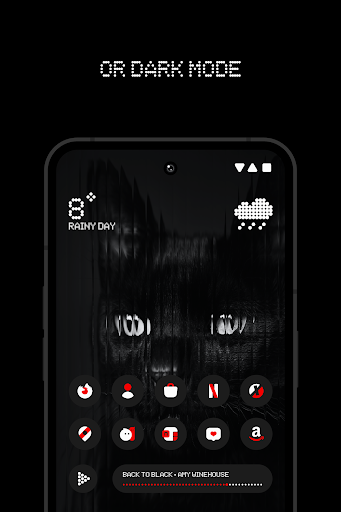
Everything Adaptive Icon Pack brings the iconic style to your home screen with beautifully crafted adaptive icons that change shape. Designed with a perfect harmony of red, black, and white, it complements both light and dark wallpapers effortlessly.
FEATURES:
• 5600+ Premium adaptive icons
• 13 Kustom widget
• Cloud-based Wallpapers that perfectly match the icons
• Icon request tool
• Regular Updates
How to use this Icon pack?
• Install a supported Launcher
• Open Everything Adaptive Icons, go to Apply section and Select Launcher to apply. If your launcher is not in a list make sure you apply it from your launcher settings.
How do I change to light / dark mode?
After changing device theme to light / dark, you need to reapply icon pack (or apply another icon pack, and then this one immediately).
SUPPORTED LAUNCHERS:
• Nothing Launcher
• Nova Launcher
• Lawnchair Launcher v2
• Niagara Launcher
• Smart Launcher 6
• Rootless Pixel Launcher
• Shade Launcher
• Lean Launcher
• Hyperion Launcher
• Posidon Launcher
• Action Launcher
• Stario Launcher
• Ruthless Launcher
• Motorola Launcher
Colors Changing Automatically only with:
• Lawnchair 12.1 latest Dev version
• Hyperion Beta
• Niagara Launcher
• Stario Launcher
• Smart Launcher 6
DISCLAIMER
• Dark mode only works on Android 10 and above devices!
• You need to re-apply icon pack to change to light / dark mode. Except Lawnchair 12.1 latest Dev version, Hyperion Beta, Niagara, Smart Launcher 6 or Stario Launcher
• If you can't change the shape of the icon, you NEED a custom launcher that can do that.
• A supported launcher is required to use this icon pack!
• In Pixel Launcher (stock launcher in Pixel devices) work with app Shortcut Maker.
• In Stock One UI Launcher use Theme Park.
• Kustom Widgets requires KWGT and KWGT PRO app (paid app)! It won't work without KWGT PRO.
• This app is not developed by NOTHING.
• FAQ section inside the app which answers a lot of questions you may have. Please read it before you emailing your question.
CONTACT ME:
Twitter: https://twitter.com/narikdesign
Telegram: https://t.me/narikdesign
Instagram: https://www.instagram.com/narikdesign
Frequently Asked Questions
Is Everything Adaptive Icons free?
No, Everything Adaptive Icons costs $0.99. It offers in-app purchases.
What is the rating of Everything Adaptive Icons?
Everything Adaptive Icons has a 4.5 out of 5 star rating based on 486 reviews on the Google Play.
Who made Everything Adaptive Icons?
Everything Adaptive Icons was developed by NARIK DESIGN. Visit their website at https://twitter.com/NarikDesign.
Developer
Explore More
Related Personalization Apps







Share & Embed
Use these badges on your website or blog to link back to this app's data.
Rating Badge
<a href="https://apppricinglab.com/app/google_play/dev.narikdesign.nothingadaptive"><img src="https://apppricinglab.com/api/badge/rating?store=google_play&app=dev.narikdesign.nothingadaptive" alt="Everything Adaptive Icons rating on App Pricing Lab" /></a>IAP Badge
<a href="https://apppricinglab.com/iap/google_play/dev.narikdesign.nothingadaptive"><img src="https://apppricinglab.com/api/badge/iap?store=google_play&app=dev.narikdesign.nothingadaptive" alt="Everything Adaptive Icons IAP prices on App Pricing Lab" /></a>Rank Badge
<a href="https://apppricinglab.com/app/google_play/dev.narikdesign.nothingadaptive"><img src="https://apppricinglab.com/api/badge/rank?store=google_play&app=dev.narikdesign.nothingadaptive" alt="Everything Adaptive Icons ranking on App Pricing Lab" /></a>