
productionTimer Price Snapshot
productionTimer by On-Point Presentation Services, LLC is priced at $14.99 on the Apple App Store, with no in-app purchases. It holds a 4.7★ rating from 12 reviews.
Listing last updated: 2015-08-18. Source: public Apple App Store data, compiled via the App Pricing Lab methodology.
4.7★
12 reviews
2015-08-05
Released
2015-08-18
Last Updated
Rankings
| Category | Collection | Rank | Date |
|---|---|---|---|
| UTILITIES | top-paid-ipad | #177 | 2026-03-12 |
Screenshots

About productionTimer
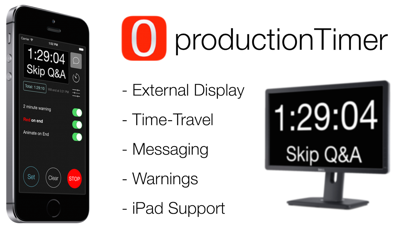
productionTimer was designed specifically for the live event and television production industry. With productionTimer, you can turn most models of iPad or iPod Touch / iPhone into a full-featured countdown clock - perfect for live events!
Key Features:
- FULLSCREEN countdown on EXTERNAL DISPLAY via Lightning->HDMI or AirPlay
- Send messages downstage
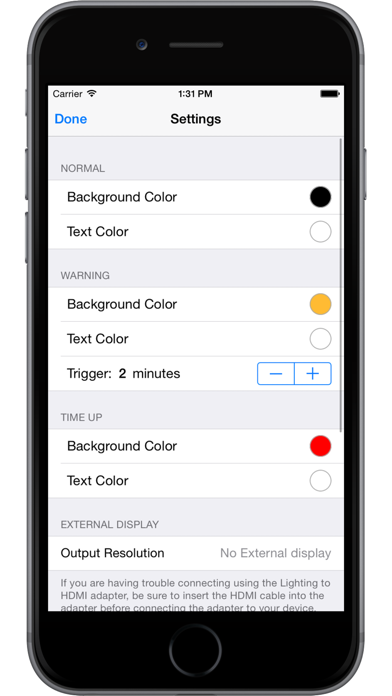
- Change text and background colors for normal, warning and end segments
- Smaller cost and footprint than computer-based timers
productionTimer allows an iOS device to display a full-screen countdown clock on an external monitor. Video is taken directly out of the device via the Apple Lightning to HDMI adapter. The signal can be routed to a nearby monitor with a standard HDMI cable or sent longer distances with HDMI over Cat-5/5e/6 or even fiber. The signal can also be taken into a video switching system where it can be routed to any number of destinations. Using a switcher, you can even key out the background and have a great countdown clock to display on screen over other graphics - perfect for getting attendees back from breaks on time. If you are bold enough to forego the cables an AirPlay destination, like AppleTV, can be used as the external monitor.
A "warning" changes the background of the clock to a user-defined color at a specified time - great for getting the talent to notice they need to be wrapping up or should be transitioning to Q&A. Once time is up, the background can also be turned any number of user-selected colors.
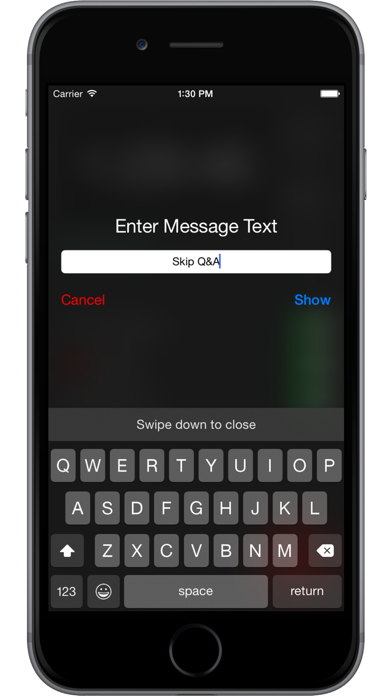
Need to send a note downstage but don't have the switching in place to get it in the confidence monitor? Production Timer allows the operator to type a short message and display it on the remote clock display. The clock moves towards the top and a large, clear message is displayed below it. One touch of a button and it's back to normal.
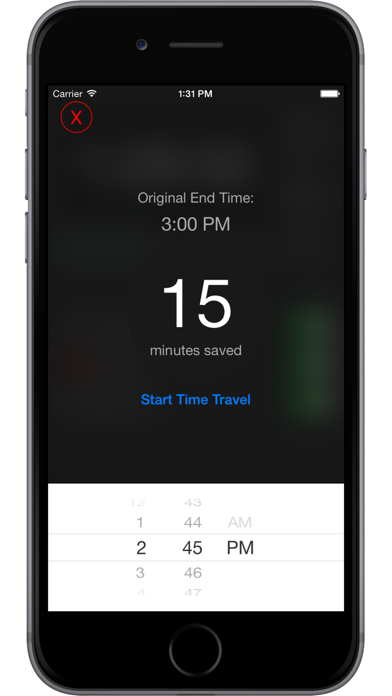
Event professionals know the importance of running on time and the challenges that come with it. Need to make up a few minutes? Use "Time-Travel" to make make the clock run faster than reality. Just set the time of day you would like the clock to hit "0" and productionTimer will figure out the rest.
Frequently Asked Questions
Is productionTimer free?
No, productionTimer costs $14.99.
What is the rating of productionTimer?
productionTimer has a 4.7 out of 5 star rating based on 12 reviews on the Apple App Store.
Who made productionTimer?
productionTimer was developed by On-Point Presentation Services, LLC. Visit their website at http://www.liveevent.software.
Developer
Explore More
Related Utilities Apps


Share & Embed
Use these badges on your website or blog to link back to this app's data.
Rating Badge
<a href="https://apppricinglab.com/app/apple/1018545711"><img src="https://apppricinglab.com/api/badge/rating?store=apple&app=1018545711" alt="productionTimer rating on App Pricing Lab" /></a>Rank Badge
<a href="https://apppricinglab.com/app/apple/1018545711"><img src="https://apppricinglab.com/api/badge/rank?store=apple&app=1018545711" alt="productionTimer ranking on App Pricing Lab" /></a>