
Clone - Git client advanced Price Snapshot
Clone - Git client advanced by Dan Leehr L.L.C. is free to download on the Apple App Store, with no in-app purchases. It holds a 3.0★ rating from 20 reviews.
Listing last updated: 2020-08-03. Source: public Apple App Store data, compiled via the App Pricing Lab methodology.
3.0★
20 reviews
2016-03-01
Released
2020-08-03
Last Updated
Rankings
| Category | Collection | Rank | Date |
|---|---|---|---|
| DEVELOPER_TOOLS | top-grossing-ipad | #152 | 2026-03-12 |
Screenshots

About Clone - Git client advanced
Clone brings the power of Git version control to iOS. With beautiful visualizations, an advanced code editor, intuitive Git workflows, and powerful integrations, Clone takes Git productivity mobile.
Features
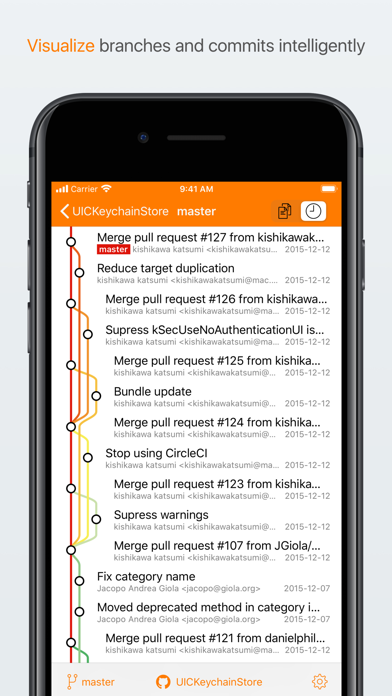
- Top-notch visualization
A graph is worth a thousand SHAs. Clone shows commit history beautifully and quickly, so you can see what that merge commit actually merges. See what changed in amy commit with diff views. For individual files a heat map (blame) shows the who, what and when for each part of the file when you're asking why.
- Designed for iPhone and iPad
On all devices, Clone supports the latest iOS technologies. Use Clone as a document provider to edit code directly in your favorite editor, including Swift Playgrounds on iPads. Comparing your changes is only a swipe away with the Today view extension, even when editing in another app. Be more productive with iPad multitasking. You can work side-by-side. Write a blog post in Markdown from one app while previewing live in Clone. Commit and push are just a tap away too. Whatever the size, you're covered.
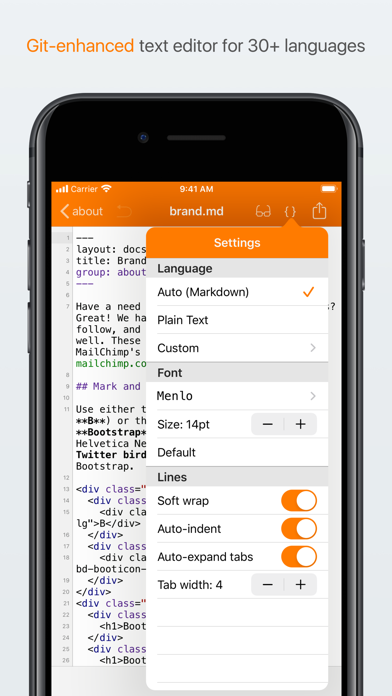
- A Code Editor tailored for Git
Be fearless with version control. Clone's text editor previews HTML and Markdown. Write your blog next blog post from your device. Clone's editor performs syntax highlighting in 30+ languages and shows line numbers so you always know right where you are. Customize with 5 elegant code fonts, configurable sizes, soft tabs, and line wrapping. It's built around Git, so commit, blame, and revert are always at your fingertips.
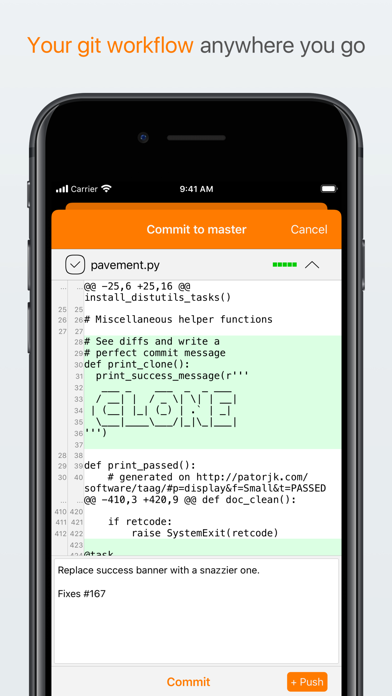
- Your Git workflow, anywhere
Pull, edit, commit, and push from any iOS device. Connect your GitHub or Bitbucket account for instant access to your public and private repos. Use a public key for password-free authentication. View diffs before committing, ignore files, and be a Git master without a command-line.
- Advanced Git support: Branch, Merge, Remotes
Does git push heroku master mean something to you? What about a gh-pages branch? Clone can push your repos and communicate with multiple remotes. When merge conflicts happen, Clone helps there too.
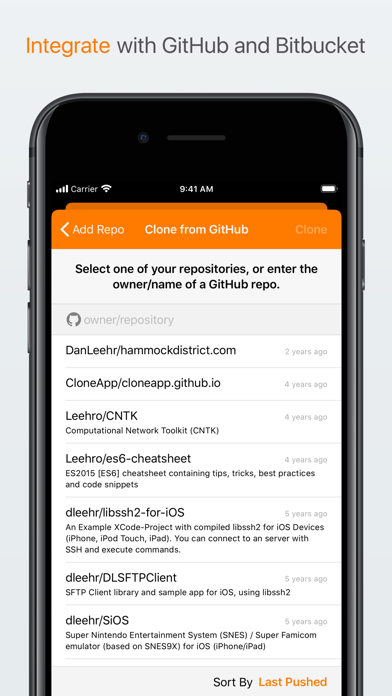
- Powerful integrations: git init to github.com in seconds
After connecting to your Github or Bitbucket account, you can clone your repos without typing a thing. Repos you create on your device can be published to GitHub or bitbucket in seconds.
Fix a bug, start a blog, or think bigger.
Frequently Asked Questions
Is Clone - Git client advanced free?
Yes, Clone - Git client advanced is free to download.
What is the rating of Clone - Git client advanced?
Clone - Git client advanced has a 3.0 out of 5 star rating based on 20 reviews on the Apple App Store.
Who made Clone - Git client advanced?
Clone - Git client advanced was developed by Dan Leehr L.L.C.. Visit their website at https://clone.hammockdistrict.com.
Developer
Explore More
Related Developer Tools Apps





Share & Embed
Use these badges on your website or blog to link back to this app's data.
Rating Badge
<a href="https://apppricinglab.com/app/apple/1037881290"><img src="https://apppricinglab.com/api/badge/rating?store=apple&app=1037881290" alt="Clone - Git client advanced rating on App Pricing Lab" /></a>Rank Badge
<a href="https://apppricinglab.com/app/apple/1037881290"><img src="https://apppricinglab.com/api/badge/rank?store=apple&app=1037881290" alt="Clone - Git client advanced ranking on App Pricing Lab" /></a>