
Colordrop: Color Picker Price Snapshot
Colordrop: Color Picker by George Jones is priced at $4.99 on the Apple App Store, with no in-app purchases. It holds a 4.8★ rating from 14 reviews.
Latest IAP data: 2026-03-21. Listing last updated: 2020-09-15. Source: public Apple App Store data, compiled via the App Pricing Lab methodology.
4.8★
14 reviews
2018-07-28
Released
2020-09-15
Last Updated
Rankings
| Category | Collection | Rank | Date |
|---|---|---|---|
| DEVELOPER_TOOLS | top-paid | #13 | 2026-03-12 |
| DEVELOPER_TOOLS | top-paid-ipad | #62 | 2026-03-12 |
| DEVELOPER_TOOLS | top-grossing | #94 | 2026-03-12 |
In-App Purchase Overview
5
IAP Items
$0.99
Cheapest
$8.99
Most Expensive
$4.19
Average Price
In-App Purchases (5 items)
Generous Tip
$5.99
Enormous Tip
$8.99
Medium Tip
$2.99
Small Tip
$1.99
Tiny Tip
$0.99
Screenshots


About Colordrop: Color Picker
Capture and inspect the colors in your photos with Colordrop – a modern and advanced color picker.
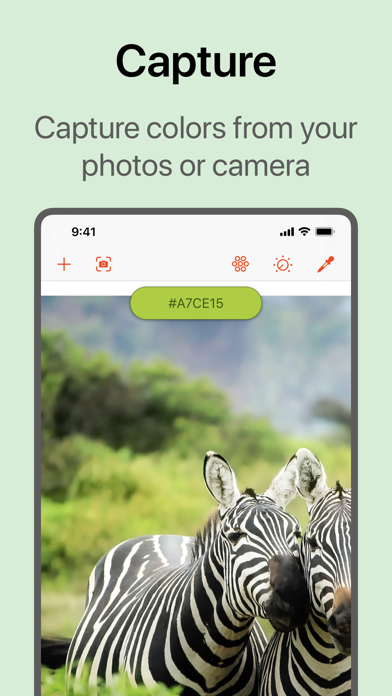
CAPTURE
Capture colors from your photos.
- Pick colors from any image or photo.
- Open from your Photo Library, Camera, or Files.
- Live Capture lets you see the colors around you in real time.
- Open images or import colors from Adobe Creative Cloud.
- Easily view and pick the most dominant colors in an image.
- Select a 'capture radius' to have granular control over the colors you capture.
- The Colordrop app extension lets you pick colors without opening the app, for example in the Photos app.
- Today View widget shows you your most recent colors.
- Manually add a color by hex code or using the built-in color picker.
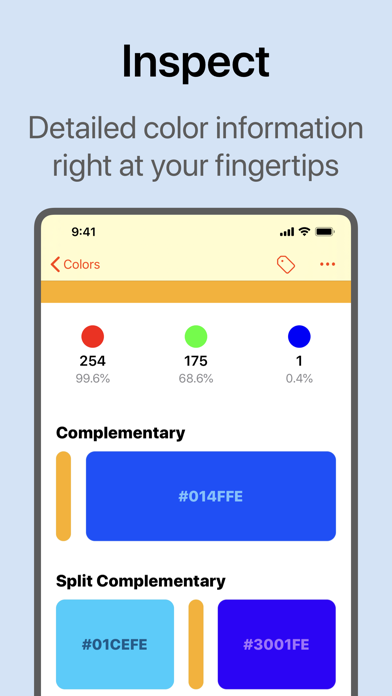
INSPECT
The most detailed color analysis tool available on iPhone or iPad.
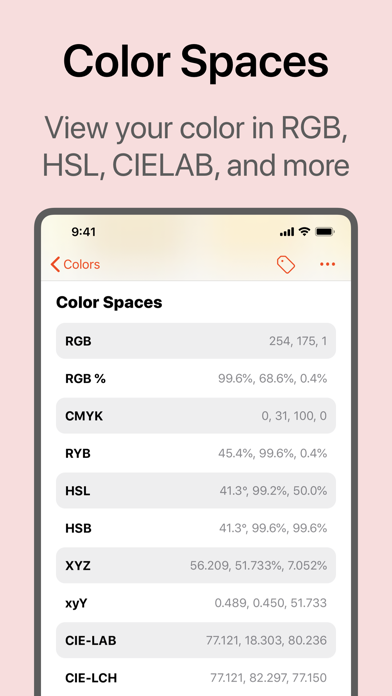
- RGB, CYMK and RYB color overviews.
- CIE-LAB, CIE-LCH, HSL, HSV, XYZ color values (and many more).
- Complementary and split-complementary colors.
- Triadic and tetradic colors.
- Tints, shades, tones and monochromatic colors.
- Square and analogous colors.
- Similar colors for RAL Classic, Web, HKS and many more.
- Color blindness simulator and color contrast checker.
- Quickly copy or share color codes.
- Color descriptions describe the appearance of a color in real terms.
- Metadata tells you the source of the color, and when you saved it.
EVEN MORE...
A powerful tool for developers and creatives alike.
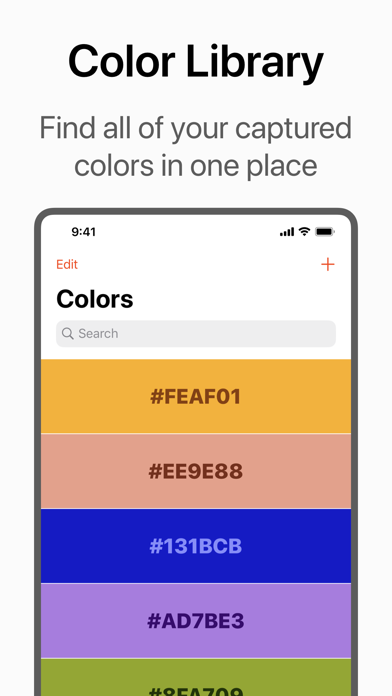
- Powerful search feature, including support for Spotlight.
- Organize your colors with tags.
- Drag and drop colors to other apps, or to save new ones.
- Siri Shortcuts for capturing or viewing colors.
- Apple Watch app to view all of your saved colors at a glance.
- Export colors to Procreate swatch, Adobe color swatch, or to JSON or CSV formats.
- Change the default illuminant for accurate color in any environment.
- Customize the color data you see.
Colordrop is developed by a team of one! Any feedback and suggestions for new features are greatly appreciated. You can get in touch on Twitter (@penguingeorge), or by emailing help@penguingeorge.com.
Frequently Asked Questions
Is Colordrop: Color Picker free?
No, Colordrop: Color Picker costs $4.99.
What is the rating of Colordrop: Color Picker?
Colordrop: Color Picker has a 4.8 out of 5 star rating based on 14 reviews on the Apple App Store.
What are the in-app purchase prices for Colordrop: Color Picker?
Colordrop: Color Picker offers 5 in-app purchases ranging from $0.99 to $8.99. View full price history.
Who made Colordrop: Color Picker?
Colordrop: Color Picker was developed by George Jones. Visit their website at https://getcolordrop.com/.
Developer
Explore More
Related Developer Tools Apps





Share & Embed
Use these badges on your website or blog to link back to this app's data.
Rating Badge
<a href="https://apppricinglab.com/app/apple/1123855886"><img src="https://apppricinglab.com/api/badge/rating?store=apple&app=1123855886" alt="Colordrop: Color Picker rating on App Pricing Lab" /></a>Rank Badge
<a href="https://apppricinglab.com/app/apple/1123855886"><img src="https://apppricinglab.com/api/badge/rank?store=apple&app=1123855886" alt="Colordrop: Color Picker ranking on App Pricing Lab" /></a>