
PicPlay - Photo to Video Maker Price Snapshot
PicPlay - Photo to Video Maker by GameNexa Studios Private Limited is free to download on the Apple App Store, with no in-app purchases. It holds a 4.5★ rating from 2 reviews.
Listing last updated: 2019-04-22. Source: public Apple App Store data, compiled via the App Pricing Lab methodology.
4.5★
2 reviews
2019-04-18
Released
2019-04-22
Last Updated
Rankings
| Category | Collection | Rank | Date |
|---|---|---|---|
| PHOTO_AND_VIDEO | keyword:photo and video | #97 | 2026-03-12 |
Screenshots


About PicPlay - Photo to Video Maker
Want to create awesome videos using your own photos? is it actually possible? Yes, you can create awesome videos using your own photos right from your phone using PicPlay - Photo to Video Maker app.
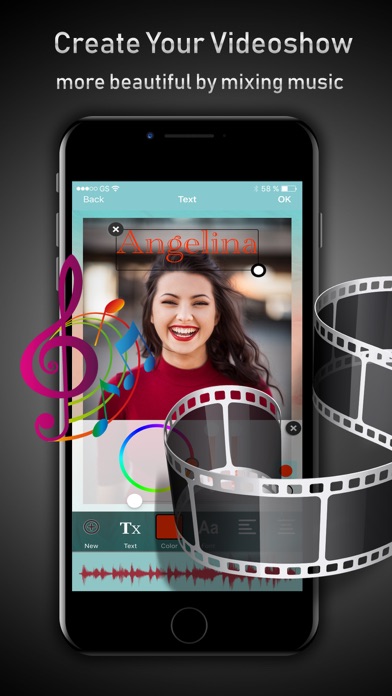
PicPlay - Photo to Video Maker app is an awesome tool to Edit Pictures, convert beautiful pictures into awesome videos by adding soft and melody music to it. Is’t it amazing? yes, using PicPlay - Photo to Video Maker app you can do all of them.
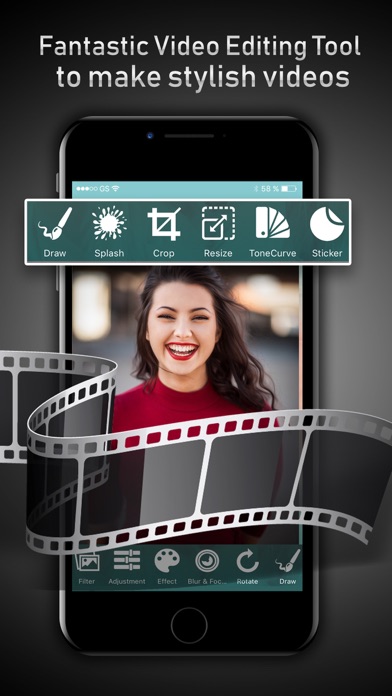
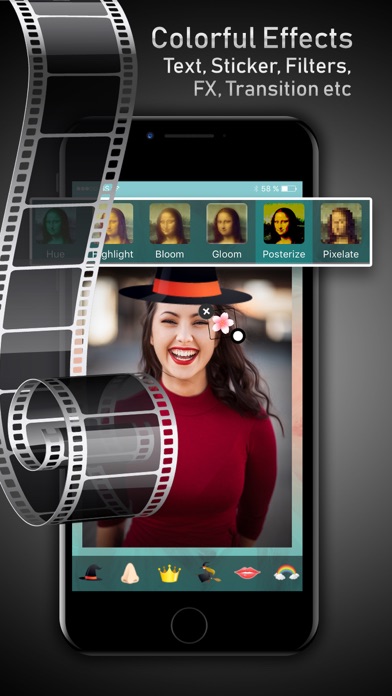
PicPlay - Photo to Video Maker app will help you to edit photos by using different editing tools. Add Text to picture, add emojis to photos, write custom message on picture. You can decorate photos with nice stickers. You can add blur effects to pictures. Ultimately you can make a personalized greeting card using your own photos from your phone.
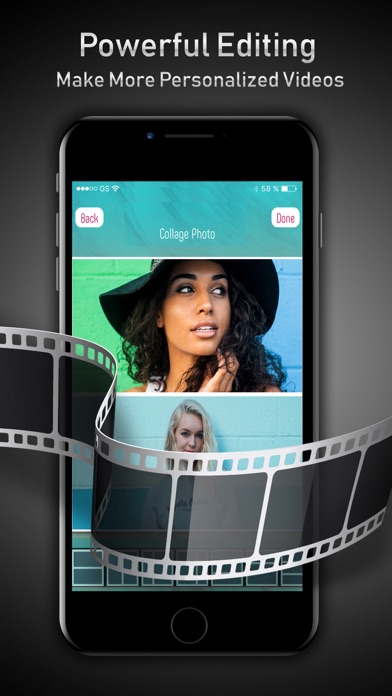
PicPlay - Photo to Video Maker app will help you to create beautiful Collage Photo Frames. Simply select collage style frame, you can chose a right collage frame from the gallery of frames and simply add different photos to it. You can save and share awesome collage photo frames with your family and friends over social media.
You can make awesome videos in simple 4 steps using PicPlay - Photo to Video Maker.
Step - 1: Take photo using phone’s camera or select photos from Cameral roll.
Step - 2: Edit Photos by using different photo editing tools in the app and save them.
Step - 3: Select photos from photo gallery or camera roll to create videos.
Step - 4: Now add music to the video and finish creating video.
Now you can save or share created videos with your loved one over social media. PicPlay - Photo to Video Maker will help you to creating invitational videos, greeting videos, birthday wishes videos, anniversary greeting videos etc.
NOTE: In order to create a video, you should select more than 3 photos using PicPlay - Photo to Video Maker app.
Also Available from PicPlay - Photo to Video Maker Premium
* Ad Free Application.
$1.99 monthly, $13.99 annually
Price may vary by location. Payment will be charged to iTunes Account at confirmation of purchase. Subscription automatically renews unless auto-renew is turned off at least 24-hours before the end of the current period. Account will be charged for renewal within 24-hours prior to the end of the current period, and identify the cost of the renewal. Subscriptions may be managed by the user and auto-renewal may be turned off by going to the user’s Account Settings after purchase. No cancellation of the current subscription is allowed during active subscription period.
--
Privacy Policy: http://gamenexa.com/video_maker/PrivacyPolicy.html
Terms of Service: http://gamenexa.com/video_maker/terms&conditions.html
Frequently Asked Questions
Is PicPlay - Photo to Video Maker free?
Yes, PicPlay - Photo to Video Maker is free to download.
What is the rating of PicPlay - Photo to Video Maker?
PicPlay - Photo to Video Maker has a 4.5 out of 5 star rating based on 2 reviews on the Apple App Store.
Who made PicPlay - Photo to Video Maker?
PicPlay - Photo to Video Maker was developed by GameNexa Studios Private Limited. Visit their website at http://gamenexa.com.
Developer
Explore More
Related Productivity Apps




Share & Embed
Use these badges on your website or blog to link back to this app's data.
Rating Badge
<a href="https://apppricinglab.com/app/apple/1457969631"><img src="https://apppricinglab.com/api/badge/rating?store=apple&app=1457969631" alt="PicPlay - Photo to Video Maker rating on App Pricing Lab" /></a>Rank Badge
<a href="https://apppricinglab.com/app/apple/1457969631"><img src="https://apppricinglab.com/api/badge/rank?store=apple&app=1457969631" alt="PicPlay - Photo to Video Maker ranking on App Pricing Lab" /></a>