
Sibelius Price Snapshot
Sibelius by Avid® is free to download on the Apple App Store, and offers 2 in-app purchases from $5.99–$12.99 (avg $9.49). It holds a 4.2★ rating from 1.6K reviews.
Latest IAP data: 2026-08-24. Listing last updated: 2026-02-25. Source: public Apple App Store data, compiled via the App Pricing Lab methodology.
4.2★
1.6K reviews
2021-07-29
Released
2026-02-25
Last Updated
Rankings
| Category | Collection | Rank | Date |
|---|---|---|---|
| MUSIC | top-grossing-ipad | #72 | 2026-03-12 |
| MUSIC | top-free-ipad | #73 | 2026-03-12 |
In-App Purchase Overview
2
IAP Items
$5.99
Cheapest
$12.99
Most Expensive
$9.49
Average Price
In-App Purchases (2 items)
Sibelius Ultimate for iOS
$12.99
Sibelius Artist for iOS
$5.99
Screenshots
About Sibelius
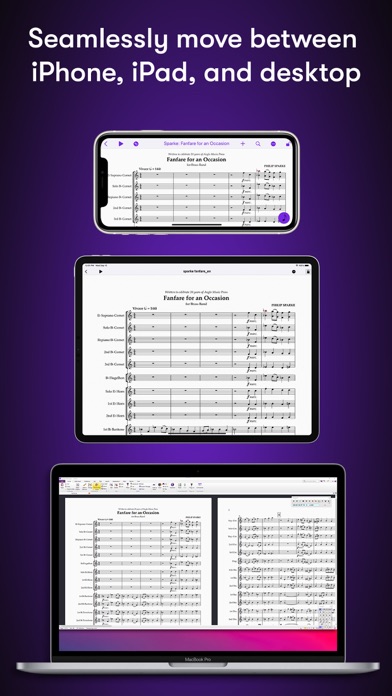
Sibelius brings professional music notation to iPad and iPhone, putting the workflows used by countless composers, orchestrators, and arrangers at your fingertips. Seamlessly move between iPad, iPhone and desktop, and from studio to coffeeshop to scoring stage, and write anywhere inspiration strikes.
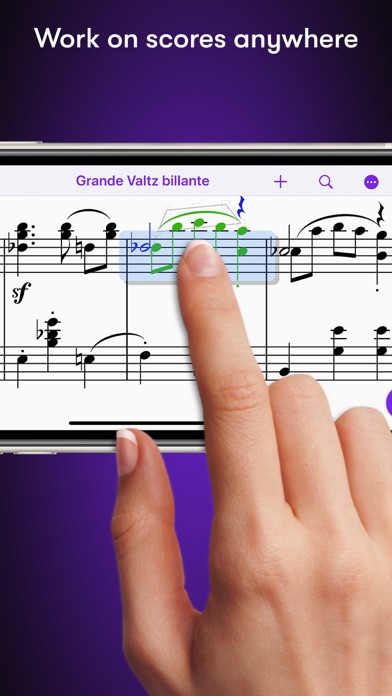
# Work on scores anywhere
Sibelius for mobile puts the #1 selling music notation program at your fingertips—literally. Work with the same tools and features used by countless composers and production houses every day on your iPad and iPhone. Whether writing down ideas, creating full-blown compositions, or reviewing scores, you have the freedom to create wherever you’re comfortable.
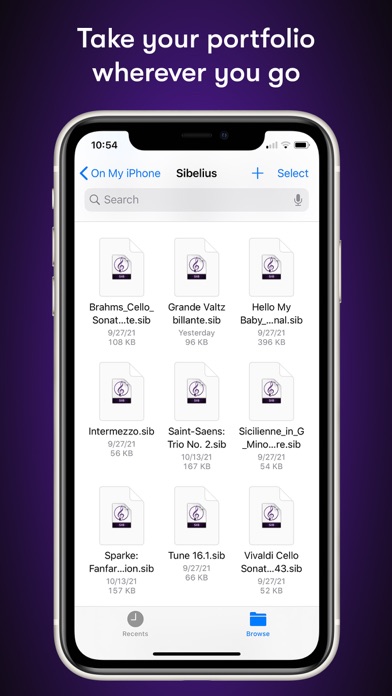
#Take your portfolio to go
Forget having to bring and break out your laptop when meeting with clients and collaborators. Instead, you can conveniently take the world’s most powerful notation toolset and your entire music portfolio with you wherever you go—ideal for those unexpected opportunities. And for tandemly working through last-minute revisions.
# Hear your music in stunning detail
Sibelius includes a high-quality sample library filled with a variety of musical instrumentation, so you can hear what your music will sound like when performed by real musicians. The Espressivo advanced notation interpretation even lets you adjust rhythm and swing to create a more humanistic feel.
# Speed your workflow
Sibelius for mobile is designed to take full advantage of Apple Pencil and iPad touch capabilities. Its elegant, streamlined interface provides the most intuitive and efficient workflows possible while supporting the same keyboard shortcuts you know and love from working on the desktop version, so you’ll feel right at home.
# Get innovative note entry
Experience the pen and paper workflow reimagined. Enter notes with the onscreen Keypad or a keyboard, and Sibelius takes care of all note layout. Touch a note and drag up or down to change its value, or drag left or right to add a flat or sharp. With an Apple Pencil, tap a note and tilt up or down to add a flat or sharp, or tilt left or right to choose the note value.
# Have everything you need
In addition to the Keypad, Sibelius for mobile features a Create menu that’s optimized for iOS, making it easy to add clefs, key signatures, time signatures, barlines, symbols, text styles, and more to your score from searchable galleries. You can also quickly search through all Sibelius commands using the Command Search, putting the entire app at your fingertips.
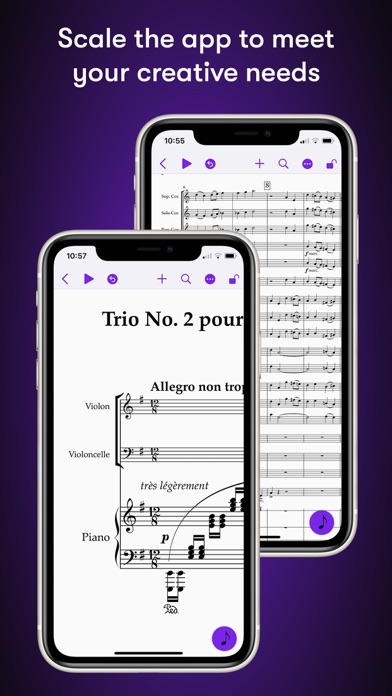
# Move tiers to meet needs
Sibelius is designed to grow with you to support your creative aspirations and project needs. From the introductory (and free) Sibelius First to the industry-standard Sibelius Ultimate, you can add more notation capabilities and instrument parts to take on more creative opportunities by simply upgrading your subscription tier.
# Have everything on one creative platform
Seamlessly move from desktop to tablet and back without ever having to i
Frequently Asked Questions
Is Sibelius free?
Yes, Sibelius is free to download. It offers 2 in-app purchases.
What is the rating of Sibelius?
Sibelius has a 4.2 out of 5 star rating based on 1.6K reviews on the Apple App Store.
What are the in-app purchase prices for Sibelius?
Sibelius offers 2 in-app purchases ranging from $5.99 to $12.99. View full price history.
Who made Sibelius?
Sibelius was developed by Avid®. Visit their website at https://www.avid.com/sibelius/for-mobile.
Developer
Explore More
Related Music Apps


Share & Embed
Use these badges on your website or blog to link back to this app's data.
Rating Badge
<a href="https://apppricinglab.com/app/apple/1503221259"><img src="https://apppricinglab.com/api/badge/rating?store=apple&app=1503221259" alt="Sibelius rating on App Pricing Lab" /></a>IAP Badge
<a href="https://apppricinglab.com/iap/apple/1503221259"><img src="https://apppricinglab.com/api/badge/iap?store=apple&app=1503221259" alt="Sibelius IAP prices on App Pricing Lab" /></a>Rank Badge
<a href="https://apppricinglab.com/app/apple/1503221259"><img src="https://apppricinglab.com/api/badge/rank?store=apple&app=1503221259" alt="Sibelius ranking on App Pricing Lab" /></a>