
GPS Tracker: Offline Maps, GPX Price Snapshot
GPS Tracker: Offline Maps, GPX by SERGEI BEZDENEZHNYKH is free to download on the Apple App Store, with no in-app purchases. It holds a 4.6★ rating from 535 reviews.
Listing last updated: 2026-03-10. Source: public Apple App Store data, compiled via the App Pricing Lab methodology.
4.6★
535 reviews
2020-10-19
Released
2026-03-10
Last Updated
Rankings
| Category | Collection | Rank | Date |
|---|---|---|---|
| NAVIGATION | top-grossing-ipad | #83 | 2026-03-12 |
Screenshots




About GPS Tracker: Offline Maps, GPX
Create, import, export tracks with waypoints. Supports offline maps, no time limits, no ads.
The main functions of the application:
- compatible with Apple Silicon MacBook.
- new fast engine from MapBox.
- convenient and fast loading of maps.
- support for UTM coordinate system.
- route planner.
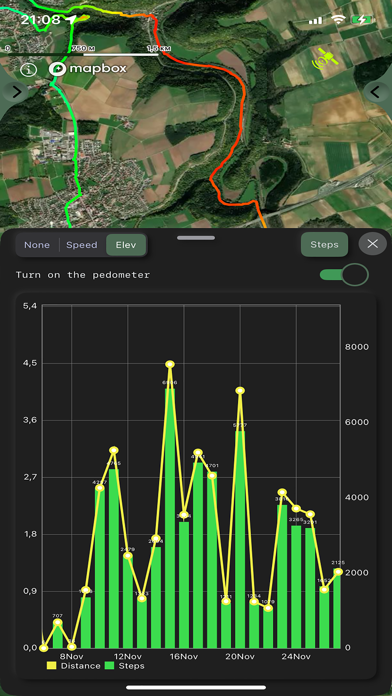
- pedometer with viewing data for the last three months (steps, distance).
- determination of the height of any waypoint.
- search by address.
- search by coordinates.
- compass.
- processing and optimization of tracks.
- loading and unlimited storage of maps of the travel area.
- supports all import and export methods available for your device with services, friends and applications in .gpx format.
- color gradient for speed and height, if this information is in the imported track.
- color gradient for speed and height for recorded tracks.
- recording speed and altitude in the track.
- relief contours in outdoor mode
- extended track information: average and maximum speed, track duration by time and distance, number of waypoints and number of steps.
- different units of measurement: miles, kilometers, feet, meters.
- pedometer when recording a track and saving information.
- work in the background.
- viewing one or more tracks in any application mode, including the recording mode of another track.
- installation, editing, deletion of waypoints in any application mode and anywhere.
- the ability to adjust the quality of the track, distance filters, energy saving mode.
- export and import of tracks and waypoints to various services - Open Street Map and others.
- has a pointer to the target waypoint and shows the distance to it. Easy target waypoint selection in several ways.
- display of additional information on the screen - scale, coordinates, height, speed, number of steps.
- shows the current distance traveled by the track and the travel or walk time.
- has several map styles - satellite, streets, combo and dark.
- Supports dark theme.
- easy start and stop of tracking in several ways.
- the ability to continue any previously recorded or imported track.
- several modes of map orientation - by the heading of the phone, in the direction of travel, centering and to the north.
- Possibility of tilting the map with double pinch.
- quick and easy selection and viewing of saved tracks, waypoints and maps.
- speed and altitude graphs can be scaled and scrolled.
- in the settings link to the user manual .
- Terms of service: https://appsupport.store/terms/
- Privacy policy: https://appsupport.store/privacy/
Frequently Asked Questions
Is GPS Tracker: Offline Maps, GPX free?
Yes, GPS Tracker: Offline Maps, GPX is free to download.
What is the rating of GPS Tracker: Offline Maps, GPX?
GPS Tracker: Offline Maps, GPX has a 4.6 out of 5 star rating based on 535 reviews on the Apple App Store.
Who made GPS Tracker: Offline Maps, GPX?
GPS Tracker: Offline Maps, GPX was developed by SERGEI BEZDENEZHNYKH. Visit their website at https://appsupport.store/.
Developer
Explore More
Related Navigation Apps


Share & Embed
Use these badges on your website or blog to link back to this app's data.
Rating Badge
<a href="https://apppricinglab.com/app/apple/1536318799"><img src="https://apppricinglab.com/api/badge/rating?store=apple&app=1536318799" alt="GPS Tracker: Offline Maps, GPX rating on App Pricing Lab" /></a>Rank Badge
<a href="https://apppricinglab.com/app/apple/1536318799"><img src="https://apppricinglab.com/api/badge/rank?store=apple&app=1536318799" alt="GPS Tracker: Offline Maps, GPX ranking on App Pricing Lab" /></a>