XpenseTracker

XpenseTracker

Silverware Software, LLC

🍎 Apple App StoreFinanceUSD 4.994+
4.7★
4.9K reviews
2019-02-12
Released
2021-04-23
Last Updated

Rankings

CategoryCollectionRankDate
FINANCEtop-paid-ipad#272026-03-12
FINANCEtop-paid#1082026-03-12

Screenshots

XpenseTracker screenshot 1XpenseTracker screenshot 2XpenseTracker screenshot 3XpenseTracker screenshot 4XpenseTracker screenshot 5

About XpenseTracker

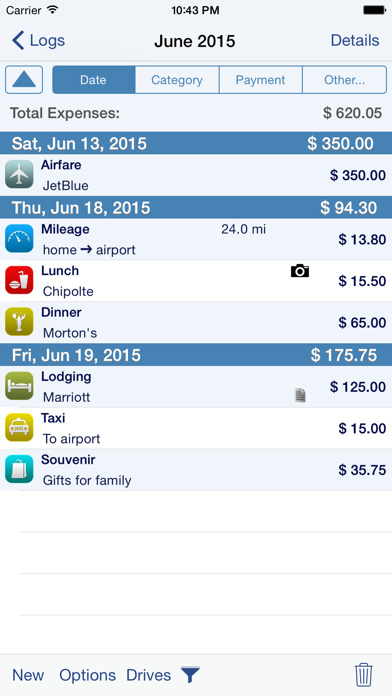
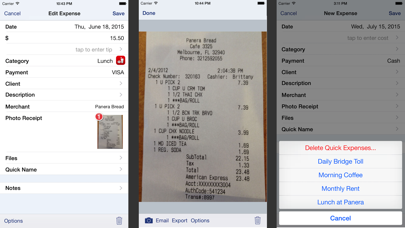
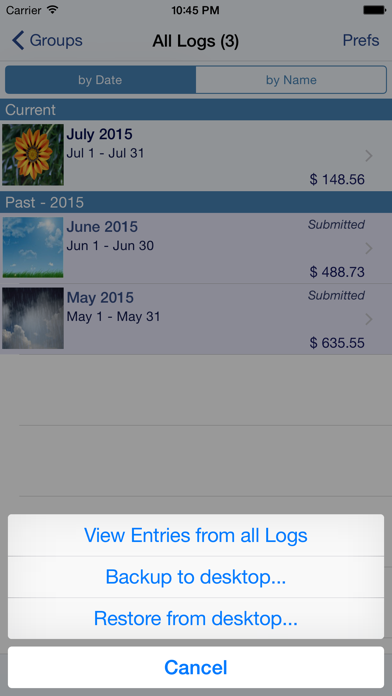
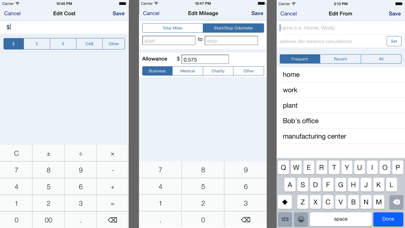
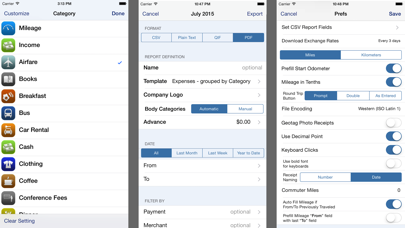
Save time & money! Track your MILEAGE and EXPENSES with the most powerful expense app available! A comprehensive, full featured app that's easy to use and extends to your desktop. XpenseTracker has been a customer favorite on the App Store since 2008. *March 2017- "BEST FINANCE APP" http://www.creditdonkey.com/finance-apps.html *XpenseTracker named "must have tax app" by H & R Block** http://tinyurl.com/HRBlockLovesXT *EventJuice UK declares "must download app" http://tinyurl.com/MustHaveForEvents *TabletPCReview.com rated XpenseTracker "Best Personal Finance App for iPad" - http://tinyurl.com/bestfinanceapp ----- XpenseTracker is a comprehensive expense tracking and reporting application for anyone wishing to track their expenses and/or mileage. It's ease of use, full features and great interface make it an essential tool for every iPhone/iPad user. It's power even extends to the desktop by allowing emailing or exporting of the expense reports and accompanying photo receipts directly to the desktop. It will save you time and money. ----- Features include: * Records all of your expenses and provides a running total for each log * Completely customize categories, sub-categories and payment types * Completely customizable fields you choose to use or not. Unused fields are hidden when adding new expenses * Sort expenses by "Date" , "Category", "Payment Type" or "Client." * For each category, the last payment type is remembered further simplifying data entry * Keeps a frequently used list for appropriate fields like description * Mark a log as "reimbursed" or "submitted" * Easy mileage tracking with MANY different options: + Enter total distance or start/stop odometer reading (remembers last stop reading) + Enter start/stop addresses (app will calculate distance) + Enter more than one destination in a single entry if desired (loved by real estate agents) + Use GPS to track distances - just tell the app when you leave and arrive + Optional AutoTrack feature for TOTALLY automatic mileage tracking. * Supports ALL major currencies * Downloads daily exchange rates * Many user defined preferences * Extensive support for VAT * Email your expense reports in comma delimited (CSV) format for easy import to Excel or Numbers. Photo receipts are also emailed as JPEG attachments * Support for Quickbooks (IIF) format * Export your reports directly to your Mac or PC via Wi-Fi connection and have your file immediately appear on your desktop. This CSV file can be easily imported into Excel or Numbers. * Specify the fields to be exported for CSV reports * Over a dozen PDF templates for creating beautiful, finished PDF format reports. * Includes client field and support for sorting and exporting by client. * Using the iPhone’s built-in camera, take snapshots of your receipts * Capture multiple images per expense * Automatically backup your data to iCloud * Set Password or use TouchID Continued use of GPS running in the background can dr

Frequently Asked Questions

Is XpenseTracker free?

No, XpenseTracker costs USD4.99.

What is the rating of XpenseTracker?

XpenseTracker has a 4.7 out of 5 star rating based on 4.9K reviews on the Apple App Store.

Who made XpenseTracker?

XpenseTracker was developed by Silverware Software, LLC. Visit their website at http://www.silverwaresoftware.com/XpenseTracker.html.

Developer

Related Finance Apps