
MagnetMeter Price Snapshot
MagnetMeter by Peter Breitling is priced at $1.99 on the Apple App Store, with no in-app purchases. It holds a 4.5★ rating from 4 reviews.
Listing last updated: 2020-01-03. Source: public Apple App Store data, compiled via the App Pricing Lab methodology.
4.5★
4 reviews
2009-12-18
Released
2020-01-03
Last Updated
Rankings
| Category | Collection | Rank | Date |
|---|---|---|---|
| NAVIGATION | top-paid-ipad | #93 | 2026-03-12 |
| NAVIGATION | top-paid | #150 | 2026-03-12 |
Screenshots
About MagnetMeter
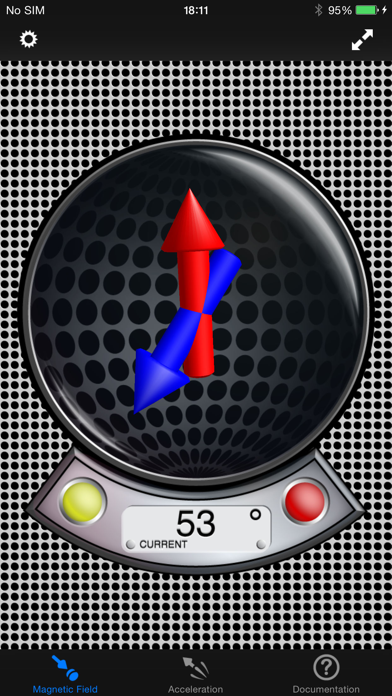
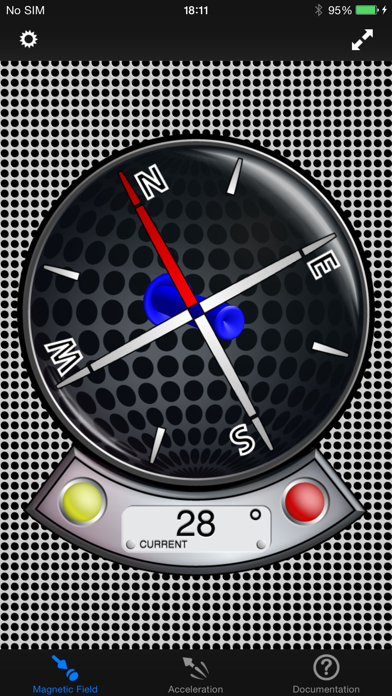
The first and only Vector Magnetometer on the iPhone - Visualize the hidden world of magnetism around you in 3 dimensions (3GS or later!)! It can be perfectly used to explore and measure the direction and strength of the magnetic field of random objects around you (which can be quite fascinating!). With limitations (see docs) it can be used as a metal detector to find electric lines or pipes in walls (always good to check a wall before drilling in, at least better with this than not to check at all). Another application is to use this tool as a rough estimate of your north-south position on earth without using the GPS(!) - just by measuring the local earth magnetic declination (it works fine even while flying in a plane to check how the declination changes). Or simply explore your next Christmas present before opening it! Send us your results!
The application has four different displays modes to visualize the magnetic field:
- Absolute Mode: Displays the absolute magnetic field in microtesla (μT) measured by the magnetometer.
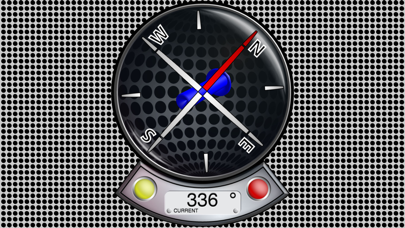
- North Mode: A compass head-up displays the geographic north along with the pointer that directs to the magnetic north (thus display difference magnetic to geographic north).
- Declination Mode: Two arrows will be displayed to indicate the declination of the earth magnetic field (0° just on equator, increasing to north with blue pointer direction up or south with blue pointer direction down).
- Relative Mode: This mode shows the relative strength (absolute minus compensation vector) of the magnetic field in μT.
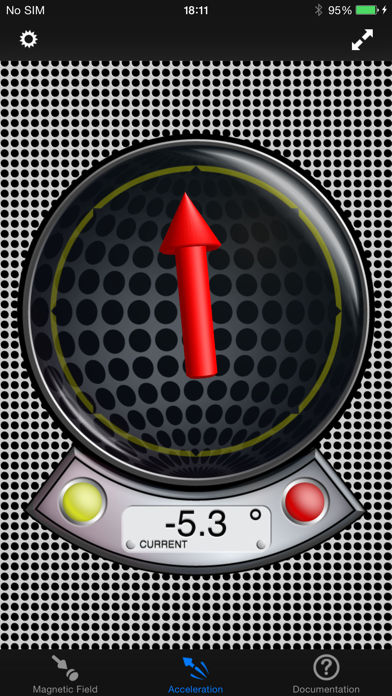
… and five different display modes for acceleration visualization:
- Absolute Mode: Displays the reverse acceleration of the iPhone (1g up when hold steady).
- X-Rotation - Y-Rotation - Z-Rotation: The arrow will display the rotation around the X-, Y- and Z-Axis of the iPhone. The digital indicator shows the angle numerically (-180° - +180°). A way to calibrate will be added with one of the next updates, so you could use this as a level.
- Relative Mode: This mode shows the relative strength (absolute minus compensation vector) of the acceleration.
For a detailed documentation, please visit our product homepage.
For recreational use only. However it CAN (!) be very accurate. The measurement is performed as good as possible (we try our best) by using the inbuilt accelerometer and magnetometer to their limits. The range of the accelerometer typically has a max of ±3g (~4.2g displayed here if combined) and each magnetometer usually recalibrates internally when over ±120μT in one axis. However, tell us your experience!
Frequently Asked Questions
Is MagnetMeter free?
No, MagnetMeter costs $1.99.
What is the rating of MagnetMeter?
MagnetMeter has a 4.5 out of 5 star rating based on 4 reviews on the Apple App Store.
Who made MagnetMeter?
MagnetMeter was developed by Peter Breitling. Visit their website at http://www.plaincode.com/magnetmeter.
Developer
Explore More
Related Navigation Apps


Share & Embed
Use these badges on your website or blog to link back to this app's data.
Rating Badge
<a href="https://apppricinglab.com/app/apple/346516607"><img src="https://apppricinglab.com/api/badge/rating?store=apple&app=346516607" alt="MagnetMeter rating on App Pricing Lab" /></a>Rank Badge
<a href="https://apppricinglab.com/app/apple/346516607"><img src="https://apppricinglab.com/api/badge/rank?store=apple&app=346516607" alt="MagnetMeter ranking on App Pricing Lab" /></a>