SpeedClock - Video Radar Price Snapshot
SpeedClock - Video Radar by Sten Kaiser is priced at $2.99 on the Apple App Store, with no in-app purchases. It holds a 2.4★ rating from 80 reviews.
Listing last updated: 2021-10-30. Source: public Apple App Store data, compiled via the App Pricing Lab methodology.
2.4★
80 reviews
2010-11-10
Released
2021-10-30
Last Updated
Rankings
| Category | Collection | Rank | Date |
|---|---|---|---|
| UTILITIES | top-paid-ipad | #107 | 2026-03-12 |
| UTILITIES | top-paid | #133 | 2026-03-12 |
Screenshots
About SpeedClock - Video Radar
The iPhone speed radar - easy-to-use speed measurement in your pocket, anytime, anywhere!
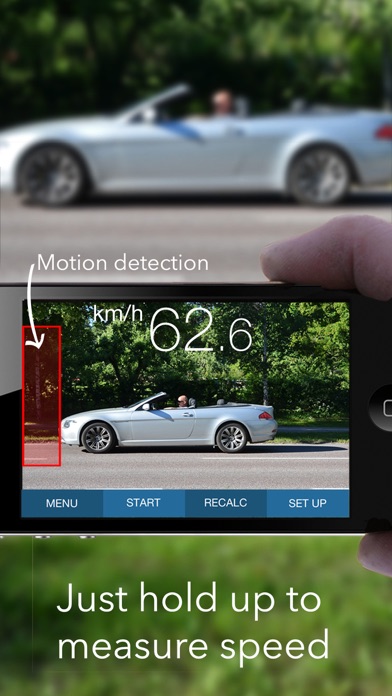
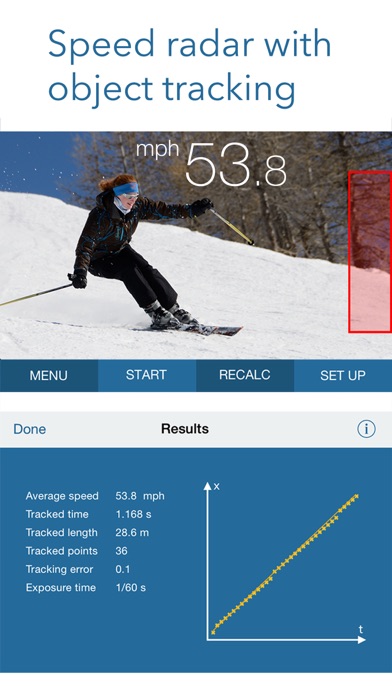
A unique, advanced app designed to easily measure the speed of cars, boats, skaters, skiers, cyclists, animals, models, footballs, tennis serves, etc. The system is based on motion detection, enabling you to track a moving object using a hand-held device alone. SpeedClock includes three separate speed measurement tools and two distance estimation tools.
Speed Radar
SpeedClock uses the camera to detect and analyze motion, and a reference distance to calculate the speed of an object. Define the distance to the object of interest, hold the iPhone still and let the object pass across the the screen. The speed is displayed automatically. SpeedClock is also able to automatically measure the speed and save an image of passing objects. The measurement can be initiated from an Apple Watch and the speed displayed on the watch face.
High Speed Video Recording
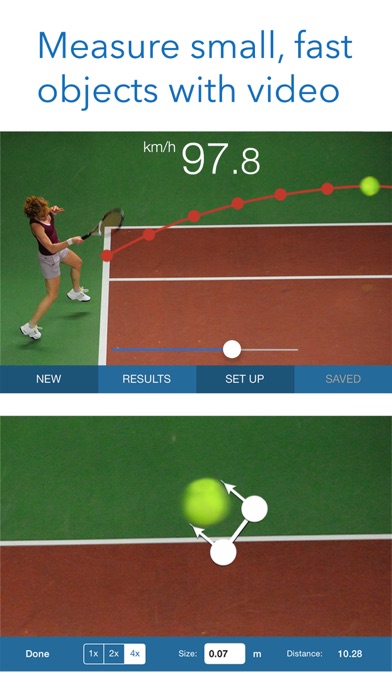
An additional speed tool records and processes a video, which enables SpeedClock to track small, fast object, such as flying balls, that can be difficult to catch with regular motion detection.
It also calculates additional parameters like acceleration.
Synchronized Timing Gates
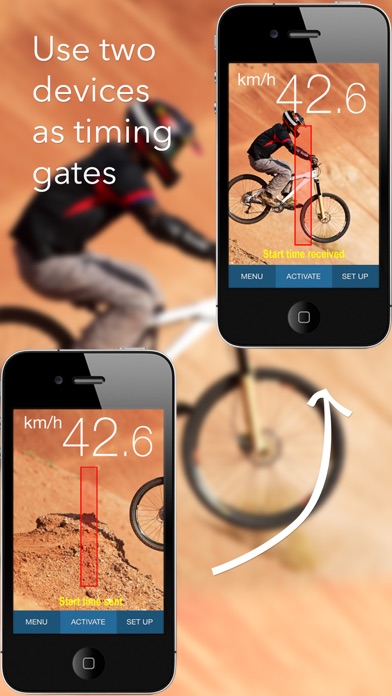
A third speed instrument uses two iPhone/iPads equipped with motion detection to start and stop the timer and measure the speed. The distance between the devices is used as reference, and the speed is calculated based on the time taken by the object to travel between the 'Start' and 'Stop' devices. The time is transmitted wirelessly over WiFi or Bluetooth.
Distance Measurement
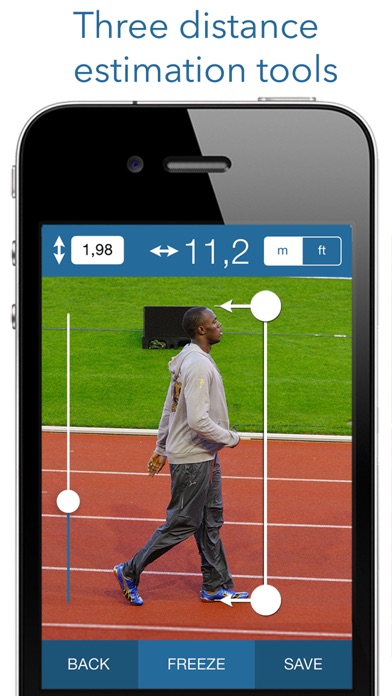
The stadimeter uses the size of a known object, e.g. a car, to calculate the distance.
The clinometer uses your own height as reference, along with the angle of the iPhone, to estimate the distance to a point on the ground.
The distances obtained from either tool can then be used to calculate the speed.
See a demo video at the application website (www.appmaker.se/speedClock)
ON LINE REVIEWS
“All I can say is, Fantastic”
http://www.madxperts.com/2010/12/03/measure-speed-app-speedclock-iphone-download/
"Wow, how cool is that!"
http://www.ithinkdiff.com/turn-iphone-speed-measuring-gun-speedclock-download/
"You really going to like this app"
dailyappshow.com/speedclock (video)
"A useful utility for anyone needing to measure speed"
appmodo.com/44581/
"Useful, easy to use and quite a bit of fun (4 of 5)"
appvader.com/2011/03/review-speedclock-iphone/
"speedClock is a useful app when you need to check the speed of yourself, or an object for exercise, racing or simple curiosity (4.5 of 5)"
www.cooliphoneipadapps.com/2010/12/speedclock.html
"Astonishing"
iphonelife.com/blog/5/speedclock-velocity-radar-099-app-lets-you-use-camera-measure-speed-objects
"It is a pleasure to use and operate. A nice app for those looking for a open-ended radar gun app."
http://appadvice.com/appguides/show/baseball-radar-gun-apps
Frequently Asked Questions
Is SpeedClock - Video Radar free?
No, SpeedClock - Video Radar costs $2.99.
What is the rating of SpeedClock - Video Radar?
SpeedClock - Video Radar has a 2.4 out of 5 star rating based on 80 reviews on the Apple App Store.
Who made SpeedClock - Video Radar?
SpeedClock - Video Radar was developed by Sten Kaiser.
Developer
Explore More
Related Utilities Apps


Share & Embed
Use these badges on your website or blog to link back to this app's data.
Rating Badge
<a href="https://apppricinglab.com/app/apple/400876654"><img src="https://apppricinglab.com/api/badge/rating?store=apple&app=400876654" alt="SpeedClock - Video Radar rating on App Pricing Lab" /></a>Rank Badge
<a href="https://apppricinglab.com/app/apple/400876654"><img src="https://apppricinglab.com/api/badge/rank?store=apple&app=400876654" alt="SpeedClock - Video Radar ranking on App Pricing Lab" /></a>