
ZoomNotes Price Snapshot
ZoomNotes by Deliverance Software Ltd is priced at $7.99 on the Apple App Store, with no in-app purchases. It holds a 4.5★ rating from 897 reviews.
Listing last updated: 2026-02-17. Source: public Apple App Store data, compiled via the App Pricing Lab methodology.
4.5★
897 reviews
2011-09-12
Released
2026-02-17
Last Updated
Rankings
| Category | Collection | Rank | Date |
|---|---|---|---|
| PRODUCTIVITY | top-paid-ipad | #101 | 2026-03-12 |
| PRODUCTIVITY | top-paid | #199 | 2026-03-12 |
Screenshots
About ZoomNotes
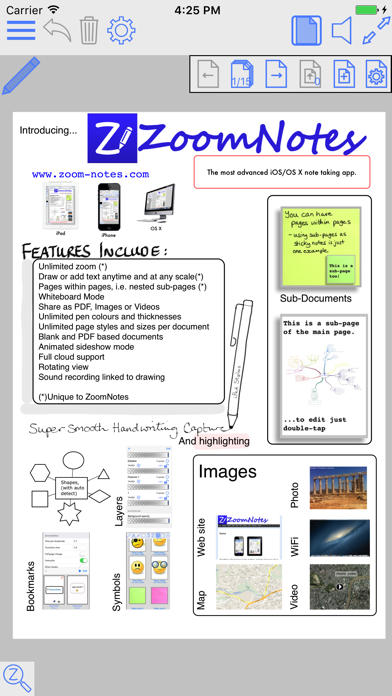
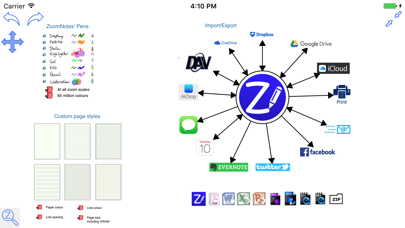
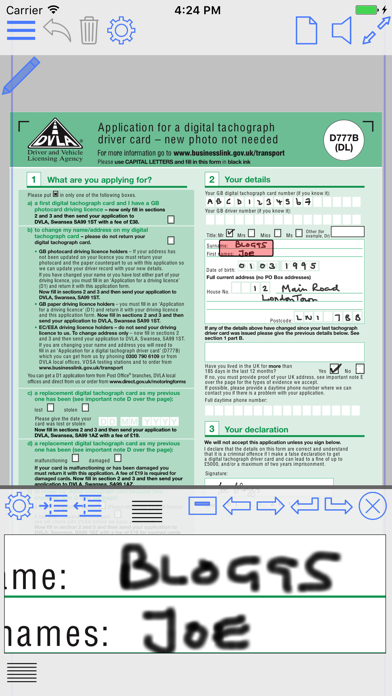
ZoomNotes is the most comprehensive visual note-taking app with huge zoom range. Make handwritten notes and sketches on virtual paper, huge WhiteBoards , PDF files, images and MS Word, Excel and PowerPoint documents (via GoogleDrive). Sync your documents between your iPad and iPhone with iCloud.
ZoomNotes is compatible with any capacitive stylus pen and also with the top electronic pens on the market including the fabulous Apple Pencil.
ZoomNotes Desktop for Mac now also available.
Features include:
MULTIPLE PEN TYPES
There are 8 pen types to choose from including gel, nib, pencil and watercolour each with unlimited line thicknesses.
HANDWRITING RECOGNITION
Search handwritten notes.
DIGITAL PLANNING
Either import a planner pdf or use the ‘Custom digital planner’ option to create your own. You can configure a planner to show events and reminders from the Calendar and Reminder apps.
SUB-PAGES
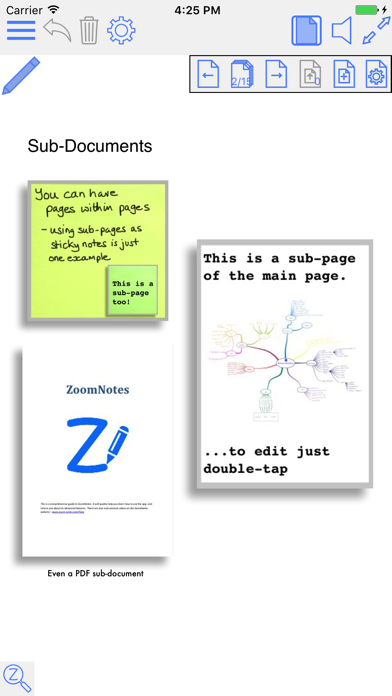
This unique feature allows you to use ‘pages within pages’. This allows you to use sticky-notes and enables the creation of hierarchical visual files. You can also insert whole pdf files as sub-pages, or import pages from other ZoomNotes documents into a sub-page.
BOOKMARKS
Bookmarks allow you save views in your documents, and then return to them at a later date. There are animated playback facilities to allow you to present with or to create videos from your document.
LINKS
Add links between pages, and even between documents. This lets you create your own digital planners, enhance imported pdf planners or create indices.
SPLIT_SCREEN
Edit and view two documents side by side (or above and below). You can now also have 2 views of the same document.
CALENDAR EVENTS
Add events/reminders linked to your documents, possibly with alarms. The URL in the event links back to the document in ZoomNotes.
HUGE ZOOM RANGE, WHITEBOARD MODE
Zoom in and out without arbitrary limits including rotated views.
LAYERS
Layers let you control what is visible on a page, also options for 'master layers' which show on all pages.
WRITE OVER PDF FILES
Import and write over PDFs, Microsoft Office files Word, Excel and PowerPoint (via GoogleDrive).
UNLIMITED PAPER SIZES AND STYLES
Make your page as small or as large as you like. Choose any type of paper with our configurable paper types.
FULLY EDITABLE
In ZoomNotes, you can select, scale, rotate, shift and flip (mirror) objects. Cut, copy and paste are also available, including between documents, pages and other apps.
SHAPES AND ARROWS
Regular shapes and arrows (ideal for visual mapping); they can be drawn with the polygon tool or roughly drawn by hand and automatically converted into the exact geometric shape.
SYMBOL LIBRARY
Fully configurable library of reusable shapes and images.
IMAGES AND IMAGE EDITING
Insert images (photos) in your documents at any size and scale. Crop, mask, re-sample, edit transparency, scan-correct and deform images. Insert images and videos from camera or photo library.
TYPED TEXT
Enter typed
Frequently Asked Questions
Is ZoomNotes free?
No, ZoomNotes costs $7.99.
What is the rating of ZoomNotes?
ZoomNotes has a 4.5 out of 5 star rating based on 897 reviews on the Apple App Store.
Who made ZoomNotes?
ZoomNotes was developed by Deliverance Software Ltd.
Developer
Explore More
Related Productivity Apps




Share & Embed
Use these badges on your website or blog to link back to this app's data.
Rating Badge
<a href="https://apppricinglab.com/app/apple/462234530"><img src="https://apppricinglab.com/api/badge/rating?store=apple&app=462234530" alt="ZoomNotes rating on App Pricing Lab" /></a>Rank Badge
<a href="https://apppricinglab.com/app/apple/462234530"><img src="https://apppricinglab.com/api/badge/rank?store=apple&app=462234530" alt="ZoomNotes ranking on App Pricing Lab" /></a>