
iCalendar Price Snapshot
iCalendar by Symfonies, Inc. is priced at $2.99 on the Apple App Store, and offers 10 in-app purchases from $0.99–$1.99 (avg $1.19). It holds a 4.7★ rating from 5.3K reviews.
Latest IAP data: 2026-07-01. Listing last updated: 2024-07-02. Source: public Apple App Store data, compiled via the App Pricing Lab methodology.
4.7★
5.3K reviews
2012-01-06
Released
2024-07-02
Last Updated
Rankings
| Category | Collection | Rank | Date |
|---|---|---|---|
| PRODUCTIVITY | top-paid-ipad | #108 | 2026-03-12 |
| PRODUCTIVITY | top-paid | #129 | 2026-03-12 |
In-App Purchase Overview
10
IAP Items
$0.99
Cheapest
$1.99
Most Expensive
$1.19
Average Price
In-App Purchases (10 items)
iOS Reminders
$0.99
Calendar Store
$1.99
Holidays United States
$0.99
Moon Phases calendar
$0.99
Religious holidays
$0.99
Weather calendars
$1.99
Calendars - Pro Football USA 2014-2015 edition
$0.99
Calendars - Pro American Football Men United States 2015-2016 edition
$0.99
Week Numbers
$0.99
Calendars - Pro Baseball USA 2015 edition
$0.99
Screenshots

About iCalendar
** A MUST-HAVE CALENDAR APP FOR EVERY IPHONE, IPAD, AND IPOD **
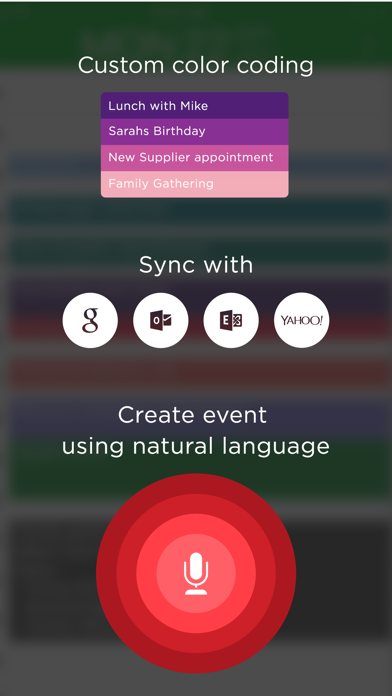
iCalendar is the ultimate calendar for your iPhone, iPad and iPod Touch focusing on your productivity. It’s seamless, highly usable interface allows you to enter events quickly and helps you keep track of your busy schedule. It integrates with your iCloud, Google, Exchange, Outlook, or Yahoo! account to provide you with the most convenient calendaring experience.
EASILY TRACK YOUR SCHEDULE
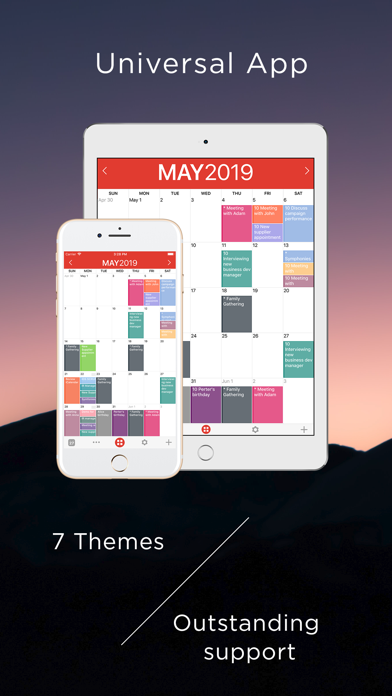
- View your daily, weekly, monthly, and yearly schedule.
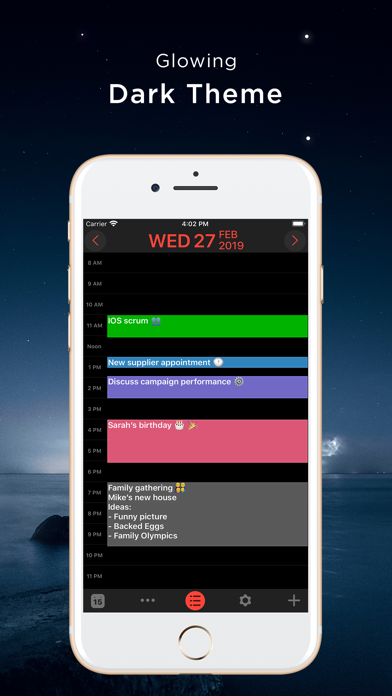
- Custom color-code your events. Use predefined colors, or make up your own colors.
- iCalendar implements quickest way on the market to navigate between dates
- Fast and powerful search: Search events by title, location, and notes.
NEW IN VERSION 4.0
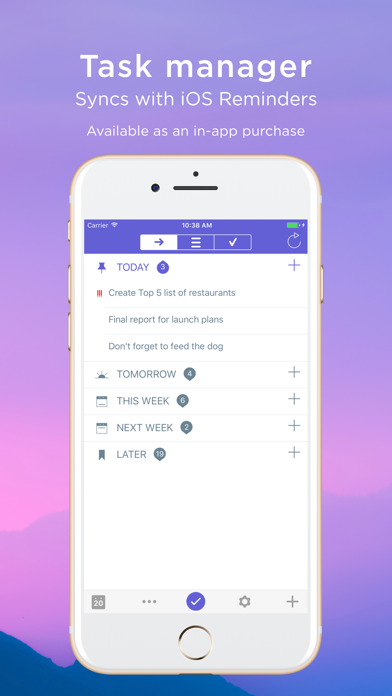
- Task Manager: Manage your tasks within your calendar in a fun and easy manner and sync with iOS Reminders. Available as in-app purchase for USD 0.99.
FULL OF PRODUCTIVITY TOOLS
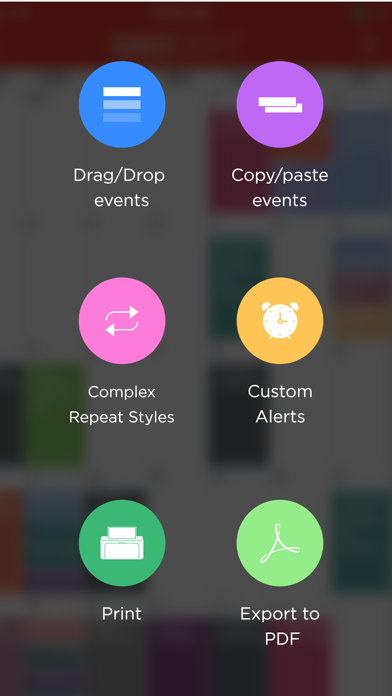
- Drag and drop an event to update its timing.
- Copy and paste events.
- Create custom repeating events (e.g. repeat on the third Friday every month, and many more).
- Add custom alerts/reminders for events and snooze alerts
- Access your event details quickly by tapping on the event.
- Customize the visible time period (e.g. from 9:00 AM – 5:00 PM) to help you focus on most important events.
EVEN MORE
- Time Zone Support: View and create your events in your preferred time zone and never get confused when you travel.
- Complete print functionality. Print daily, weekly, monthly, and yearly views.
- Export any view (day, week, month, year) as a PDF file.
- Use built-in maps to set the location of your events.
- Dial into a conference call with one touch right from iCalendar. Add phone numbers from your contacts to events with the ability to use pause and wait, which is ideal for conference calls.
- Set location of an event as the address or phone number of one of your contacts.
- Access all your events directly from the Month view - no need to go to each individual day to review full list of events.
- Use the app icon badge to indicate either the number of upcoming events or the day of the month.
- Google Calendar sync: sync all of your calendars, create and edit Google Calendar events, and use Google Calendar custom reminders (SMS, email and/or alert).
- Add, edit and delete calendars right from iCalendar.
- Support of portrait and landscape to match your orientation preference.
- iCalendar is a universal app. Download once and use across all your devices.
- For more details: http://www.symfonies.com/icalendar/
iCalendar offers access to interesting calendars from Calendar Store as an optional in-app purchase. You may subscribe to your holidays calendar (national/religious) or subscribe to interesting calendars (e.g. local/global sports events, stocks, weather, and many others).
With an optional in-app purchase yearly subscription, you get full and ongoing access to the Calendar Store in
Frequently Asked Questions
Is iCalendar free?
No, iCalendar costs $2.99. It offers 10 in-app purchases.
What is the rating of iCalendar?
iCalendar has a 4.7 out of 5 star rating based on 5.3K reviews on the Apple App Store.
What are the in-app purchase prices for iCalendar?
iCalendar offers 10 in-app purchases ranging from $0.99 to $1.99. View full price history.
Who made iCalendar?
iCalendar was developed by Symfonies, Inc.. Visit their website at http://www.symfonies.com/iCalendar/.
Developer
Explore More
Related Productivity Apps



Share & Embed
Use these badges on your website or blog to link back to this app's data.
Rating Badge
<a href="https://apppricinglab.com/app/apple/492076105"><img src="https://apppricinglab.com/api/badge/rating?store=apple&app=492076105" alt="iCalendar rating on App Pricing Lab" /></a>IAP Badge
<a href="https://apppricinglab.com/iap/apple/492076105"><img src="https://apppricinglab.com/api/badge/iap?store=apple&app=492076105" alt="iCalendar IAP prices on App Pricing Lab" /></a>Rank Badge
<a href="https://apppricinglab.com/app/apple/492076105"><img src="https://apppricinglab.com/api/badge/rank?store=apple&app=492076105" alt="iCalendar ranking on App Pricing Lab" /></a>