
Total files Price Snapshot
Total files by App Ideas is free to download on the Apple App Store, and offers 1 in-app purchases from $4.99–$4.99 (avg $4.99). It holds a 4.7★ rating from 133.7K reviews.
Latest IAP data: 2026-04-03. Listing last updated: 2026-03-06. Source: public Apple App Store data, compiled via the App Pricing Lab methodology.
4.7★
133.7K reviews
2012-09-07
Released
2026-03-06
Last Updated
Rankings
| Category | Collection | Rank | Date |
|---|---|---|---|
| UTILITIES | keyword:utility apps | #81 | 2026-03-12 |
| PRODUCTIVITY | keyword:productivity apps | #189 | 2026-03-12 |
In-App Purchase Overview
1
IAP Items
$4.99
Cheapest
$4.99
Most Expensive
$4.99
Average Price
In-App Purchases (1 items)
Full version upgrade
$4.99
Screenshots

About Total files
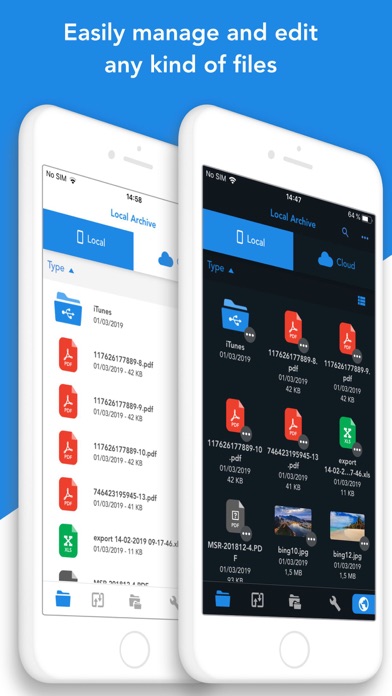
Total Files is the one stop file manager for iOS, with powerful PDF reader, cloud storage support and much more!
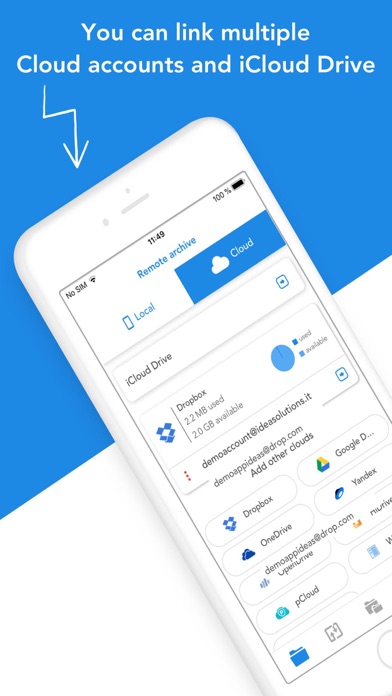
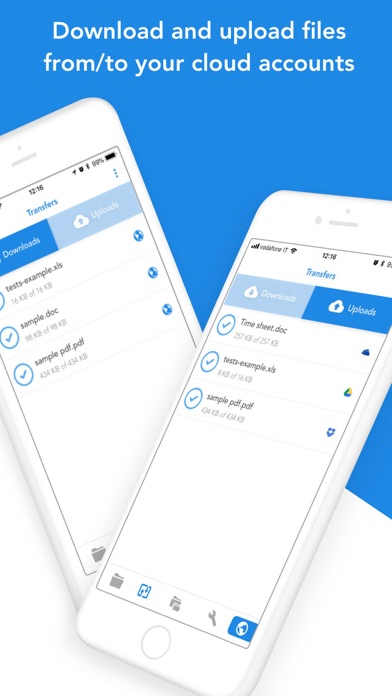
Total Files supports DropBox, Google Drive, OneDrive and iCloud Files and offers iOS Files app integration to download and upload to any cloud from any app!
You'll not need to install a separate app for each storage provider that you want to use from your device! Link all cloud accounts in Total Files and enjoy the full integration with iOS. For example, thanks to the iOS “Files” integration, you can directly save files to one of the cloud linked in Total, simply using the "Save in files” feature available in any apps on your device.
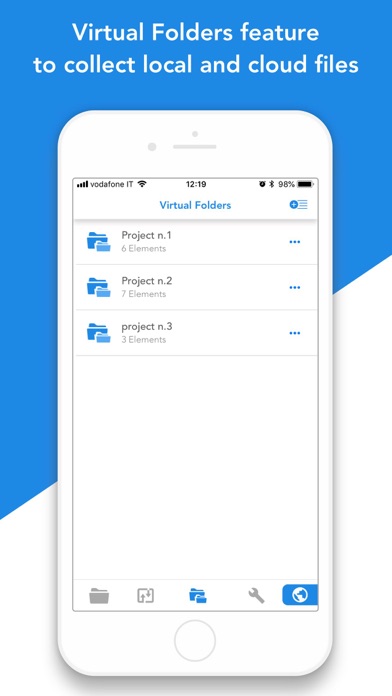
Virtual folders allows to group files that come from different sources (cloud or local).
The Spotlight indexing of all local contents allows to immediately find and open the file you're looking for, without opening the app!
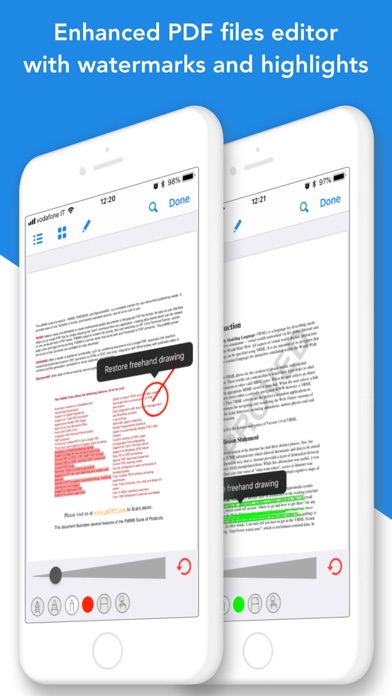
Our powerful PDF viewer offers annotation capabilities and automatically recognise common shapes and gestures to highlight paragraph
Main features:
- iOS 11 Files app integration for ALL clouds linked to the app in read write mode.
- Supports Dropbox, GDrive, OneDrive, iCloud services for remote file storage.
- Search between all contents in the app and in the linked cloud storages thanks to the advanced search
- Compression and decompression features (zip)
- Spotlight indexing
- PDF editor with annotation, shape recognition
- Simultaneous linking of multiple Cloud accounts and management of folders shared with other users.
- Bookmarks and history management.
- URL autocomplete
- Quick search bar, and enhanced search within all cloud and local files.
- PIN to hide and secure folders.
- Multi-tab browser
Frequently Asked Questions
Is Total files free?
Yes, Total files is free to download. It offers 1 in-app purchases.
What is the rating of Total files?
Total files has a 4.7 out of 5 star rating based on 133.7K reviews on the Apple App Store.
What are the in-app purchase prices for Total files?
Total files offers 1 in-app purchases. View full price history.
Who made Total files?
Total files was developed by App Ideas. Visit their website at http://www.appideas.it.
Developer
Explore More
Related Utilities Apps


Share & Embed
Use these badges on your website or blog to link back to this app's data.
Rating Badge
<a href="https://apppricinglab.com/app/apple/557285579"><img src="https://apppricinglab.com/api/badge/rating?store=apple&app=557285579" alt="Total files rating on App Pricing Lab" /></a>IAP Badge
<a href="https://apppricinglab.com/iap/apple/557285579"><img src="https://apppricinglab.com/api/badge/iap?store=apple&app=557285579" alt="Total files IAP prices on App Pricing Lab" /></a>Rank Badge
<a href="https://apppricinglab.com/app/apple/557285579"><img src="https://apppricinglab.com/api/badge/rank?store=apple&app=557285579" alt="Total files ranking on App Pricing Lab" /></a>