
File Manager Price Snapshot
File Manager by File Manager Plus is free to download on the Google Play, and offers in-app purchases. It holds a 4.7★ rating from 1.7M reviews.
Listing last updated: 2026-02-28. Source: public Google Play data, compiled via the App Pricing Lab methodology.
4.7★
1.7M reviews
100.0M
Installs
Oct 19, 20
Released
2026-02-28
Last Updated
Rankings
| Category | Collection | Rank | Date |
|---|---|---|---|
| PRODUCTIVITY | topselling_free | #81 | 2026-03-10 |
Screenshots


About File Manager
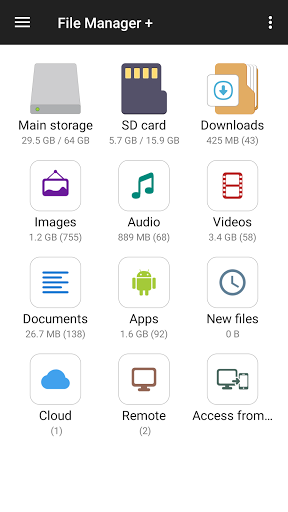
File Manager + is an easy and powerful file explorer for Android devices. It’s free, fast and full-featured. Because of its simple UI, it’s extremely easy to use. You can easily manage storages on your device, NAS(Network-attached storage), and cloud storages. What’s more, you can find how many files & apps you have on your device at a glance immediately after opening the app.
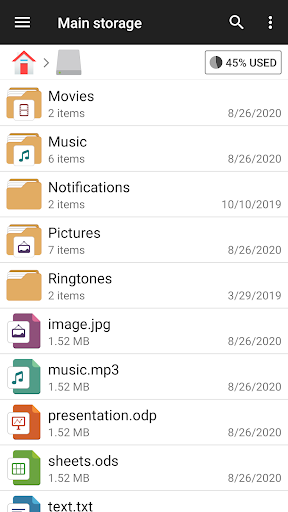
It supports every file management action (open, search, navigate directory, copy and paste, cut, delete, rename, compress, decompress, transfer, download, bookmark, and organize) for various file formats including media and apk.
Major locations and functions of File Manager Plus are as following:
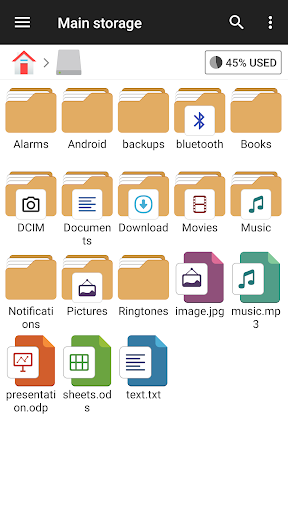
• Main Storage / SD card / USB OTG : You can manage all files and folders on both your internal storage and external storage.
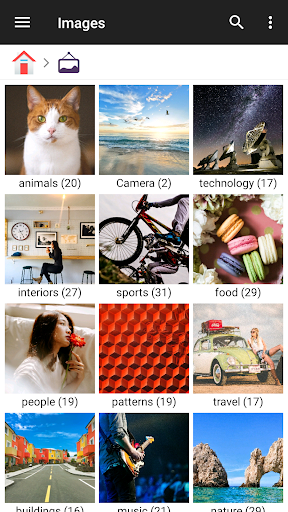
• Downloads / New files / Images / Audio / Videos / Documents : Your files and folders are automatically sorted by their types and characteristics so that you can easily find what you are looking for.
• Apps : You can see and manage all applications installed on your local device.
• Cloud / Remote : You can access your cloud storage and also remote/shared storage like NAS and FTP server. (Cloud storage: Google Drive™, OneDrive, Dropbox, Box, and Yandex)
• Access from PC : You can access your android device storage from PC using FTP(File Transfer Protocol).
• Storage analysis : You can analyze local storages to clean up useless files. You can find out which files and apps take up the most space.
• Internal image viewer / Internal music player/ Internal text editor : You can choose to use built-in utilities for faster and better performance.
• Archive management : You can compress and decompress archive files.
- Supported compression archives : zip
- Supported decompression archives : zip, gz, xz, tar
• Supported devices : Android TV, phone and tablet.
Frequently Asked Questions
Is File Manager free?
Yes, File Manager is free to download. It offers in-app purchases.
What is the rating of File Manager?
File Manager has a 4.7 out of 5 star rating based on 1.7M reviews on the Google Play.
Who made File Manager?
File Manager was developed by File Manager Plus. Visit their website at https://www.alphainventor.com/file-manager-plus.
Developer
Explore More
Related Productivity Apps








Share & Embed
Use these badges on your website or blog to link back to this app's data.
Rating Badge
<a href="https://apppricinglab.com/app/google_play/com.alphainventor.filemanager"><img src="https://apppricinglab.com/api/badge/rating?store=google_play&app=com.alphainventor.filemanager" alt="File Manager rating on App Pricing Lab" /></a>IAP Badge
<a href="https://apppricinglab.com/iap/google_play/com.alphainventor.filemanager"><img src="https://apppricinglab.com/api/badge/iap?store=google_play&app=com.alphainventor.filemanager" alt="File Manager IAP prices on App Pricing Lab" /></a>Rank Badge
<a href="https://apppricinglab.com/app/google_play/com.alphainventor.filemanager"><img src="https://apppricinglab.com/api/badge/rank?store=google_play&app=com.alphainventor.filemanager" alt="File Manager ranking on App Pricing Lab" /></a>