
Microsoft OneDrive Price Snapshot
Microsoft OneDrive by Microsoft Corporation is free to download on the Google Play, and offers in-app purchases. It holds a 4.6★ rating from 6.9M reviews.
Listing last updated: 2026-03-06. Source: public Google Play data, compiled via the App Pricing Lab methodology.
4.6★
6.9M reviews
5.0B
Installs
Aug 28, 20
Released
2026-03-06
Last Updated
Rankings
| Category | Collection | Rank | Date |
|---|---|---|---|
| PRODUCTIVITY | topgrossing | #3 | 2026-03-10 |
| PRODUCTIVITY | topselling_free | #101 | 2026-03-10 |
Screenshots

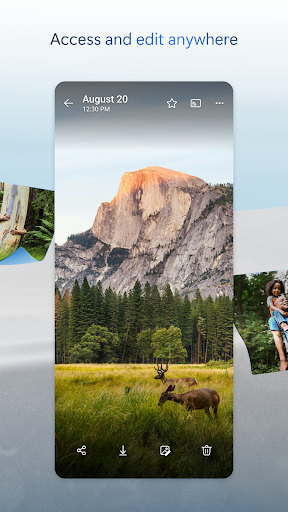
About Microsoft OneDrive
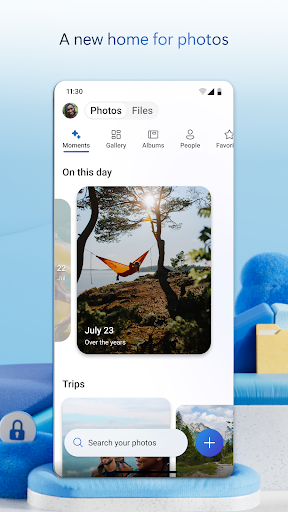
Microsoft OneDrive’s cloud storage secures photos, videos, and files to keep them protected, synced, and accessible on all your devices. The OneDrive app lets you view and securely share photos, videos, and files with friends and family. Plus, you can use the app to automatically back up your phone’s photos and videos. Start with 5 GB of free cloud storage space or upgrade to a Microsoft 365 subscription to get up to 1 TB of cloud storage.
Microsoft OneDrive offers the following features:
Back up photos & videos
• More storage for all of your important files. Upload photos, videos, documents & more
• Automatic photo backup & secure photo storage when you turn on Camera Upload
• Find photos in the photo locker easily with automatic tagging
• View & share photos on your phone, computer & online
• Free storage & photo locker will secure photos & keep them safe
• Upload videos & keep them in secure photo storage
File sharing and access
• Secure photo storage for all of your photos, videos & albums
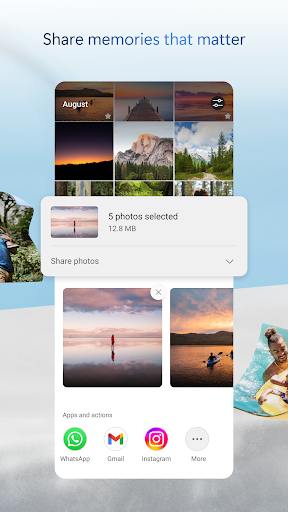
• Share files, photos, videos & albums with friends & family
• Share photos & upload videos easily
• Get notifications when a shared document is edited
• Secure folder settings offer password-protected or expiring sharing links*
• Access selected OneDrive files on the app without being online
Security
• All OneDrive files are encrypted at rest & in transit
• Personal Vault: protect important files with identity verification in secure folder storage
• Secure photos, upload videos & keep them safe with secure photo storage
• Restore files with version history
• Stay protected with ransomware detection & recovery*
Collaboration with Microsoft
• Share files across platforms & share photos in the photo locker
• Use Microsoft Office apps to edit & collaborate in real time on Word, Excel, PowerPoint & OneNote files stored in OneDrive
• Back up, view & save Office documents
Document scanning
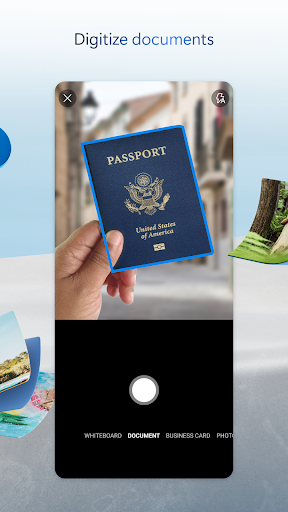
• Scan, sign, markup & send docs right from the OneDrive mobile app
• Keep documents safe in a secure folder
Search
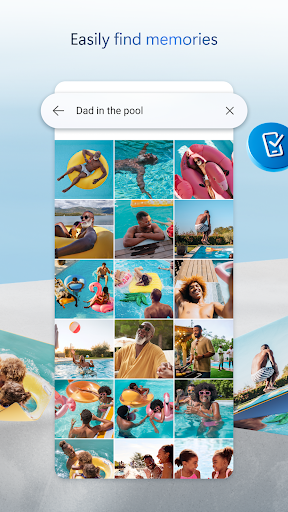
• Search photos by what’s in them (i.e. beach, snow, etc.)
• Search docs by name or content
The OneDrive app for Android offers 5 GB of free cloud storage to sync photos and files across your devices, share photos and docs, and keep your digital life backed up in the cloud.
Microsoft 365 Personal & Family Subscription
• Subscriptions begin at $6.99 a month in the US, and can vary by region
• More storage with 1 TB per person for up 6 people with the Family subscription
• OneDrive premium features accessible for everyone in the plan
• Share files, folders and photos for specific time windows for added security
• Protect your passwords with password-protected sharing links
• Secure file sharing app with added ransomware detection and recovery security features
• File Restore: Recover files up to 30 days after malicious attacks, file corruption, or accidental edits or deletions
• Share up to 10x more content a day with friends and family
• Access premium ve
Frequently Asked Questions
Is Microsoft OneDrive free?
Yes, Microsoft OneDrive is free to download. It offers in-app purchases.
What is the rating of Microsoft OneDrive?
Microsoft OneDrive has a 4.6 out of 5 star rating based on 6.9M reviews on the Google Play.
Who made Microsoft OneDrive?
Microsoft OneDrive was developed by Microsoft Corporation. Visit their website at https://aka.ms/OneDriveOnAndroid.
Developer
Explore More
Related Productivity Apps








Share & Embed
Use these badges on your website or blog to link back to this app's data.
Rating Badge
<a href="https://apppricinglab.com/app/google_play/com.microsoft.skydrive"><img src="https://apppricinglab.com/api/badge/rating?store=google_play&app=com.microsoft.skydrive" alt="Microsoft OneDrive rating on App Pricing Lab" /></a>IAP Badge
<a href="https://apppricinglab.com/iap/google_play/com.microsoft.skydrive"><img src="https://apppricinglab.com/api/badge/iap?store=google_play&app=com.microsoft.skydrive" alt="Microsoft OneDrive IAP prices on App Pricing Lab" /></a>Rank Badge
<a href="https://apppricinglab.com/app/google_play/com.microsoft.skydrive"><img src="https://apppricinglab.com/api/badge/rank?store=google_play&app=com.microsoft.skydrive" alt="Microsoft OneDrive ranking on App Pricing Lab" /></a>