
Clock, Date and Weather Widget Price Snapshot
Clock, Date and Weather Widget by aac is free to download on the Google Play, and offers in-app purchases. It holds a 3.7★ rating from 495 reviews.
Listing last updated: 2025-05-17. Source: public Google Play data, compiled via the App Pricing Lab methodology.
3.7★
495 reviews
100.0K
Installs
Apr 27, 20
Released
2025-05-17
Last Updated
Rankings
| Category | Collection | Rank | Date |
|---|---|---|---|
| WEATHER | topselling_free | #131 | 2026-03-10 |
Screenshots
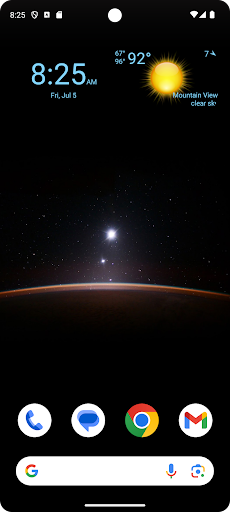


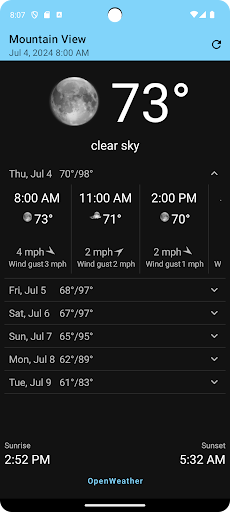
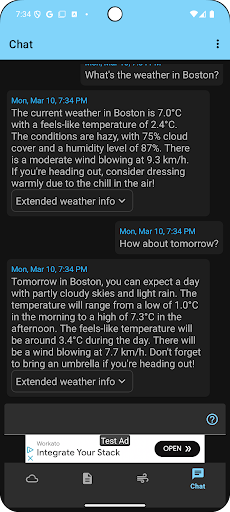
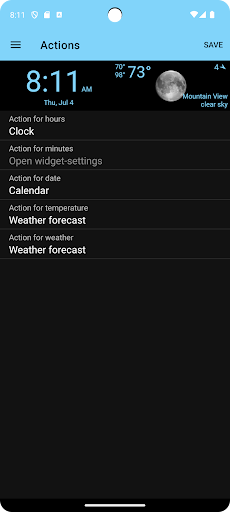
About Clock, Date and Weather Widget
Display digital clock, date and current weather on your home screen.
Features:
- Select widget click actions: tap on widget to show weather forecast, widget settings or pick any installed application
- Show the current weather for the device location or choose a specific location
- Show current weather, weather forecast and air quality
- Weather Assistant, ask questions about the weather and get weather-related recommendations for any location worldwide
- Widget preview during setup
- Material design UI
- Select widget text- and background-color from the material design color palettes.
Add the widget to your home screen:
- On a Home screen, touch and hold an empty space.
- Tap Widgets.
- Find Clock, Date and Weather Widget.
- To check the list of available widgets for the app, tap the app.
- Touch and hold a widget. You’ll get images of your Home screens.
- Slide the widget to where you want it. Lift your finger.
Tip: Touch and hold the Clock, Date and Weather Widget app and then tap Widgets.
Resize a widget:
- On your home screen, touch and hold the widget.
- Lift your finger.
- To resize, drag the dots.
- When you're done, tap outside the widget.
Frequently Asked Questions
Is Clock, Date and Weather Widget free?
Yes, Clock, Date and Weather Widget is free to download. It offers in-app purchases.
What is the rating of Clock, Date and Weather Widget?
Clock, Date and Weather Widget has a 3.7 out of 5 star rating based on 495 reviews on the Google Play.
Who made Clock, Date and Weather Widget?
Clock, Date and Weather Widget was developed by aac. Visit their website at https://kaaholst.github.io/clock-widget.
Developer
Explore More
Related Weather Apps





Share & Embed
Use these badges on your website or blog to link back to this app's data.
Rating Badge
<a href="https://apppricinglab.com/app/google_play/dk.aaholst.clockwidget"><img src="https://apppricinglab.com/api/badge/rating?store=google_play&app=dk.aaholst.clockwidget" alt="Clock, Date and Weather Widget rating on App Pricing Lab" /></a>IAP Badge
<a href="https://apppricinglab.com/iap/google_play/dk.aaholst.clockwidget"><img src="https://apppricinglab.com/api/badge/iap?store=google_play&app=dk.aaholst.clockwidget" alt="Clock, Date and Weather Widget IAP prices on App Pricing Lab" /></a>Rank Badge
<a href="https://apppricinglab.com/app/google_play/dk.aaholst.clockwidget"><img src="https://apppricinglab.com/api/badge/rank?store=google_play&app=dk.aaholst.clockwidget" alt="Clock, Date and Weather Widget ranking on App Pricing Lab" /></a>