
Unicorn Blocker:Adblocker, Fas Price Snapshot
Unicorn Blocker:Adblocker, Fas by Unicorn Soft, Inc. is priced at $1.99 on the Google Play, with no in-app purchases. It holds a 4.0★ rating from 9.9K reviews.
Listing last updated: 2025-02-18. Source: public Google Play data, compiled via the App Pricing Lab methodology.
4.0★
9.9K reviews
100.0K
Installs
Mar 3, 201
Released
2025-02-18
Last Updated
Rankings
| Category | Collection | Rank | Date |
|---|---|---|---|
| PRODUCTIVITY | topselling_paid | #48 | 2026-03-10 |
Screenshots
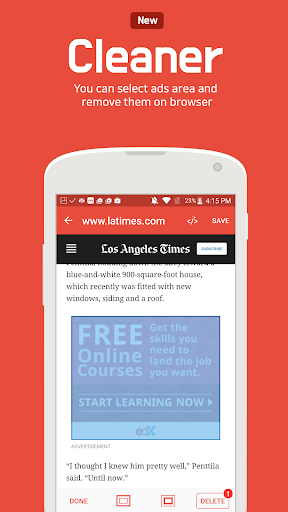
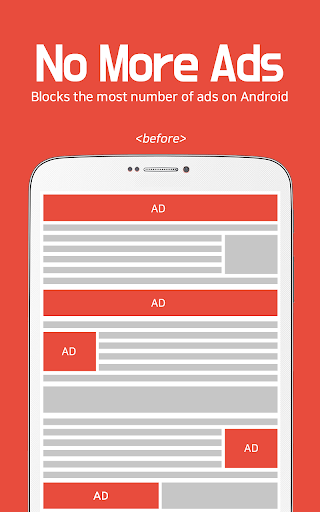
About Unicorn Blocker:Adblocker, Fas
*** 50% OFF LIMITED TIME ONLY ***
*** The application only runs on Samsung Internet or Yandex Browser ***
*** Contact us : unicorn.adblock@gmail.com ***
Did you know that the data expense that ads waste can be up to quadruple?
Unicorn saves the data expense that ads waste up to 4 times through blocking ads, and makes web surfing up to 3 times faster. Also lighter web surfing increases your battery life up to 21%.
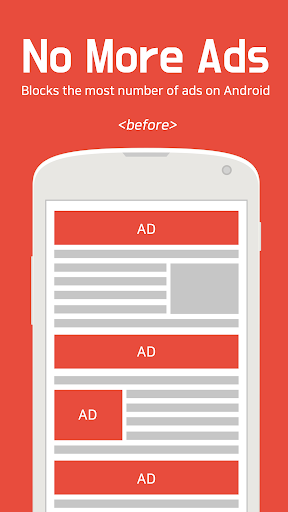
Blocks ads
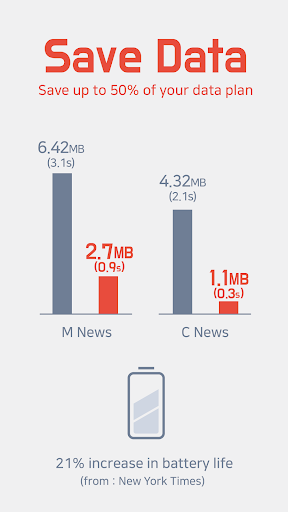
• Saves up to 50% of your data plan
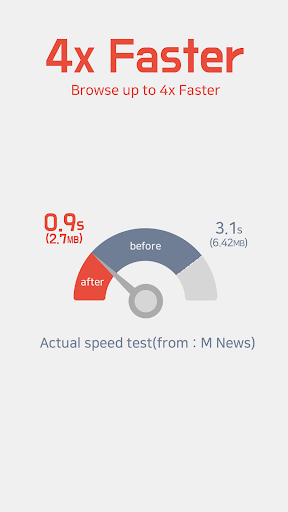
• Browse up to 3x FASTER
• Increase battery life up to 21% (from: New York Times)
Types of ads block
• Blocks annoying pre-roll video ads
• Blocks ads that hide and then appear
• Blocks ads that suddenly appear
• Blocks ads that waste data
• Blocks sexual ads
• Blocks tracking
• Blocks pop-up ads
• Blocks forced redirects ads
Websites with blocked ads
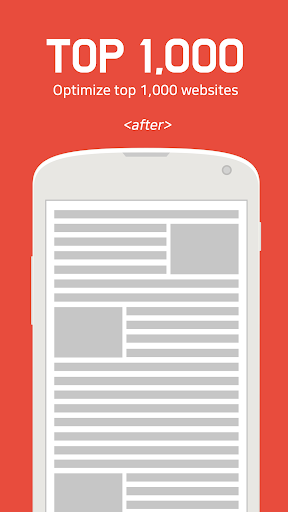
• Top 1,000 Mobile/PC websites
• Community
• Press
• Portal
• Blog
• Advertising agency
Supported Browser
• Samsung Internet 4.0 or higher required.
• Yandex Browser
Required OS
• Android 4.4(KitKat) or higher required.
How to install Samsung Internet
• https://play.google.com/store/apps/details?id=com.sec.android.app.sbrowser
How to install Yandex Browser
• https://play.google.com/store/apps/details?id=com.yandex.browser
Tip 1: How to change Facebook settings to open links in the default browser.
- Facebook app -> settings(press and hold the back button) -> Activate "Always open links with external browser"
Tip 2: How to sync bookmarks from Google chrome to Samsung browser.
• https://chrome.google.com/webstore/detail/samsung-sync/epejdmjgfibjaffbmojllapapjejipkh?hl=us
Tip 3: Regarding the use of application on Power-saving mode.
The application runs without problem even with the Power-saving mode activated.
Frequently Asked Questions
Is Unicorn Blocker:Adblocker, Fas free?
No, Unicorn Blocker:Adblocker, Fas costs $1.99.
What is the rating of Unicorn Blocker:Adblocker, Fas?
Unicorn Blocker:Adblocker, Fas has a 4.0 out of 5 star rating based on 9.9K reviews on the Google Play.
Who made Unicorn Blocker:Adblocker, Fas?
Unicorn Blocker:Adblocker, Fas was developed by Unicorn Soft, Inc.. Visit their website at http://getunicorn.app.
Developer
Explore More
Related Productivity Apps








Share & Embed
Use these badges on your website or blog to link back to this app's data.
Rating Badge
<a href="https://apppricinglab.com/app/google_play/kr.co.lylstudio.unicorn"><img src="https://apppricinglab.com/api/badge/rating?store=google_play&app=kr.co.lylstudio.unicorn" alt="Unicorn Blocker:Adblocker, Fas rating on App Pricing Lab" /></a>Rank Badge
<a href="https://apppricinglab.com/app/google_play/kr.co.lylstudio.unicorn"><img src="https://apppricinglab.com/api/badge/rank?store=google_play&app=kr.co.lylstudio.unicorn" alt="Unicorn Blocker:Adblocker, Fas ranking on App Pricing Lab" /></a>