RFID Reader Price Snapshot
RFID Reader by TOPPANエッジ株式会社 is free to download on the Google Play, with no in-app purchases. It holds a 0.0★ rating.
Listing last updated: 2025-10-30. Source: public Google Play data, compiled via the App Pricing Lab methodology.
0.0★
Rating
5.0K
Installs
Oct 8, 202
Released
2025-10-30
Last Updated
Rankings
| Category | Collection | Rank | Date |
|---|---|---|---|
| LIBRARIES_AND_DEMO | topselling_free | #186 | 2026-03-10 |
Screenshots
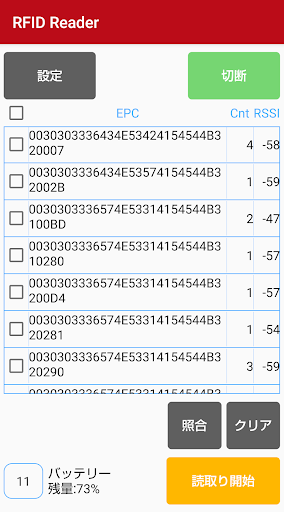
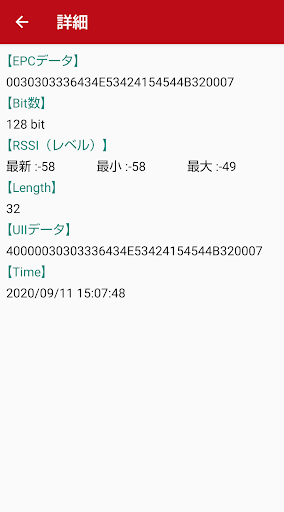
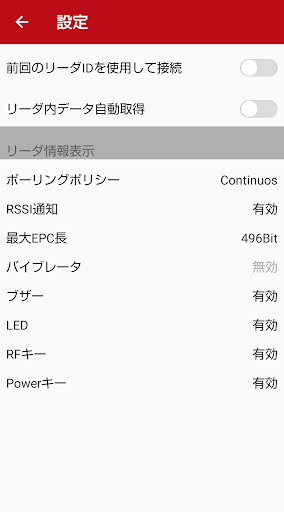
About RFID Reader
--- How to use ---
1. Turn on the RFID reader.
2. Press the connect button on the top right of the app and select the reader ID to connect the reader to your Android device.
3. Press the read button on the app or the RFID irradiation button on the reader to read the RFID tag.
■ Recommended environment
Android 8.0 / Android 9.0
-Limited to terminals that support Bluetooth Low Energy.
・ This application cannot be used on tablet devices.
* We are not involved in any damage caused by using this application.
Frequently Asked Questions
Is RFID Reader free?
Yes, RFID Reader is free to download.
What is the rating of RFID Reader?
RFID Reader has a 0.0 out of 5 star rating on the Google Play.
Who made RFID Reader?
RFID Reader was developed by TOPPANエッジ株式会社.
Developer
Explore More
Related Libraries & Demo Apps





Share & Embed
Use these badges on your website or blog to link back to this app's data.
Rating Badge
<a href="https://apppricinglab.com/app/google_play/tf.rfidreader"><img src="https://apppricinglab.com/api/badge/rating?store=google_play&app=tf.rfidreader" alt="RFID Reader rating on App Pricing Lab" /></a>Rank Badge
<a href="https://apppricinglab.com/app/google_play/tf.rfidreader"><img src="https://apppricinglab.com/api/badge/rank?store=google_play&app=tf.rfidreader" alt="RFID Reader ranking on App Pricing Lab" /></a>